
Ledger vs Trezor vs KeepKey: An Overview of Firmware Customization Options

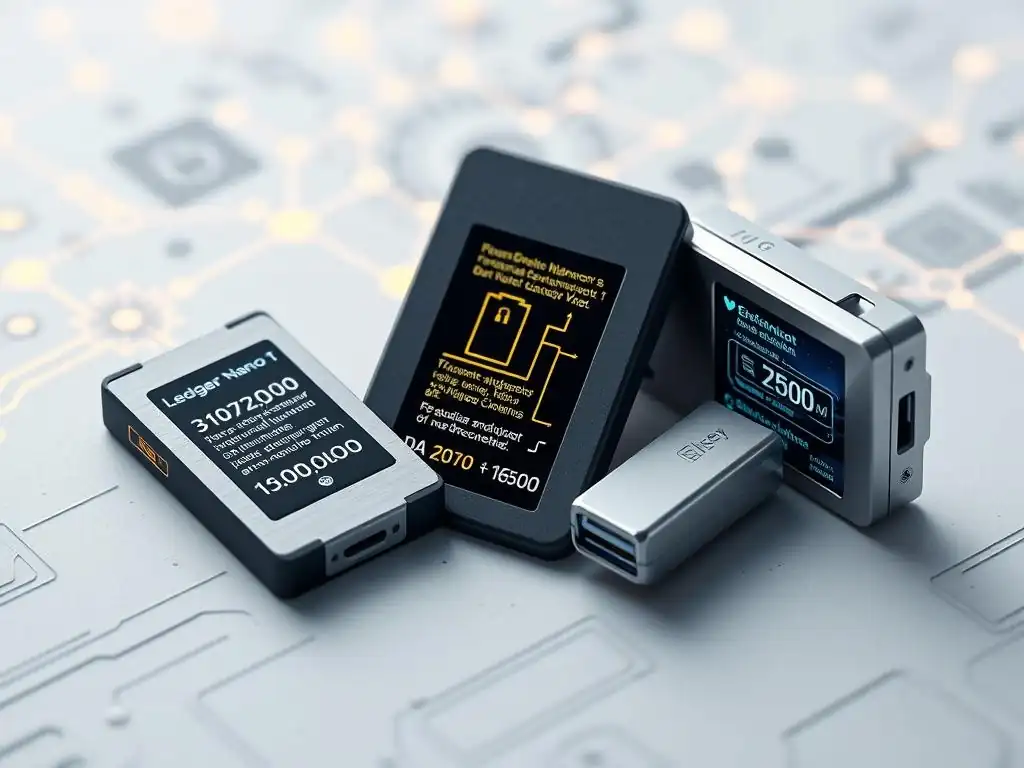
Welcome to Blockchain Trends, your compass in the evolving landscape of decentralized technology.
Ever wondered how secure your digital assets really are? Dive into our latest exploration of Hardware wallet firmware customization and unlock a deeper understanding of the control you have over your crypto security. Can you truly tailor your Ledger, Trezor, or KeepKey to your specific needs? Find out now and begin securing your digital future.
- Understanding Hardware Wallet Firmware and Its Importance
- Ledger Hardware Wallets: Firmware Architecture and Updates
- Trezor Hardware Wallets: Open-Source Firmware Flexibility
- KeepKey Hardware Wallets: Firmware Design and Integration
- Comparing Hardware Wallet Firmware Customization Options
- Hardware Wallet Firmware Customization and Security Implications
- Choosing the Right Hardware Wallet
-
Frequently Asked Questions
- What are the primary differences between Ledger, Trezor, and KeepKey in terms of firmware customization options?
- Why is firmware customization important for hardware wallets?
- What are the potential risks associated with customizing hardware wallet firmware?
- How does the openness of Trezor's firmware benefit developers interested in hardware wallet firmware customization?
- Where can I find resources and documentation for hardware wallet firmware customization, particularly for Trezor?
- Final Reflection: Embracing Hardware Wallet Sovereignty
- Unlock the Full Potential of Your Crypto Security!
Understanding Hardware Wallet Firmware and Its Importance
What is Firmware in a Crypto Hardware Wallet?
Firmware is a specific class of software that provides low-level control for a device's specific hardware. In the context of a crypto hardware wallet, firmware is the embedded software that resides on the secure element or main chip of the device. It acts as the operating system, enabling the wallet to perform its core functions, such as generating and storing private keys securely, signing transactions, and interacting with companion software like Ledger Live or Trezor Suite. This firmware is purpose-built and designed to run on the minimal hardware resources of the wallet, prioritizing security and efficiency above all else.
Unlike the software running on your computer or smartphone, hardware wallet firmware is typically designed with a much smaller attack surface. It controls the critical cryptographic operations that protect your digital assets. The integrity of this firmware is paramount; any compromise at this level could potentially expose your private keys, leading to the loss of funds. Therefore, the design, implementation, and maintenance of the firmware are the most crucial aspects of a hardware wallet's security architecture.
Why Firmware Updates are Crucial for Security and Features
Regular firmware updates are absolutely essential for maintaining the security and functionality of a hardware wallet. Security vulnerabilities, while rare in well-designed hardware, can occasionally be discovered. These might range from complex side-channel attacks requiring physical access to more theoretical cryptographic weaknesses. When such vulnerabilities are identified, manufacturers release firmware updates specifically designed to patch these holes, effectively closing potential backdoors and protecting users from emerging threats. Skipping updates leaves a device exposed to known exploits.
Beyond security, firmware updates frequently introduce support for new cryptocurrencies and tokens. As the blockchain ecosystem expands, new assets and protocols emerge. Updating the firmware allows the wallet to understand and interact with these new blockchain networks and transaction types. Furthermore, updates often bring feature enhancements, improve user interface responsiveness, optimize transaction signing processes, or add support for new dApp interactions (like DeFi or NFTs) through companion software. For example, a major firmware update might add support for a new blockchain entirely or significantly improve the speed of transaction signing for complex smart contracts.
The Role of Firmware Customization in Wallet Functionality
Firmware customization refers to the degree to which the firmware can be modified or extended, either by the manufacturer, third-party developers, or even advanced users. While end-user customization of the core security firmware is generally not possible or advisable due to security risks, the architecture can allow for customization in other ways.
This might involve adding 'apps' for specific cryptocurrencies or services (as seen on Ledger), enabling experimental features (like CoinJoin on Trezor), or integrating with specific software platforms (like KeepKey's historical integration with ShapeShift). The level of customization directly impacts the wallet's flexibility and the range of assets and services it can support.
The ability for developers to build upon the wallet's platform, often through SDKs (Software Development Kits) provided by the manufacturer, is a form of firmware-level customization. This allows for the creation of new applications or integrations that run on or interact closely with the hardware wallet's secure environment.
For instance, a developer might create a custom app to manage a specific, less common token directly on the device. The extent to which this is possible varies significantly between different hardware wallet brands, influencing the ecosystem that grows around the device and the potential future utility of the hardware wallet firmware.
Ledger Hardware Wallets: Firmware Architecture and Updates
Ledger Nano S and Nano X Firmware Overview
Ledger hardware wallets, including the popular Nano S and Nano X models, run on proprietary firmware designed by Ledger. This firmware is specifically built to operate within the constraints of the device's secure element chip, which holds the private keys.
The architecture is based on a layered approach, with a core operating system (BOLOS - Blockchain Open Ledger Operating System) running on the secure element, and individual 'apps' for each supported cryptocurrency or protocol installed on top of it. These apps are essentially small programs that allow the device to understand the specific transaction formats and signing procedures for different blockchains.
The core firmware manages the secure element, cryptographic operations, and the installation/management of these apps. While the core BOLOS firmware is closed-source, the APIs and SDKs for developing the cryptocurrency-specific apps are publicly available.
This model allows Ledger to maintain tight control over the foundational security layer (the BOLOS and secure element integration) while enabling third-party developers to contribute support for new assets by building the necessary apps. The amount of available storage on the device dictates how many of these apps can be installed simultaneously, a key difference between the Nano S (limited storage) and Nano X (larger storage).
How Ledger Live Manages Firmware Updates
Firmware updates for Ledger devices are managed exclusively through the official Ledger Live application, available on desktop and mobile. Users connect their device to the computer or phone running Ledger Live, and the application checks for available firmware updates. If an update is found, Ledger Live guides the user through the process. This typically involves downloading the new firmware version to the computer/phone, verifying its integrity (Ledger Live checks the digital signature of the firmware to ensure it's official), and then transferring and installing it onto the hardware wallet.
The process is designed to be straightforward for the average user, abstracting away the technical complexities. Ledger Live ensures that the update package is legitimate before flashing it to the device, preventing malicious firmware from being installed. During the update process, the device's screen displays progress and requires user confirmation at critical steps, such as confirming the firmware version number and a unique identifier displayed on both the device and Ledger Live, acting as a security check against potential man-in-the-middle attacks during the update delivery.
Security Considerations of Ledger Firmware (Closed Source Approach)
Ledger's core firmware (BOLOS) and the secure element implementation are closed-source. This means the underlying code is not publicly available for review by the broader security community. The argument for this approach is that keeping the core security architecture proprietary makes it harder for potential attackers to find vulnerabilities by analyzing the code. Ledger relies on internal security audits and professional third-party penetration testing to identify and mitigate risks within their closed ecosystem.
Critics argue that a closed-source approach lacks transparency and makes it difficult for external security researchers to verify the absence of backdoors or vulnerabilities. While Ledger provides documentation on their architecture and APIs for app development, the fundamental layer of trust rests solely with Ledger's internal processes and audited results. This contrasts with open-source models where the code is publicly scrutinized by a global community of developers and security experts, potentially leading to faster identification and patching of issues through collective review.
Developer Access and App Development on Ledger Devices
Ledger provides an SDK that allows developers to create applications for specific cryptocurrencies or services to run on the BOLOS platform. These apps are distinct from the core firmware. Developers can write code in C to interact with the device's hardware and the BOLOS APIs to handle cryptographic operations and transaction signing for their specific blockchain. Once developed, these apps can be submitted to Ledger for review and potential inclusion in the Ledger Live App Catalog.
The developer access is primarily focused on extending the range of assets and services supported by the device, rather than allowing modification of the core security firmware itself. This controlled environment ensures that third-party apps cannot compromise the isolation of private keys managed by the secure element and the core BOLOS. The process for getting an app listed in Ledger Live involves security reviews by Ledger, ensuring a degree of vetting before users can install them, which contributes to the overall security posture of the hardware wallet firmware ecosystem.
Trezor Hardware Wallets: Open-Source Firmware Flexibility
Trezor Model One and Trezor Model T Firmware Explained
Trezor hardware wallets, including the Model One and Model T, utilize open-source firmware. This means the complete source code for the device's operating system is publicly available for anyone to inspect, audit, and contribute to. The firmware is written primarily in Python and C, running on the device's main microcontroller (which is not a certified secure element in the same way Ledger's is, though it employs robust security measures including firmware-level protections).
The open-source nature is a fundamental principle for SatoshiLabs, the creator of Trezor. They believe that transparency and community review are the strongest forms of security verification. The firmware handles key generation, storage (protected by encryption and user PIN), transaction signing, and communication with companion software like Trezor Suite. The Model T, with its touchscreen and more powerful hardware, runs a more advanced version of the firmware that supports features like Shamir Backup directly on the device screen and has greater capacity for future complex operations.
The Advantages of Trezor's Open-Source Firmware
The primary advantage of Trezor's open-source firmware is transparency. Anyone with the technical knowledge can review the code to understand exactly how the device works, how it handles private keys, and whether there are any potential vulnerabilities. This public scrutiny by a global community of cryptographers, security researchers, and developers acts as a continuous audit process, theoretically increasing the likelihood that bugs or security flaws are found and patched quickly.
Furthermore, the open-source model fosters community collaboration. Developers can contribute improvements, suggest new features, and even fork the project if they wish (though official updates come from SatoshiLabs). This collaborative environment can lead to faster innovation and support for a wider range of features or less common cryptocurrencies, assuming the community builds the necessary integrations. The trust in the firmware is built on verifiable code rather than solely on the manufacturer's reputation and internal audits.
Community Development and Contributions to Trezor Firmware
The open-source nature of Trezor's hardware wallet firmware actively encourages community involvement. Developers can contribute code improvements, bug fixes, or even propose and build support for new features or cryptocurrencies. Contributions are typically submitted through platforms like GitHub, where they are reviewed by the core Trezor development team and other community members before potentially being merged into the official firmware releases.
This collaborative model has resulted in community-driven additions and improvements over the years. While major security-critical components are tightly controlled by SatoshiLabs, the community plays a significant role in expanding asset support and enhancing user experience features. This contrasts with models where all development and feature additions are solely reliant on the manufacturer's internal resources and priorities, potentially leading to broader and faster support for niche assets or innovative features through community effort.
The Trezor Update Process: What Users Need to Know
Updating Trezor firmware is primarily done through the official Trezor Suite application (or the deprecated Trezor Wallet web interface). When a new firmware version is available, Trezor Suite will notify the user. The update process involves downloading the new firmware file, which is cryptographically signed by SatoshiLabs. The Trezor device itself verifies this digital signature before allowing the update to proceed, ensuring that only official, untampered firmware can be installed.
The update process is generally straightforward, but it requires user confirmation on the device screen. Users are typically prompted to disconnect and reconnect the device, and confirm the update action directly on the Trezor's display. A critical step involves verifying the firmware signature and often a checksum or hash displayed on both the software and the device. It's crucial for users to follow these steps carefully and ensure they are using official Trezor software to perform the update, safeguarding against potential phishing or malware attempts aimed at delivering fake firmware.
KeepKey Hardware Wallets: Firmware Design and Integration
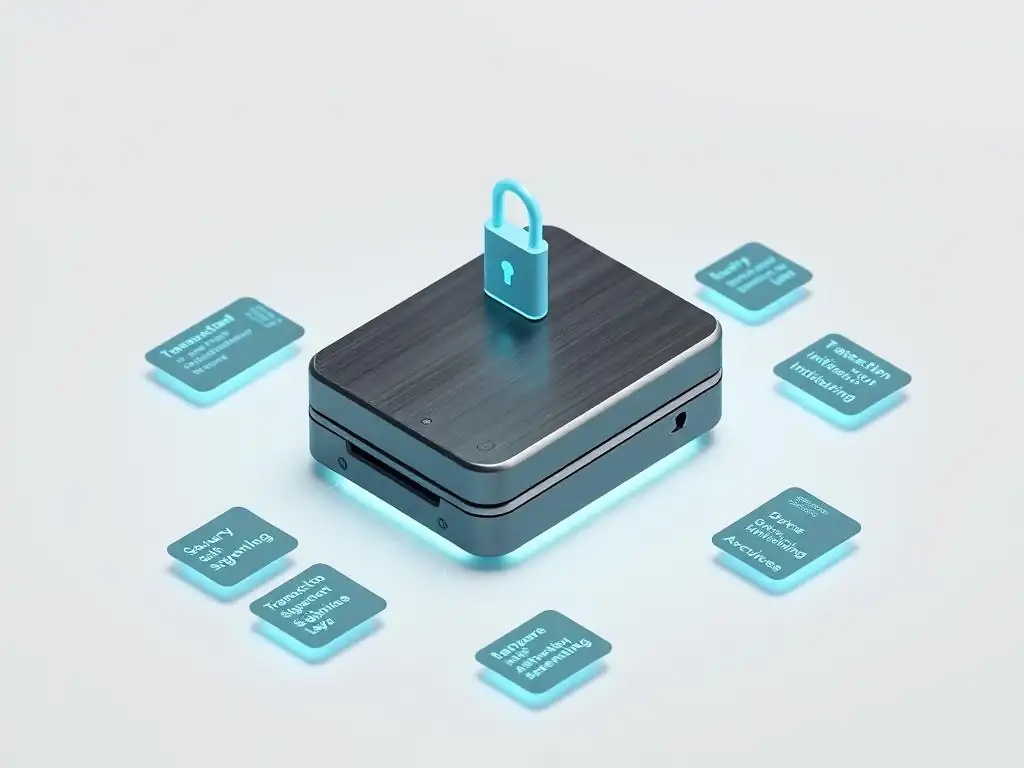
KeepKey Firmware: Structure and Update Mechanism
KeepKey, now part of the ShapeShift ecosystem, also utilizes firmware to manage its operations. Initially, KeepKey's firmware was based on a fork of the Trezor firmware, inheriting some of its open-source characteristics. However, its development trajectory and specific implementation details differ. The firmware runs on the device's microcontroller, managing private key generation, storage (protected by a PIN), and transaction signing.
Updating the KeepKey firmware is typically managed through the ShapeShift Platform or specific client applications that support the device. Similar to Ledger and Trezor, the update process involves downloading the new firmware file and verifying its authenticity via a digital signature from the manufacturer before flashing it onto the device. The device screen prompts the user for confirmation during the update process, ensuring physical authorization is required. The specific structure and the level of ongoing independent firmware development have evolved, particularly after its acquisition by ShapeShift.
KeepKey's Integration with Third-Party Platforms (e.g., Shapeshift)
A notable aspect of KeepKey's design and firmware strategy has been its deep integration with the ShapeShift platform. This integration allowed users to manage their assets and perform exchanges directly through the ShapeShift interface while signing transactions securely on the KeepKey device. This contrasts with wallets that primarily rely on their own standalone companion apps or more generic integrations.
While the ShapeShift platform itself transitioned away from mandatory account sign-ups, the KeepKey device remains integrable with various wallets and services that support the KeepKey protocol. This focus on platform integration rather than a standalone application ecosystem (like Ledger Live or Trezor Suite's app platforms) has historically defined its firmware's interaction model, prioritizing seamless use within specific custodial or non-custodial software environments that choose to support it.
Firmware Openness and Developer Potential on KeepKey
KeepKey's firmware originated from an open-source base (the Trezor fork), meaning its initial code was publicly available. While aspects of its development and integration with ShapeShift have been more centralized, the underlying principle of openness has remained relevant. This heritage theoretically allows for community review and contributions, although the level of active independent community development might differ compared to Trezor's continuously maintained public repositories.
Developer potential on KeepKey exists through its compatibility with standards like the BIPs (Bitcoin Improvement Proposals) that define wallet functions and communication protocols. Developers can integrate KeepKey support into their own wallet software or applications by implementing the necessary protocols. The extent of deeper, firmware-level customization or the development of device-specific apps (like Ledger's model) depends on the publicly available SDKs and documentation provided by the current maintainers, which may be less extensive or actively promoted than those for Ledger or Trezor.
Comparing Hardware Wallet Firmware Customization Options
Level of Developer Access: Ledger vs Trezor vs KeepKey
The level of developer access and the nature of hardware wallet firmware customization vary significantly across these three brands. Ledger offers a controlled SDK for developing cryptocurrency-specific apps that run on their proprietary BOLOS platform, allowing developers to add support for new assets within a secure, isolated environment overseen by Ledger. This is a form of customization focused on extending asset support.
Trezor provides a fully open-source firmware codebase, allowing developers to inspect, modify, and contribute to the core firmware itself. This offers the highest theoretical level of customization and transparency, enabling community-driven features and audits. KeepKey, originating from an open-source fork, has the potential for open development, though its ecosystem is heavily tied to platform integrations, and the level of active independent firmware development contribution might be less prominent than Trezor's.
Ease of Firmware Updates Across Devices
The process of updating firmware is designed to be relatively easy for the end user across all three devices, typically managed via their respective official desktop or web applications. Ledger uses Ledger Live, Trezor uses Trezor Suite, and KeepKey integrates with platforms like ShapeShift or other compatible wallet software. All require connecting the device and confirming the update on the device screen.
While the technical process is similar – download, verify signature, flash – the user experience can differ slightly based on the companion software. Ledger Live is known for its integrated ecosystem, making updates part of a seamless flow. Trezor Suite provides a robust, privacy-focused interface for updates and management. KeepKey's experience depends more on the third-party platform used. All emphasize the critical step of verifying the firmware signature on the device itself before proceeding.
Security Implications: Open vs. Closed Source Firmware Customization
The choice between open-source (Trezor, KeepKey heritage) and closed-source (Ledger core firmware) hardware wallet firmware customization models has significant security implications. Open source allows for public scrutiny, potentially leading to faster identification of vulnerabilities by a wide range of experts. Trust is placed in the collective review process and the ability to verify the code yourself.
Closed source relies on the manufacturer's internal security practices, audits, and reputation. The argument is that hiding the code makes it harder for attackers to find exploits. Trust is placed entirely in the vendor's security expertise and integrity. Both models have potential strengths and weaknesses; a well-audited closed-source system can be very secure, as can a widely reviewed open-source one. The level of customization allowed also impacts security; restricted customization of the core firmware minimizes the risk of introducing vulnerabilities through third-party code, which is a principle followed by all three to varying degrees regarding the secure core.
Supported Features and Coin Compatibility via Firmware
The capabilities and asset support of each hardware wallet are directly tied to its hardware wallet firmware and the applications or integrations built upon it. Ledger supports a vast number of assets (over 5,500 according to their claims, although this includes many ERC-20 tokens managed by the Ethereum app) primarily through its app ecosystem, where each app adds support for a specific chain or token standard.
Trezor also supports a wide range of cryptocurrencies (hundreds of coins and thousands of tokens), with support integrated directly into the firmware or managed via Trezor Suite. Its open-source nature can sometimes lead to community-driven support for newer or more niche coins. KeepKey supports a substantial list of major assets, often leveraging its platform integrations for seamless management and exchange capabilities. The specific list of supported assets and features (like staking, NFT support, specific dApp interactions) is a key differentiator driven by firmware development and the chosen level of hardware wallet firmware customization allowed or implemented.
Hardware Wallet Firmware Customization and Security Implications
How Firmware Design Affects Wallet Vulnerabilities
The fundamental design of a hardware wallet's firmware is the primary determinant of its security against digital threats. Firmware running on a secure element (like Ledger) is designed to isolate cryptographic operations from the less secure main processor, reducing the attack surface. Firmware running on a standard microcontroller (like Trezor and KeepKey) relies more heavily on software-based security measures and careful code implementation to protect the private keys from attacks, even if the device is physically compromised to some extent.
Specific design choices within the hardware wallet firmware, such as how memory is managed, how cryptographic operations are implemented, how updates are validated, and how user input is handled, can introduce vulnerabilities if not executed perfectly. For example, flaws in the transaction parsing code could potentially lead to a user signing a transaction different from what is displayed, or side-channel vulnerabilities might allow attackers with physical access to extract partial information about the private key by analyzing power consumption or electromagnetic emissions. Robust hardware wallet firmware customization practices by the manufacturer are essential to minimize these risks.
The Importance of Verifying Firmware Integrity
Verifying the integrity and authenticity of the hardware wallet firmware is a critical security step during updates. All reputable hardware wallets implement mechanisms to ensure that the firmware being installed is the official version released by the manufacturer and has not been tampered with. This is typically done using digital signatures; the manufacturer signs the firmware release with their private key, and the hardware wallet device uses the manufacturer's public key (hardcoded into the device during manufacturing) to verify that signature before installing the update.
Users are often required to confirm details like the firmware version number and a hash or fingerprint displayed on the device screen during the update process, comparing it against the information provided by the official companion software. This step is crucial to prevent attackers from tricking a user into installing malicious firmware that could compromise their private keys. Always verify these details on the device screen itself, as the computer or phone might be compromised.
Best Practices for Keeping Your Hardware Wallet Firmware Secure
Keeping your hardware wallet firmware secure involves several key practices:
- Always use official software: Download and use only the official companion applications (Ledger Live, Trezor Suite, or verified third-party apps for KeepKey) directly from the manufacturer's website. Avoid third-party links or unofficial sources.
- Perform regular updates: Install firmware updates promptly when notified by the official software. Updates often contain critical security patches for newly discovered vulnerabilities.
- Verify on the device: During updates, always verify the firmware version and authenticity details displayed on the hardware wallet screen, comparing them to the official software. Do not proceed if there is a mismatch.
- Secure your recovery phrase: Your 12 or 24-word recovery phrase is the master backup of your private keys. Store it offline, securely, and never enter it into any software or website unless explicitly required for a device recovery process initiated by you on a new, verified hardware wallet.
- Set and protect your PIN: A strong PIN protects your device from unauthorized physical access. Do not share it and be mindful of shoulder surfing.
- Be wary of physical access: Never leave your hardware wallet unattended in an unsecured location. If you suspect your device has been tampered with physically, transfer your assets to a new, secure wallet using your recovery phrase immediately.
Task List for Firmware Security:
- [x] Download official software only.
- [x] Check for and install firmware updates regularly.
- [x] Verify firmware details on the device screen during updates.
- [x] Securely store the recovery phrase offline.
- [x] Use a strong PIN and protect it.
- [x] Maintain physical security of the device.
Choosing the Right Hardware Wallet
Selecting the appropriate hardware wallet involves considering various factors, including supported assets, ease of use, price, and importantly, the underlying hardware wallet firmware architecture and its security implications. For users prioritizing maximum transparency and community audibility, Trezor's open-source firmware is a compelling choice. Those who value the layered security of a secure element and a wide ecosystem of supported apps managed through a polished interface might lean towards Ledger. KeepKey offers a balance, particularly for users integrated into platforms like ShapeShift, with a heritage rooted in open source.
Ultimately, the best hardware wallet firmware customization approach for you depends on your technical comfort level, your threat model, and your personal preference regarding open versus closed security models. Regardless of the device chosen, understanding how its firmware works, how to update it securely, and adhering to best practices for handling your recovery phrase are the most critical steps in protecting your digital assets.
Frequently Asked Questions
What are the primary differences between Ledger, Trezor, and KeepKey in terms of firmware customization options?
Ledger devices generally offer limited firmware customization due to their proprietary operating system. Trezor is more open, allowing for custom firmware development. KeepKey, while simpler, also has some limited customization potential.
Why is firmware customization important for hardware wallets?
Firmware customization provides users with greater control over their device's security and functionality. It allows for implementing custom security measures and integrating niche features not available in the standard firmware.
What are the potential risks associated with customizing hardware wallet firmware?
Customizing firmware can introduce vulnerabilities if not done correctly. It could lead to security breaches and loss of funds if malicious code is introduced or if the customization process is flawed.
How does the openness of Trezor's firmware benefit developers interested in hardware wallet firmware customization?
Trezor's open-source nature allows developers to inspect and modify the firmware, leading to community-driven security audits and feature enhancements. This transparency facilitates the development of custom firmware implementations.
Where can I find resources and documentation for hardware wallet firmware customization, particularly for Trezor?
Resources are generally available on the Trezor's GitHub repository and developer forums. These platforms provide documentation, code examples, and community support for individuals seeking to customize the Trezor firmware.
Final Reflection: Embracing Hardware Wallet Sovereignty
The ability to customize the firmware of a hardware wallet, as explored throughout this article, isn't just a technical detail; it's about reclaiming digital sovereignty in an increasingly centralized world. The comparison of Ledger, Trezor, and KeepKey highlights the spectrum of control users have over their own security, a crucial aspect in safeguarding digital assets.
This exploration of firmware customization has profoundly influenced my understanding of digital security. It underscores the importance of understanding the underlying technology we rely on, rather than blindly trusting black boxes. The freedom to inspect, modify, and even build upon existing firmware opens up possibilities for enhanced security and privacy, tailored to individual needs. Security is always excessive until it's not enough.
This quote perfectly encapsulates the need for proactive and personalized security measures, something firmware customization empowers.
As you navigate the complex world of cryptocurrency and digital assets, remember that true security lies not just in the device you choose, but in the understanding and control you wield over it. Consider the implications of firmware customization, not just as a technical feature, but as a gateway to greater autonomy and peace of mind. Embrace the responsibility of securing your digital future, and let this knowledge empower you to make informed decisions that align with your values and security needs.
Okay, I will use the given information to create a CTA for a web article titled "Ledger vs Trezor vs KeepKey: An Overview of Firmware Customization Options" hosted on blockchaintrends.org. Here's the CTA:
Unlock the Full Potential of Your Crypto Security!
Thank you for diving into the world of hardware wallet customization! We hope this overview has empowered you to make informed decisions about securing your digital assets. Now it's time to take control.
Here's how to get started:
- Experiment with alternative firmware! The article discussed the benefits and considerations. This is your chance to put that knowledge into practice (safely and responsibly, of course! ).
- Explore the open-source communities for each device (Ledger, Trezor, KeepKey). See what projects are being built and how you can contribute.
- Share this article with friends who are also serious about crypto security. Knowledge is power, especially in the blockchain space!
Which firmware customization option intrigues you the most and why? Share your thoughts in the comments below!
Leave a Reply