
Ledger vs Trezor vs KeepKey: The Best Choice for Mobile Users

Welcome to Blockchain Trends, your go-to source for unraveling the complexities and boundless possibilities of blockchain technology. Beyond the hype, we delve into real-world applications, regulatory landscapes, and the future of decentralized systems.
Curious about securing your digital assets on the go? In this article, we're diving deep into the world of secure cold storage mobile wallets, pitting Ledger, Trezor, and KeepKey against each other to help you choose the best option for your needs. Which one will come out on top? Read on to find out!
- Ledger vs Trezor vs KeepKey: Finding the Best Secure Cold Storage Mobile Wallets
-
Frequently Asked Questions
- What are the main differences between Ledger, Trezor, and KeepKey for mobile users?
- Which of these hardware wallets offers the best security features for mobile cold storage?
- How easy is it to use Ledger, Trezor, and KeepKey with mobile devices?
- Do Ledger, Trezor, and KeepKey support all cryptocurrencies on their mobile platforms?
- What factors should I consider when choosing between Ledger, Trezor, and KeepKey for secure mobile cold storage?
- Final Reflection: Securing Your Digital Future
- Unlock Your Mobile Crypto Security Today!
Ledger vs Trezor vs KeepKey: Finding the Best Secure Cold Storage Mobile Wallets
Why Secure Cold Storage is Essential for Mobile Crypto Users
The proliferation of smartphones has made managing digital assets more convenient than ever, allowing users to check balances and execute transactions on the go. However, this convenience introduces unique security challenges. Mobile devices are often connected to public networks, susceptible to malware, and can be easily lost or stolen, potentially exposing private keys stored on the device.
Relying solely on hot wallets or software wallets installed directly on a phone or tablet presents a significant risk profile for substantial cryptocurrency holdings. This is where the concept of secure cold storage mobile wallets becomes not just beneficial, but critical for asset protection.
Secure cold storage refers to keeping private keys offline, isolated from internet-connected devices. Hardware wallets are the most common form of this, providing a physical layer of security. For mobile users, the ideal solution bridges the gap between offline security and mobile accessibility.
This means a hardware wallet that can securely sign transactions initiated from a mobile device without ever exposing the private keys to the potentially compromised mobile environment. Implementing a strategy that leverages secure cold storage mobile wallets ensures that even if your phone is compromised, your private keys remain safe, drastically reducing the risk of asset loss due to cyber threats or physical device compromise.
Understanding the Risks of Mobile Crypto Wallets
Mobile devices face a multitude of security threats that can directly impact software-based crypto wallets. Phishing attacks, for instance, are rampant, often delivered via malicious links in emails, SMS, or fake apps that trick users into revealing recovery phrases or private keys.
Data suggests that mobile users are particularly vulnerable to phishing due to smaller screen sizes and less obvious visual cues compared to desktop environments. Another significant threat is malware, including viruses, spyware, and keyloggers, which can infiltrate a device through malicious apps, infected websites, or compromised Wi-Fi networks, potentially stealing sensitive information or even altering transaction details before they are broadcast.
Beyond software-based attacks, physical security is a major concern for mobile crypto users. Losing a phone or having it stolen means an attacker could potentially gain access to the device. While phone operating systems have security measures, a determined attacker might exploit vulnerabilities to bypass lock screens or access data, especially if the device is not fully encrypted or if backup phrases were carelessly stored digitally on the phone.
Furthermore, even seemingly innocuous apps can pose risks by requesting excessive permissions, potentially accessing clipboard data where users might temporarily copy wallet addresses or sensitive information. These inherent risks underscore the urgent need for robust, offline protection methods like secure cold storage mobile wallets for anyone holding significant digital assets.
How Hardware Wallets Enhance Mobile Crypto Security
Hardware wallets fundamentally change the security paradigm for mobile crypto users by isolating the private keys in a dedicated, secure chip that is impervious to online threats. When you use a hardware wallet with a mobile device, the device itself never sees or handles the private keys.
Instead, the mobile app or interface prepares a transaction, sends it to the hardware wallet via a secure connection (like USB or Bluetooth), the hardware wallet verifies and signs the transaction using the offline private keys, and then sends the signed transaction back to the mobile device to be broadcast to the network. This process ensures that the most critical piece of information – your private key – never leaves the secure hardware environment.
This method effectively turns your mobile device into a 'watch-only' or transaction-broadcasting tool, separating the act of creating a transaction from the act of signing it. Even if your mobile phone is riddled with malware designed to steal information or alter transaction details, the hardware wallet acts as a crucial safeguard. Before signing, most hardware wallets require physical confirmation from the user on the device itself (e.g., pressing buttons, verifying addresses on a small screen).
This 'what you see is what you sign' principle prevents malware from silently altering the recipient address or amount without your knowledge, providing a strong defense against man-in-the-middle attacks originating from the compromised mobile device. This robust protection is the core benefit offered by secure cold storage mobile wallets.
Introducing the Top Secure Cold Storage Mobile Wallet Contenders
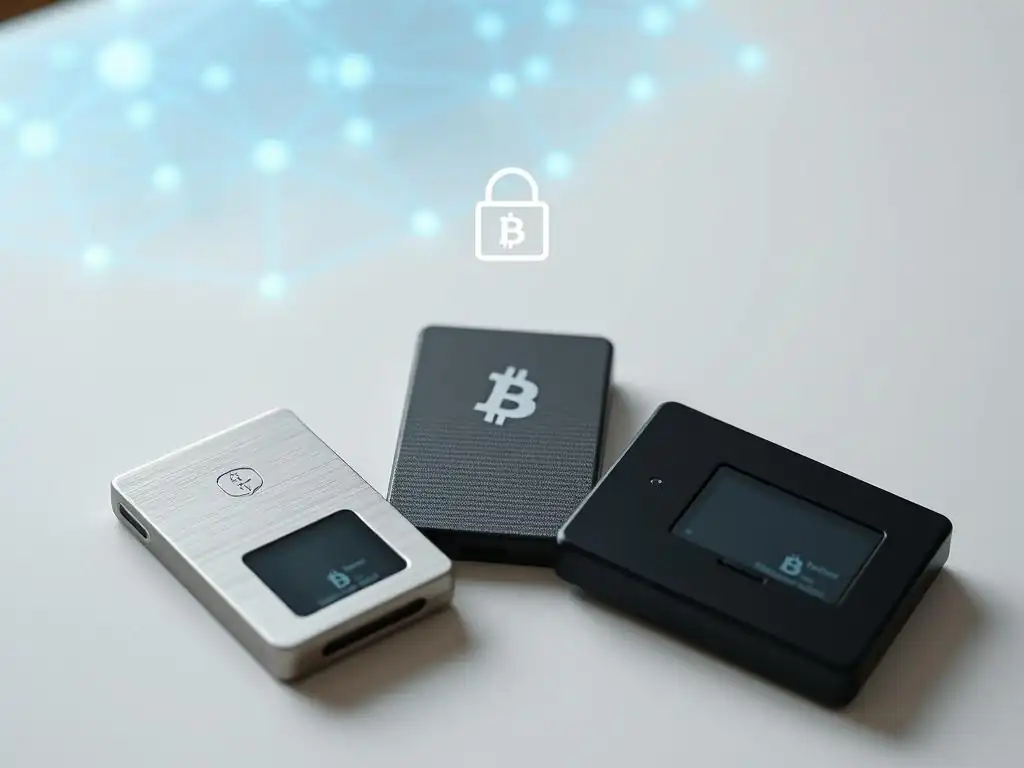
When discussing secure cold storage mobile wallets, three names consistently rise to the top: Ledger, Trezor, and KeepKey. These companies have established themselves as leaders in the hardware wallet space, each offering devices designed to provide a high level of security by keeping private keys offline. While all three share the fundamental principle of secure element isolation, they differ in features, design, supported cryptocurrencies, and crucially for this discussion, their specific capabilities and user experience when paired with mobile devices. Understanding these differences is key to selecting the best secure cold storage mobile wallet for your needs.
Ledger, Trezor, and KeepKey represent different approaches to hardware security and user interaction. Ledger is known for its secure element chip technology and the Ledger Live software. Trezor, the pioneer in this space, emphasizes open-source principles and integrates with various third-party wallets.
KeepKey, acquired by ShapeShift (though now operating independently after ShapeShift's decentralization), is recognized for its large display and integration with the ShapeShift platform. Each brand offers models with varying degrees of mobile compatibility, impacting how seamlessly they function as secure cold storage mobile wallets in a portable setup. Evaluating their specific features, particularly connectivity options and mobile app support, is essential for a mobile-first user.
Deep Dive: Ledger Hardware Wallets for Mobile Users
Ledger has become a prominent player in the hardware wallet market, largely due to its focus on certified secure chips and its user-friendly Ledger Live software ecosystem. For mobile users seeking secure cold storage mobile wallets, Ledger offers devices that can connect directly to smartphones and tablets.
Their strategy involves providing hardware that pairs seamlessly with the Ledger Live mobile app, allowing users to manage a wide range of assets, check balances, and initiate transactions directly from their phone while the private keys remain safely stored on the offline device. This integration is a key factor in Ledger's appeal for mobile-centric users.
The Ledger Nano X, in particular, was designed with mobile connectivity as a core feature, making it a strong contender among secure cold storage mobile wallets. It supports a large number of cryptocurrencies and tokens, currently listing over 5,500 assets compatible with Ledger Live.
While the exact number supported by the device's limited storage varies based on the size of the apps installed, the breadth of asset support is a significant advantage. The device's battery life, typically around 8 hours of active use, and its internal storage capable of holding up to 100 application installations simultaneously (depending on app size), further enhance its practicality for mobile use cases, allowing users to manage diverse portfolios on the go.
Ledger Nano X: Features for Mobile Crypto Security
The Ledger Nano X is specifically engineered to function effectively as a secure cold storage mobile wallet. Its primary security feature is the certified secure element chip (CC EAL5+), designed to withstand sophisticated attacks. This chip is a tamper-resistant platform capable of securely hosting applications and sensitive data, like private keys, and performing cryptographic operations in isolation.
This hardware-based security is paramount, ensuring that even if the mobile device it's paired with is compromised, the private keys on the Nano X remain protected within the secure element. The device's small screen requires users to visually verify transaction details before confirming them with physical buttons, adding another layer of defense against malware attempting to alter transaction data.
Beyond its core security chip, the Nano X includes features that enhance its usability as a mobile cold storage solution. It supports both USB-C connectivity for traditional wired connections (to mobile devices with USB-C ports or via adapters) and, crucially, Bluetooth Low Energy (BLE).
The inclusion of BLE allows for wireless connection to mobile phones and tablets, offering greater convenience compared to devices that require a physical cable connection. This wireless capability, combined with its internal battery, makes the Nano X highly portable and easy to use with a mobile device anywhere, anytime, fulfilling the promise of a truly mobile and secure cold storage experience.
Bluetooth Connectivity and Mobile.
The Bluetooth Low Energy (BLE) feature of the Ledger Nano X is a defining characteristic that sets it apart for mobile users. BLE allows the device to connect wirelessly to iOS and Android smartphones and tablets running the Ledger Live mobile app.
This eliminates the need for cumbersome cables or adapters, which can be inconvenient or even impossible depending on the mobile device's ports. The wireless connection simplifies the process of checking balances, sending transactions, and managing accounts directly from a mobile device, making the Ledger Nano X a highly convenient option for those prioritizing portability and ease of use in their secure cold storage mobile wallet setup.
While the convenience of Bluetooth is undeniable, security considerations are paramount. Ledger implemented specific security protocols for the BLE connection to mitigate potential risks. The connection is encrypted end-to-end, meaning the data exchanged between the Nano X and the mobile device is unreadable to intercepting parties.
Furthermore, the critical security operations, like signing transactions, still require physical confirmation on the Nano X device itself, even when connected via Bluetooth. The private keys never leave the secure element chip and are never transmitted over Bluetooth. This architecture ensures that the convenience of wireless connectivity does not compromise the fundamental secure cold storage nature of the wallet, maintaining a high level of protection against remote attacks.
Frequently Asked Questions
What are the main differences between Ledger, Trezor, and KeepKey for mobile users?
The primary difference lies in their security models, supported cryptocurrencies, and the ease of integration with mobile applications. Ledger uses a secure element chip, while Trezor and KeepKey rely on microcontrollers.
Which of these hardware wallets offers the best security features for mobile cold storage?
Ledger is often considered to offer a higher level of security due to its secure element chip, which is designed to resist physical attacks. KeepKey and Trezor offer robust security but may be more vulnerable in theory.
How easy is it to use Ledger, Trezor, and KeepKey with mobile devices?
All three offer varying degrees of mobile compatibility. Ledger requires Ledger Live mobile app via Bluetooth, while Trezor and KeepKey often rely on third-party mobile wallets for connectivity.
Do Ledger, Trezor, and KeepKey support all cryptocurrencies on their mobile platforms?
No, not all cryptocurrencies are supported equally across all three platforms. It's crucial to check cryptocurrency support for each wallet and its mobile app integration before making a decision.
What factors should I consider when choosing between Ledger, Trezor, and KeepKey for secure mobile cold storage?
Consider your security needs, the cryptocurrencies you hold, the ease of use with your mobile device, and your budget. Research and compare specific models and their mobile integration capabilities.
Final Reflection: Securing Your Digital Future
The exploration of Ledger, Trezor, and KeepKey as secure cold storage mobile wallets reveals more than just a comparison of features; it highlights the growing importance of self-custody in a decentralized world. As digital assets become increasingly integrated into our lives, the ability to securely manage and control our own wealth is no longer a luxury, but a necessity.
The rise of mobile wallets and the demand for secure cold storage solutions underscore a fundamental shift in how we perceive ownership and responsibility in the digital age. This shift compels us to become more informed and proactive in protecting our digital assets, mirroring the traditional values of safeguarding physical possessions. Not your keys, not your coins,
a mantra that resonates deeply within the cryptocurrency community, encapsulates the essence of this responsibility.
Ultimately, the choice between Ledger, Trezor, and KeepKey is a personal one, dictated by individual needs and preferences. But the underlying message remains clear: take control of your digital future. Reflect on your own security practices, explore the options available, and empower yourself to navigate the evolving landscape of digital finance with confidence and peace of mind. Your digital assets, and your financial freedom, depend on it.
Unlock Your Mobile Crypto Security Today!
Thanks for exploring the world of mobile crypto security with us! We hope you've gained valuable insights into choosing the right hardware wallet for your needs. Now, let's put that knowledge into action.
Here are a few things you can do right now to enhance your mobile crypto security:
- Take control and choose a hardware wallet: Based on the article and your needs, decide which wallet (Ledger, Trezor, or KeepKey) best suits your mobile lifestyle and start the purchase process.
- Explore official resources: Visit the official websites of Ledger, Trezor, and KeepKey to delve into detailed features, user guides, and community forums.
- Share your insights: Help other mobile users enhance their crypto security; what hardware wallet are you using, if any?
Ready to take the next step in securing your mobile crypto assets?
Leave a Reply