
Ledger Live Software: Managing Your Hardware Wallet with Ease and Control

Welcome to Blockchain Trends, your go-to source for understanding the revolutionary impact of blockchain technology!
Dive deep into a world beyond cryptocurrencies and discover how blockchain is reshaping industries. Are you ready to take control of your digital assets with a hardware wallet? This article will guide you through the Ledger Live setup, ensuring your journey into the decentralized world starts with security and ease. Curious how to get started? Let's unlock the power of secure crypto management together.
-
Ledger Live Software: Managing Your Hardware Wallet with Ease and Control
- Why Secure Your Crypto Assets? The Importance of a Hardware Wallet
- Introducing Ledger Live: Your Gateway to Hardware Wallet Management
- What is Ledger Live Software and How Does It Work?
- Key Benefits of Using Ledger Live with Your Hardware Wallet
- Getting Started: Step-by-Step Hardware Wallet Ledger Live Setup Guide
- Mastering Ledger Live Features for Optimal Crypto Management
-
Frequently Asked Questions
- What is Ledger Live and how does it relate to my Ledger hardware wallet?
- Why is Ledger Live necessary for using a Ledger hardware wallet?
- What are the key steps involved in the "Hardware wallet Ledger Live setup" process?
- Can I use Ledger Live to buy and sell cryptocurrencies directly?
- Is Ledger Live safe to use, and how does it protect my crypto assets?
- Final Reflection: Empowering Digital Sovereignty
- Empower Your Crypto Journey Now!
Ledger Live Software: Managing Your Hardware Wallet with Ease and Control
Why Secure Your Crypto Assets? The Importance of a Hardware Wallet
The digital asset landscape, while offering unprecedented opportunities, also presents significant security challenges. Centralized exchanges and software wallets, while convenient, are often prime targets for cyberattacks. Data breaches, phishing scams, and malware infections can lead to the irreversible loss of cryptocurrency funds. For instance, reports indicate that billions of dollars in crypto have been lost to hacks and fraud over the years, highlighting the inherent risks associated with keeping substantial digital wealth online or on devices connected to the internet. Protecting your private keys, which grant access to your funds, is paramount.
A hardware wallet provides a crucial layer of defense by storing your private keys offline in a secure chip, isolated from internet-connected devices. This 'cold storage' method dramatically reduces the attack surface available to hackers. Even if your computer is compromised with viruses, your private keys remain safe within the hardware wallet itself, protected by a physical confirmation step for transactions and a PIN code. This physical isolation is the fundamental reason why hardware wallets are considered the gold standard for securing significant amounts of cryptocurrency, offering peace of mind against common digital threats.
Introducing Ledger Live: Your Gateway to Hardware Wallet Management
Managing diverse cryptocurrency portfolios across multiple blockchains can be complex. While hardware wallets excel at securing private keys offline, users still need an interface to view balances, send transactions, and interact with their assets. This is where Ledger Live software comes into play. Designed specifically to complement Ledger hardware wallets, Ledger Live acts as a secure, user-friendly bridge between your offline private keys and the online blockchain networks. It provides a single dashboard to manage a wide array of supported cryptocurrencies and tokens directly from your desktop or mobile device.
Ledger Live simplifies the often-intimidating process of interacting with blockchain technology. Instead of navigating complex command-line interfaces or relying on potentially insecure third-party web wallets, users can perform essential operations like checking account balances, initiating transactions, and installing necessary blockchain applications onto their Ledger device through a clean, intuitive interface. This integration makes the robust security offered by a hardware wallet accessible and practical for everyday use, whether you are a seasoned crypto investor or performing your initial hardware wallet Ledger Live setup.
What is Ledger Live Software and How Does It Work?
Ledger Live is a proprietary application developed by Ledger that serves as the primary interface for their range of hardware wallets, including the Ledger Nano S Plus and Ledger Nano X. It is available as a desktop application for Windows, macOS, and Linux, and as a mobile app for Android and iOS. The software itself does not store your private keys; they always remain securely on the Ledger hardware device. Instead, Ledger Live communicates with the blockchain networks to fetch account balances and transaction history associated with the public addresses derived from your hardware wallet's private keys.
When you want to send a transaction, you initiate it within the Ledger Live software. However, the critical step of signing the transaction with your private key occurs inside the secure element chip of your Ledger hardware wallet. Ledger Live sends the transaction details to the device, you verify them on the device's screen, and then physically confirm the action by pressing buttons on the device.
Only after this offline signing process is complete does Ledger Live broadcast the signed transaction to the relevant blockchain network. This architecture ensures that your private keys never leave the secure environment of the hardware wallet, making the hardware wallet Ledger Live setup a cornerstone of secure crypto management.
Key Benefits of Using Ledger Live with Your Hardware Wallet
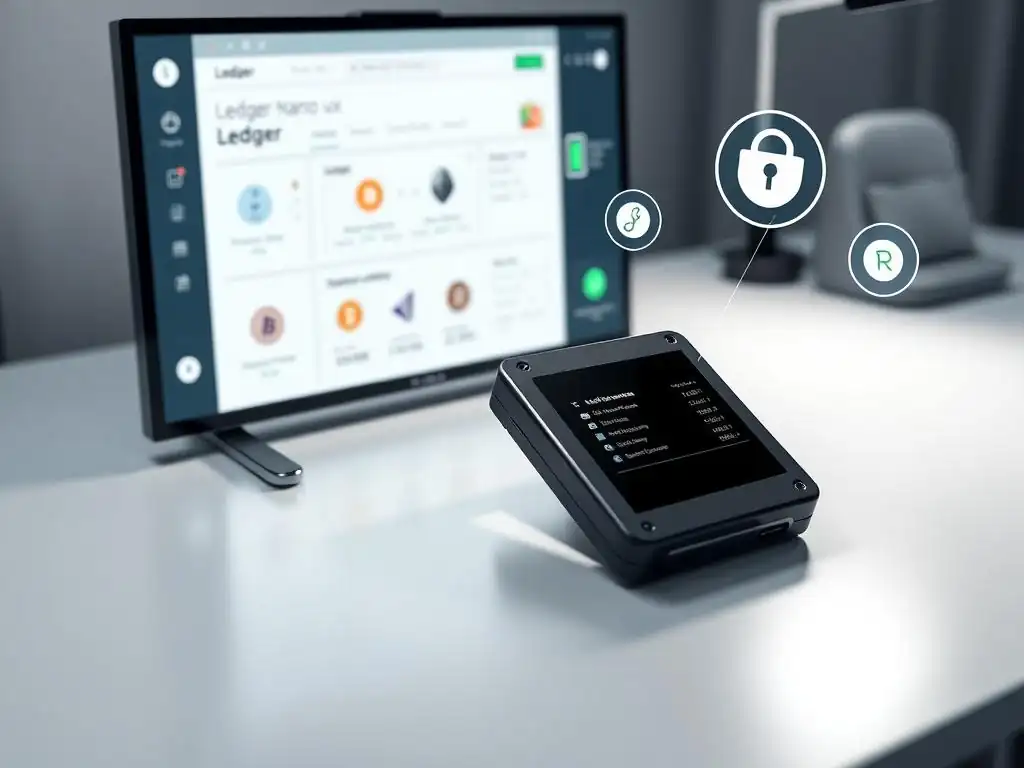
Using Ledger Live in conjunction with a Ledger hardware wallet offers several significant advantages for cryptocurrency users. Firstly, it provides unparalleled security by ensuring private keys are never exposed online. This drastically mitigates risks associated with software vulnerabilities, malware, and phishing attempts that target online wallets or exchanges. The secure element chip within Ledger devices is certified (e.g., CC EAL5+), offering a high level of protection against sophisticated physical attacks as well.
Secondly, Ledger Live offers convenience and broad compatibility. It supports a vast and growing number of cryptocurrencies and tokens – currently over 5,000 assets and counting across numerous blockchains. This means you can manage a diverse portfolio from a single, trusted application without needing separate wallets for different assets.
Features like portfolio tracking, staking rewards for supported assets (like Ethereum, Polkadot, Tezos), and integration with decentralized applications (via Ledger Live's Discover section) enhance its utility. The ease of performing a hardware wallet Ledger Live setup allows users to quickly gain access to these benefits, consolidating their crypto management in a secure environment.
Getting Started: Step-by-Step Hardware Wallet Ledger Live Setup Guide
Setting up your Ledger hardware wallet with Ledger Live is a straightforward process designed to guide you through securing your digital assets. This guide covers the essential steps for a successful hardware wallet Ledger Live setup, ensuring your device is initialized and ready for use.
Before You Begin: Essential Prerequisites
Before you start your hardware wallet Ledger Live setup, ensure you have:
- Your new Ledger hardware wallet (e.g., Nano S Plus, Nano X).
- A reliable USB cable (usually included).
- A computer or smartphone with internet access.
- Sufficient time (the process typically takes 15-30 minutes).
- A safe, private location to write down your recovery phrase.
It is absolutely crucial to perform the setup in a secure environment, free from prying eyes or cameras, as you will be handling sensitive information like your recovery phrase.
1. Acquiring Your Ledger Hardware Wallet
The first step is obtaining a genuine Ledger device. It is highly recommended to purchase directly from the official Ledger website or through authorized resellers listed on their site. Buying from unofficial sources like auction sites carries a significant risk of receiving tampered or counterfeit devices pre-loaded with compromised recovery phrases, which would immediately jeopardize your funds. Ensure the packaging is sealed and shows no signs of tampering upon arrival.
2. Downloading and Installing Ledger Live Software
Next, download the official Ledger Live application. Only download Ledger Live from the official Ledger website (ledger.com/ledger-live). Do not download it from third-party app stores or unofficial links found online, as these could be malicious versions designed to steal your recovery phrase or compromise your device during the hardware wallet Ledger Live setup. Install the software on your computer or mobile device following the on-screen instructions.
3. Initializing Your New Ledger Device or Restoring From Backup
When you power on a new Ledger device, it will prompt you to either "Set up as new device" or "Restore from Recovery phrase".
- Set up as new device: This is for brand new devices. The device will generate a unique 24-word recovery phrase. You must carefully write this phrase down on the provided recovery sheet and store it in a secure, offline location. This phrase is the only backup of your private keys; losing it means losing access to your crypto if your hardware wallet is lost or damaged. You will be asked to confirm several words from the phrase on the device.
- Restore from Recovery phrase: If you are migrating from another Ledger device or recovering access, select this option and enter your existing 24-word recovery phrase onto the device when prompted.
This step is the most critical part of the hardware wallet Ledger Live setup process.
4. Connecting Your Hardware Wallet to Ledger Live
Open the Ledger Live application you installed in step 2. Connect your Ledger hardware wallet to your computer using the USB cable. If using the mobile app with a Ledger Nano X, you may be able to connect via Bluetooth (ensure Bluetooth is enabled on both devices). Follow the prompts within Ledger Live to connect and unlock your device with your PIN code.
5. Setting Up Your Ledger Live Account
Within the Ledger Live application, after successfully connecting and verifying your device, you will be guided through setting up your initial accounts for different cryptocurrencies. Ledger Live will walk you through installing the necessary applications (like Bitcoin, Ethereum, etc.) onto your Ledger device. Once installed, you can add accounts for these cryptocurrencies within Ledger Live. The software will then sync with the blockchain to display your balances and transaction history if you've previously used this recovery phrase. This completes the core hardware wallet Ledger Live setup.
Mastering Ledger Live Features for Optimal Crypto Management
Once your hardware wallet Ledger Live setup is complete, you can leverage its features for daily crypto management. Ledger Live provides a centralized, secure platform for viewing your portfolio and executing transactions, all while your private keys remain protected on your Ledger device.
Adding and Managing Your Cryptocurrency Accounts
Ledger Live makes it easy to add accounts for the various cryptocurrencies supported by your Ledger device. After installing the relevant app (e.g., 'Bitcoin' or 'Ethereum') onto your hardware wallet via Ledger Live's Manager section, you simply navigate to the 'Accounts' tab and click 'Add account'. Ledger Live will then communicate with your device to generate or discover accounts associated with that crypto application.
You can add multiple accounts for the same cryptocurrency if needed, helping you organize your funds. For example, you might have one Bitcoin account for savings and another for daily transactions. The software displays your total portfolio value and individual account balances fetched directly from the blockchain explorers, providing a real-time overview of your holdings.
Sending and Receiving Crypto Transactions Securely
Executing transactions is a core function facilitated by Ledger Live, always requiring confirmation on your hardware wallet. To receive crypto, you simply select the account in Ledger Live and click 'Receive'. Ledger Live will request your hardware wallet to generate and display a receiving address.
Always verify this address on the screen of your Ledger device matches the one shown in Ledger Live before sharing it or sending funds to it. This prevents address substitution malware. To send crypto, you initiate the transaction in Ledger Live by entering the recipient's address and amount.
Ledger Live then sends the unsigned transaction details to your Ledger device. You must carefully review the transaction details (recipient address, amount, fees) on your hardware wallet's trusted display and physically confirm the transaction using the device's buttons. Only after this manual, offline confirmation does Ledger Live broadcast the signed transaction to the network, ensuring maximum security during every transfer.
Frequently Asked Questions
What is Ledger Live and how does it relate to my Ledger hardware wallet?
Ledger Live is the companion software application that allows you to manage your Ledger hardware wallet. It provides an interface for setting up your device, managing your crypto assets, and accessing various blockchain services.
Why is Ledger Live necessary for using a Ledger hardware wallet?
While the Ledger hardware wallet stores your private keys offline, Ledger Live is needed to interact with the blockchain. It allows you to send, receive, and manage your cryptocurrencies through a user-friendly interface.
What are the key steps involved in the "Hardware wallet Ledger Live setup" process?
The setup generally involves downloading and installing Ledger Live, initializing your Ledger device, setting up a PIN code, and backing up your recovery phrase. Then, you can add accounts for the cryptocurrencies you want to manage.
Can I use Ledger Live to buy and sell cryptocurrencies directly?
Yes, Ledger Live allows you to buy and sell cryptocurrencies through integrated exchange services. This provides a convenient way to manage your portfolio within the Ledger ecosystem.
Is Ledger Live safe to use, and how does it protect my crypto assets?
Ledger Live is considered safe because it never stores your private keys. Your keys remain securely stored on your Ledger hardware wallet, providing a strong layer of security against online threats.
Final Reflection: Empowering Digital Sovereignty
The ease and control offered by Ledger Live, as explored throughout this article, are not merely conveniences; they represent a crucial step towards true digital sovereignty in an increasingly complex and centralized digital landscape. Understanding and mastering the "Hardware wallet Ledger Live setup" is no longer a niche skill but a fundamental requirement for anyone seeking to protect their digital assets and reclaim ownership of their financial future.
The impact of secure self-custody solutions like Ledger Live extends far beyond individual wallets. It's about fostering a culture of responsibility and awareness, shifting the paradigm from blind trust in centralized entities to empowered self-reliance. This shift is essential for the long-term health and decentralization of the cryptocurrency ecosystem. Not your keys, not your coins.
This simple adage underscores the fundamental principle that ownership is meaningless without control, and Ledger Live provides the tools to exercise that control.
As you navigate the world of digital assets, remember that knowledge is your greatest asset. Take the time to understand the principles of secure self-custody, master the "Hardware wallet Ledger Live setup," and empower yourself to take control of your financial future. The power to protect your wealth and participate in the decentralized revolution lies in your hands. Embrace it.
Empower Your Crypto Journey Now!
Thank you for exploring how Ledger Live simplifies hardware wallet management. You've gained valuable insights into securing and controlling your digital assets. Are you ready to take the next step and truly own your crypto?
Enhance your control with these steps:
- Immediately connect your Ledger device with Ledger Live for smooth transaction handling and portfolio management. This is your solid foundation for secure crypto ownership.
- Explore the resources available through Ledger Academy to learn advanced security practices and maximize the benefits of your hardware wallet.
- Share this article with fellow cryptocurrency enthusiasts to help them secure their assets and become part of a community of empowered Ledger users.
What new security measure will you implement today to better protect your digital wealth?
Leave a Reply