
React for DApp Frontends: Building Dynamic User Interfaces for Decentralized Apps


Welcome to Blockchain Trends, your compass in the rapidly evolving world of decentralized technology. Ever wondered how to build a user-friendly gateway to the revolutionary power of DApps? Dive into our latest exploration: a comprehensive Blockchain DApp frontend development tutorial using React. Discover how to craft dynamic interfaces that bridge the gap between complex blockchain logic and intuitive user experiences, and unlock the potential of decentralized applications. Ready to start building?
React for DApp Frontends: Building Dynamic User Interfaces for Decentralized Apps
- Introduction: React and the Rise of Decentralized Application Frontends
- Setting Up Your Development Environment for a Blockchain DApp Frontend
- Core Concepts for Building React-Based DApp Frontends
- Designing User Interfaces for Decentralized Applications with React
- Advanced Techniques for DApp Frontend Development with React
- Blockchain DApp Frontend Development Tutorial: A Step-by-Step Example
- Deploying Your React DApp Frontend to a Decentralized Hosting Solution
- Best Practices for React-Based Blockchain DApp Development
- The Future of React and DApp Frontend Development
- Conclusion: Empowering Developers with React for Blockchain DApps
-
Frequently Asked Questions
- What are the primary benefits of using React for DApp frontend development?
- Why is a dedicated frontend crucial for Blockchain DApps, especially concerning user interaction?
- What are some common challenges encountered when building a React-based frontend for a DApp?
- Where can I find a comprehensive "Blockchain DApp frontend development tutorial" using React?
- How does understanding DeFi, enterprise applications, and regulation impact frontend development for Blockchain DApps?
- Final Reflection: Embracing the Decentralized Web
- Ignite Your DApp Development Journey!
Introduction: React and the Rise of Decentralized Application Frontends
The landscape of web development is constantly evolving, and the emergence of decentralized applications, or DApps, represents a significant shift. Unlike traditional applications that rely on centralized servers, DApps leverage blockchain technology for backend logic and data storage, offering enhanced transparency, security, and censorship resistance. This fundamental difference necessitates new approaches to frontend development, and React has emerged as a leading choice for building the user interfaces that connect users to these decentralized backends. Its component-based architecture and efficient rendering capabilities make it well-suited for the unique challenges posed by blockchain interaction.
In the context of blockchain DApp frontend development, React provides a robust and flexible framework. It allows developers to build complex, interactive interfaces that can seamlessly communicate with smart contracts and blockchain networks. This article serves as a comprehensive guide and blockchain DApp frontend development tutorial, exploring why React is favored for this purpose, how to set up a development environment, core concepts for blockchain interaction, design considerations, advanced techniques, and a practical example.
Why React is a Popular Choice for DApp Frontend Development
React's popularity in blockchain DApp frontend development stems from several key advantages. Its component-based architecture simplifies the development of complex user interfaces by breaking them down into reusable, manageable pieces. This modularity is particularly useful when dealing with the various elements required in a DApp, such as wallet connection buttons, transaction status displays, and smart contract interaction forms. Furthermore, React's virtual DOM (Document Object Model) optimizes rendering performance, ensuring that updates to the UI, often triggered by asynchronous blockchain events or data changes, are efficient and fast, providing a smooth user experience even under varying network conditions.
Another major benefit is React's vast ecosystem and strong community support. There is a wealth of libraries, tools, and resources available, including specialized hooks and components designed for Web3 integration. This extensive support network makes it easier for developers to find solutions to common challenges encountered during blockchain DApp frontend development, from wallet integration complexities to handling blockchain data streams. The maturity of React as a framework, combined with its performance characteristics and developer-friendly features, positions it as a highly effective tool for building the frontends of decentralized applications that require dynamic and responsive user interfaces.
Understanding the Unique Challenges of DApp Frontend Development
Developing frontends for decentralized applications presents unique challenges compared to traditional web development. One primary challenge is the asynchronous nature of blockchain interactions. Unlike immediate API calls, transactions sent to a blockchain take time to be processed and confirmed, typically ranging from seconds to minutes depending on the network congestion and gas fees. This requires the frontend to manage pending states, provide clear feedback to the user about transaction progress, and handle potential errors like failed transactions or network disconnections gracefully. A robust blockchain DApp frontend development tutorial must address how to manage these states effectively within the UI.
Furthermore, handling user wallets and private keys introduces significant security considerations. Frontend applications must interact with browser extensions like MetaMask or mobile wallets to sign transactions, but they must never handle or store private keys directly. This necessitates careful implementation of wallet connection logic and transaction signing flows. Data fetching also differs; instead of querying a centralized database, the frontend retrieves data by calling read-only functions on smart contracts or querying blockchain nodes directly. This involves understanding blockchain data structures and potentially dealing with data latency or eventual consistency issues inherent in decentralized systems.
Setting Up Your Development Environment for a Blockchain DApp Frontend
Getting started with blockchain DApp frontend development requires setting up a development environment capable of handling both React development and blockchain interaction. This involves installing necessary software and integrating libraries that facilitate communication with blockchain networks. A well-configured environment is the foundation for any successful blockchain DApp frontend development tutorial project.
Installing Node.js and npm (or yarn) for React Development
The first step in setting up your environment for React development is installing Node.js. React projects, and most modern frontend tooling, rely heavily on Node.js for running build tools, package managers, and development servers. You can download the latest stable version of Node.js from the official website. Node.js comes bundled with npm (Node Package Manager), which is used to install libraries and manage project dependencies. As of late 2023 / early 2024, Node.js version 18 or 20 are commonly used and recommended for compatibility with modern React and Web3 libraries.
Alternatively, you can use yarn, another popular package manager, which is often preferred for its speed and reliability in managing dependencies. If you choose yarn, you'll typically install it globally via npm after installing Node.js ( npm install -g yarn). Both npm and yarn serve the same purpose of fetching and managing the various JavaScript libraries your blockchain DApp frontend development tutorial project will depend on, such as React itself, Web3.js or Ethers.js, and UI component libraries.
Creating a New React Project with Create React App
Once Node.js and npm (or yarn) are installed, the simplest way to start a new React project is by using Create React App (CRA). CRA is an officially supported way to create single-page React applications with no build configuration required. It sets up a modern build pipeline automatically, including Webpack and Babel, so you can focus on writing code. To create a new project, open your terminal or command prompt and run npx create-react-app my-dapp-frontend (using npm) or yarn create react-app my-dapp-frontend (using yarn), replacing my-dapp-frontend with your desired project name.
This command will generate a new directory with a basic React application structure. Inside this directory, you'll find files like package.json (listing dependencies), src/App.js (the main component), and public/index.html (the entry point). While CRA provides a solid starting point for a blockchain DApp frontend development tutorial, you might later explore alternative tools like Next.js or Vite for server-side rendering or faster build times, depending on the specific requirements of your DApp.
Integrating Web3.js or Ethers.js for Blockchain Interaction
To enable your React frontend to communicate with a blockchain, you need a JavaScript library that acts as an interface. The two most popular choices are Web3.js and Ethers.js. Web3.js is one of the older and more established libraries for interacting with the Ethereum blockchain, providing a comprehensive set of APIs for connecting to nodes, managing accounts, sending transactions, and interacting with smart contracts. You can install it via npm ( npm install web3) or yarn ( yarn add web3).
Ethers.js is a newer, often preferred alternative, known for its simplicity, security, and efficiency, particularly for wallet integration and smart contract interaction. Many developers find its API more intuitive. Install it using npm ( npm install ethers) or yarn ( yarn add ethers). Both libraries serve the purpose of translating your frontend's JavaScript calls into requests understood by a blockchain node, allowing you to fetch data, send transactions, and listen for events. Choosing between them often comes down to developer preference and specific project needs, but both are fundamental tools in any blockchain DApp frontend development tutorial.
Core Concepts for Building React-Based DApp Frontends
Building a functional blockchain DApp frontend with React involves understanding how to connect to a blockchain network, interact with smart contracts, and manage the lifecycle of blockchain transactions within the user interface. These concepts are central to enabling the frontend to perform actions like reading data from the chain or initiating state-changing transactions.
Connecting to the Blockchain: Providers and Signers Explained
Connecting your React DApp frontend to a blockchain network typically involves using a "provider." A provider is an abstraction that connects your application to the blockchain. It allows you to query blockchain data, such as block numbers, account balances, or the results of view functions on smart contracts. Common providers include Infura, Alchemy, or a local development node like Ganache. When a user connects their wallet (like MetaMask) to your DApp, the wallet itself often acts as the provider, injecting an object (e.g., window.ethereum) that your application can use to interact with the network the wallet is connected to.
For actions that modify the blockchain state, such as sending tokens or calling a smart contract function that changes data, you need a "signer." A signer represents an account on the blockchain that can cryptographically sign transactions. In the context of a DApp, the user's connected wallet usually provides the signer.
When your application needs to send a transaction, it constructs the transaction details (recipient, amount, gas limit, etc.) and asks the signer (via the wallet) to sign and broadcast it to the network. Understanding the distinction between a provider (for reading data) and a signer (for writing data) is crucial for secure and functional blockchain DApp frontend development.
Interacting with Smart Contracts: Calling Functions and Handling Events
Interacting with smart contracts from your React frontend is a core part of blockchain DApp development. Smart contracts expose functions that your application can call. These functions fall into two main categories: "read" functions (also known as view or pure functions) and "write" functions. Read functions do not modify the blockchain state and can be called directly via a provider without requiring a transaction or gas fees. Examples include getting a token's name or checking an account's balance. You typically interact with these by creating an instance of the contract in your frontend using its address and ABI (Application Binary Interface), and then calling the desired method, for example, contract.methods.balanceOf(address).call().
Write functions, on the other hand, modify the blockchain state (e.g., transferring tokens, updating a record). Calling these requires sending a transaction signed by a signer, which costs gas. You call these functions similarly using the contract instance, but instead of .call(), you might use .send() or .execute(), depending on the library (Web3.js or Ethers.js). For example, contract.methods.transfer(recipientAddress, amount).send({ from: userAddress }). Smart contracts can also emit "events" when specific actions occur. Your frontend can listen for these events to update the UI in real-time without constantly polling the chain. Listening to events like Transfer for a token contract allows your DApp to react immediately when a balance changes or a transaction completes, providing a more dynamic user experience in your blockchain DApp frontend development.
Managing Blockchain Transactions within your React App
Managing the lifecycle of blockchain transactions is a critical aspect of building a responsive React DApp frontend. When a user initiates a transaction (e.g., sending tokens), the frontend doesn't get an immediate success or failure response like a typical API call. Instead, it receives a transaction hash. This hash is an identifier for the transaction on the network.
The frontend must then monitor the network to determine the transaction's status: pending, confirmed, or failed. This often involves polling a blockchain node using the transaction hash or listening for confirmation events. Displaying the transaction status clearly to the user – perhaps with a "Pending..." indicator that updates to "Confirmed!" or "Failed" – is essential for a good user experience.
Handling potential errors is also vital. Transactions can fail for various reasons, such as insufficient gas, contract reverts (the smart contract rejects the transaction), or network issues. Your React application needs to catch these errors, interpret them if possible (e.g., "Insufficient funds"), and provide informative feedback to the user. Implementing mechanisms to track transaction progress and handle outcomes gracefully adds complexity but is necessary for robust blockchain DApp frontend development. State management solutions within React (like Context API or Redux) can be used to keep track of pending transactions and their statuses across different components of your DApp.
Designing User Interfaces for Decentralized Applications with React
Designing effective user interfaces for DApps with React involves more than just aesthetics; it requires careful consideration of the unique interactions and data flows inherent in decentralized systems. A well-designed DApp frontend should clearly communicate blockchain-specific information and guide users through potentially unfamiliar processes like wallet connections and transaction confirmations.
Building Responsive and User-Friendly DApp Frontends
Responsiveness is paramount in modern web development, and blockchain DApp frontend development is no exception. Users access DApps on a wide range of devices, from desktops to mobile phones. Utilizing responsive design principles ensures that your DApp's interface adapts seamlessly to different screen sizes, providing an optimal experience regardless of the device. This involves using flexible grid layouts, relative units (like percentages or vw/ vh), and media queries to adjust styles based on screen characteristics. Frameworks like Bootstrap, Tailwind CSS, or Material UI for React can significantly accelerate the development of responsive layouts and provide pre-built components tailored for common UI patterns.
Beyond technical responsiveness, user-friendliness in a DApp frontend means simplifying complex blockchain interactions. This includes providing clear instructions for connecting a wallet, explaining transaction details (like estimated gas fees), and giving timely feedback on transaction status. Visual cues, loading indicators, and confirmation messages are crucial for guiding users through processes that might involve waiting for blockchain confirmations. A user-friendly interface minimizes confusion and builds trust, encouraging users to engage with your decentralized application. This is a key aspect of a practical blockchain DApp frontend development tutorial.
Implementing State Management in React for DApp Data (e.g., using Context API or Redux)
In a React DApp, managing application state, particularly data fetched from the blockchain or related to user interactions like wallet connection status and pending transactions, can become complex. Efficient state management is crucial for keeping the UI synchronized with the underlying blockchain data. React's built-in Context API is a powerful tool for managing global state that needs to be accessed by multiple components without prop drilling. You can use Context to store the connected wallet address, the provider instance, or the network ID, making this data easily available throughout your component tree.
For more complex DApps with extensive state requirements or frequent updates, libraries like Redux or Zustand might be more suitable. Redux provides a predictable state container, while Zustand offers a more lightweight and flexible approach. These libraries help organize state logic, handle asynchronous data fetching (especially for blockchain data), and manage the status of multiple pending transactions. Choosing the right state management solution depends on the scale and complexity of your blockchain DApp frontend development project, but having a clear strategy for managing blockchain-related state is essential for maintainability and scalability.
Handling Asynchronous Operations and Blockchain Data Fetching
Blockchain interactions are inherently asynchronous. Fetching data from a smart contract (even a read operation) or sending a transaction involves waiting for a response from the network. In React, managing these asynchronous operations typically involves using hooks like useState and useEffect. useState is used to store the data that will be fetched or the status of an operation (e.g., loading, error, data loaded). useEffect is perfect for performing side effects, such as fetching data when a component mounts or when a dependency (like the user's wallet address or the selected network) changes.
When fetching data, you'll often set a loading state before the call, update the state with the received data upon success, and handle errors by updating an error state. For transactions, you'll manage states like idle, pending, confirming, success, and error. Libraries like react-query or swr can further simplify asynchronous data fetching and caching in React, which can be beneficial when dealing with frequently accessed blockchain data in your blockchain DApp frontend development. These tools help manage loading states, error handling, and data synchronization more effectively than manual useEffect implementations for complex scenarios.
Advanced Techniques for DApp Frontend Development with React
As you move beyond the basics of connecting to a blockchain and interacting with smart contracts, several advanced techniques can significantly improve the performance, security, and user experience of your React DApp frontend.
Optimizing Performance for Blockchain DApp Frontends
Performance optimization is critical for blockchain DApp frontends, especially given the potential latency and cost associated with blockchain interactions. Minimize unnecessary re-renders in your React application by using React.memo for functional components or PureComponent for class components, and the useMemo and useCallback hooks to memoize expensive calculations and function definitions. This ensures that components only update when their props or state actually change, reducing the load on the browser.
Efficiently fetching and caching blockchain data is another key area for optimization. Instead of fetching the same data repeatedly, implement caching strategies. Libraries like react-query or swr mentioned earlier excel at this, automatically caching data and re-fetching it in the background when necessary. Furthermore, be mindful of how often you poll the blockchain for updates; excessive polling can consume user resources and potentially incur costs if using a paid node service. Consider using blockchain events as a more efficient way to react to state changes on the chain, updating your UI only when relevant data has actually changed. Optimizing these aspects is vital for a smooth blockchain DApp frontend development experience for your users.
Securing Your React DApp Frontend Against Common Vulnerabilities
Security is paramount in blockchain DApp frontend development, as vulnerabilities can lead to loss of user funds or sensitive information. A primary concern is preventing Cross-Site Scripting (XSS) attacks. Always sanitize and validate any user-provided input before rendering it in your React application. React's JSX rendering is generally safe against basic injection attacks, but be cautious when using dangerouslySetInnerHTML or rendering user-generated content.
Another critical security practice is never asking the user for their private key or seed phrase within your frontend. All signing operations must be delegated to the user's wallet (like MetaMask). Ensure that interactions with smart contracts use the correct contract address and ABI, as interacting with a malicious or incorrect contract is a significant risk. Be wary of phishing attempts targeting your users; ensure your website is served over HTTPS and educate your users about security best practices. Regularly audit your code and dependencies for known vulnerabilities, a crucial step in any serious blockchain DApp frontend development project.
Authentication and authorization in DApps differ from traditional web applications. Instead of username/password logins, authentication is typically based on the user connecting their blockchain wallet. The wallet address serves as a unique identifier. Libraries like Web3Modal or ConnectKit simplify the process of allowing users to connect various wallet types to your DApp. Once connected, you can obtain the user's address.
Authorization, or determining what actions a user is allowed to perform, is often handled by the smart contracts themselves. For example, a smart contract might only allow the contract deployer (owner) to call certain administrative functions. Your frontend can check the connected user's address against the contract's logic (e.g., by calling a getOwner() function) to conditionally render UI elements or enable/disable buttons. For off-chain resources or user preferences, you might implement a signing-based authentication flow where the user signs a specific message with their wallet to prove ownership of an address without performing a blockchain transaction, often used to authenticate with a backend service that serves non-blockchain data. This decentralized approach to identity is fundamental in blockchain DApp frontend development.
Blockchain DApp Frontend Development Tutorial: A Step-by-Step Example
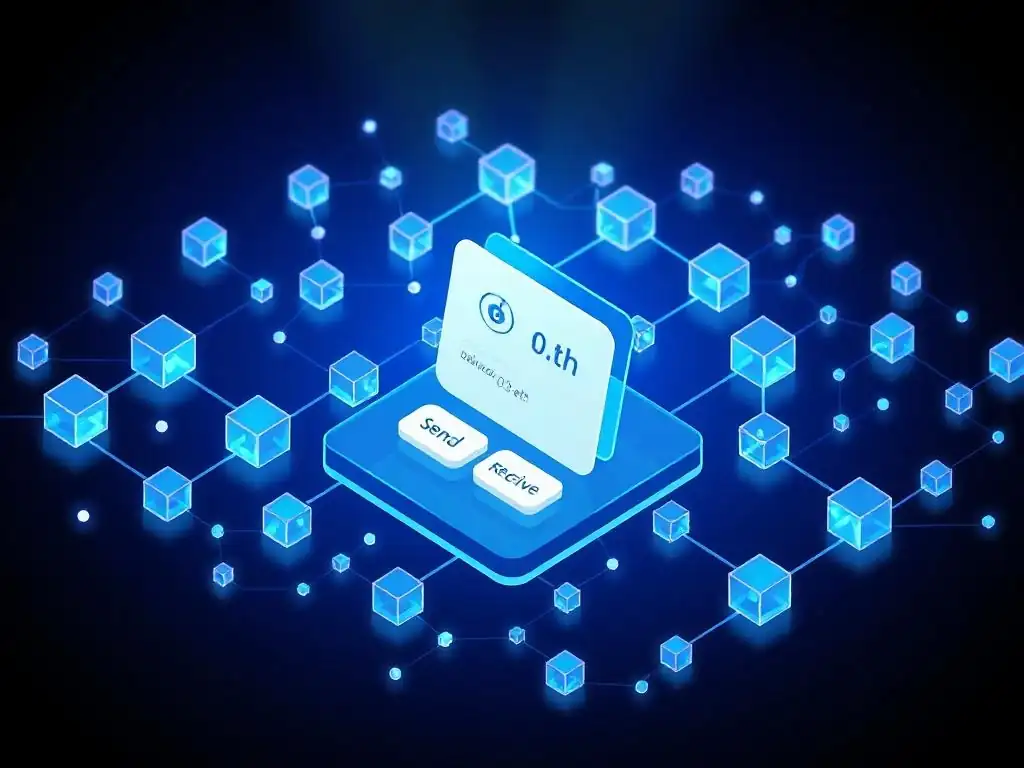
Let's walk through a simplified example to illustrate the core steps involved in blockchain DApp frontend development with React: building a basic application to check and display an ERC-20 token balance for a connected wallet address.
Creating a Simple Token Balance Checker with React
First, ensure you have a React project set up (using Create React App, Vite, etc.) and either web3.js or ethers.js installed. We'll use ethers.js for this example due to its common use in modern DApps. You'll need a component, let's call it TokenChecker.js. Inside this component, you'll manage state for the connected address, the token balance, and potentially loading/error states using React hooks ( useState, useEffect).
import React, { useState, useEffect } from 'react';
import { ethers } from 'ethers';

// Assume we have the ABI and address for a specific ERC-20 token
// This would typically be imported from a separate file or config
const TOKEN_ABI = [ /* ... ABI array ... */ ]; // e.g., functions like balanceOf, symbol
const TOKEN_ADDRESS = '0x...'; // The specific token contract address

function TokenChecker() {
  const [walletAddress, setWalletAddress] = useState(null);
  const [tokenBalance, setTokenBalance] = useState(null);
  const [tokenSymbol, setTokenSymbol] = useState(null);
  const [isLoading, setIsLoading] = useState(false);
  const [error, setError] = useState(null);

  // Effect to check for connected wallet on component mount
  useEffect(() => {
    async function checkWallet() {
      if (window.ethereum) {
        try {
          const accounts = await window.ethereum.request({ method: 'eth_accounts' });
          if (accounts.length > 0) {
            setWalletAddress(accounts[0]);
          }
        } catch (err) {
          console.error("Error checking accounts:", err);
        }
      }
    }
    checkWallet();

    // Listen for account changes
    window.ethereum?.on('accountsChanged', (accounts) => {
        setWalletAddress(accounts.length > 0 ? accounts[0] : null);
    });

    return () => {
      // Clean up event listener
      window.ethereum?.removeListener('accountsChanged', (accounts) => {
        setWalletAddress(accounts.length > 0 ? accounts[0] : null);
      });
    };
  }, []);

  // Effect to fetch token balance when walletAddress changes
  useEffect(() => {
    async function fetchBalance() {
      if (!walletAddress) {
        setTokenBalance(null);
        setTokenSymbol(null);
        return;
      }

      setIsLoading(true);
      setError(null);

      try {
        // Connect to the network provider provided by the wallet (e.g., MetaMask)
        const provider = new ethers.providers.Web3Provider(window.ethereum);
        // Get the contract instance
        const contract = new ethers.Contract(TOKEN_ADDRESS, TOKEN_ABI, provider);

        // Call the balanceOf function
        const balanceBigNumber = await contract.balanceOf(walletAddress);
        // Call the symbol function
        const symbol = await contract.symbol();
        // ERC-20 uses 18 decimal places typically, need to format
        const formattedBalance = ethers.utils.formatUnits(balanceBigNumber, 18);

        setTokenBalance(formattedBalance);
        setTokenSymbol(symbol);

      } catch (err) {
        console.error("Error fetching token data:", err);
        setError("Failed to fetch token data.");
        setTokenBalance(null);
        setTokenSymbol(null);
      } finally {
        setIsLoading(false);
      }
    }

    fetchBalance();
  }, [walletAddress]); // Re-run effect when walletAddress changes

  const connectWallet = async () => {
    if (window.ethereum) {
      try {
        const accounts = await window.ethereum.request({ method: 'eth_requestAccounts' });
        if (accounts.length > 0) {
          setWalletAddress(accounts[0]);
        }
      } catch (err) {
        console.error("Error connecting wallet:", err);
        setError("Failed to connect wallet. Is MetaMask installed?");
      }
    } else {
      setError("MetaMask or a compatible wallet is not detected.");
    }
  };

  return (
    <div>
      <h2>Token Balance Checker</h2>
      {!walletAddress ? (
        <button onClick={connectWallet}>Connect Wallet</button>
      ) : (
        <div>
          <p>Connected Address: {walletAddress}</p>
          {isLoading && <p>Loading balance...</p>}
          {error && <p style={{ color: 'red' }}>Error: {error}</p>}
          {tokenBalance !== null && tokenSymbol !== null && (
            <p>Balance: {tokenBalance} {tokenSymbol}</p>
          )}
        </div>
      )}
    </div>
  );
}

export default TokenChecker;
This basic structure sets up the state variables and uses useEffect to check for an existing connection and fetch data when an address is available. The connectWallet function is triggered by a button click, requesting the user's accounts via window.ethereum.request({ method: 'eth_requestAccounts' }). This is a foundational element in any blockchain DApp frontend development tutorial example.
Connecting to a Smart Contract and Displaying Token Information
As shown in the useEffect hook in the example above, connecting to a smart contract involves creating an instance of the contract using the ethers.js Contract class. You need the contract's address on the specific blockchain network and its Application Binary Interface (ABI). The ABI is a JSON array that describes the contract's functions, events, and state variables, allowing your frontend code to understand how to interact with it. You pass the contract address, the ABI, and a provider (which connects to the blockchain) to the ethers.Contract constructor.
Once you have a contract instance, you can call its functions. In the example, we call contract.balanceOf(walletAddress) and contract.symbol(). These are read-only functions, so we use the provider connected to the network. The results are typically returned as BigNumber objects for numerical values like balances, which need to be formatted using ethers.utils.formatUnits to a human-readable decimal representation, considering the token's decimal places (often 18 for ERC-20). The fetched balance and symbol are then stored in the component's state ( tokenBalance, tokenSymbol) and displayed in the JSX, providing the user with the requested token information directly in the React frontend. This demonstrates a core interaction pattern in blockchain DApp frontend development.
Implementing a Function to Transfer Tokens
To implement a function that modifies the blockchain state, such as transferring tokens, we need a signer. In our React component, when the user connects their wallet, the ethers.providers.Web3Provider created from window.ethereum can also provide a signer via provider.getSigner(). This signer represents the connected account with the ability to sign transactions.
Let's add a simple transfer function to the TokenChecker component:
// ... (previous imports and state) ...

function TokenChecker() {
  // ... (previous state and useEffect hooks) ...

  const [recipient, setRecipient] = useState('');
  const [transferAmount, setTransferAmount] = useState('');
  const [isTransferring, setIsTransferring] = useState(false);
  const [transferStatus, setTransferStatus] = useState(''); // To show tx hash or status

  const connectWallet = async () => { /* ... same as before ... */ };

  const handleTransfer = async (e) => {
    e.preventDefault();
    if (!walletAddress || !recipient || !transferAmount) {
      alert("Please connect wallet and enter recipient and amount.");
      return;
    }

    setIsTransferring(true);
    setTransferStatus('Initiating transfer...');
    setError(null);

    try {
      const provider = new ethers.providers.Web3Provider(window.ethereum);
      const signer = provider.getSigner(); // Get the signer from the provider

      // Get the contract instance with the signer
      const contract = new ethers.Contract(TOKEN_ADDRESS, TOKEN_ABI, signer);

      // Convert amount to the correct token decimals (assuming 18)
      const amountToSend = ethers.utils.parseUnits(transferAmount, 18);

      // Call the transfer function on the contract
      const tx = await contract.transfer(recipient, amountToSend);

      setTransferStatus(`Transaction sent: ${tx.hash}`);
      console.log('Transaction hash:', tx.hash);

      // Wait for the transaction to be mined and confirmed
      const receipt = await tx.wait(); // wait() returns the transaction receipt
      setTransferStatus(`Transaction confirmed! Block: ${receipt.blockNumber}`);
      console.log('Transaction receipt:', receipt);

      // Optional: Re-fetch balance after successful transfer
      // Need to call fetchBalance() again here

    } catch (err) {
      console.error("Error during transfer:", err);
      setError(`Transfer failed: ${err.message || err.toString()}`);
      setTransferStatus('');
    } finally {
      setIsTransferring(false);
    }
  };

  return (
    <div>
      {/* ... (previous display for balance) ... */}

      <h3>Transfer Tokens</h3>
      <form onSubmit={handleTransfer}>
        <div>
          <label>Recipient Address:</label>
          <input
            type="text"
            value={recipient}
            onChange={(e) => setRecipient(e.target.value)}
            required
          />
        </div>
        <div>
          <label>Amount:</label>
          <input
            type="number"
            value={transferAmount}
            onChange={(e) => setTransferAmount(e.target.value)}
            step="any"
            required
          />
        </div>
        <button type="submit" disabled={!walletAddress || isTransferring}>
          {isTransferring ? 'Transferring...' : 'Transfer'}
        </button>
      </form>
      {transferStatus && <p>Status: {transferStatus}</p>}
      {error && <p style={{ color: 'red' }}>Error: {error}</p>}
    </div>
  );
}

export default TokenChecker;
In the handleTransfer function, we get the signer, create a contract instance with the signer, parse the user's input amount to the correct token decimal format using ethers.utils.parseUnits, and then call contract.transfer(). Awaiting this call sends the transaction request to the wallet for the user to sign and broadcast. The returned tx object contains the transaction hash. We then use tx.wait() to pause execution until the transaction is mined and confirmed on the blockchain, providing crucial feedback to the user. This step-by-step process is a fundamental part of a blockchain DApp frontend development tutorial focused on user interaction.
Deploying Your React DApp Frontend to a Decentralized Hosting Solution
Once your React DApp frontend is built and tested, deploying it requires choosing a hosting solution. For DApps, deploying the frontend to a decentralized network aligns with the decentralized nature of the application's backend.
Understanding Decentralized Hosting Options (e.g., IPFS, Arweave)
Decentralized hosting provides censorship resistance and immutability for your DApp's frontend files. Instead of hosting on a single server (like AWS or Netlify), your files are distributed across a network of nodes. The InterPlanetary File System (IPFS) is a popular choice. IPFS is a peer-to-peer hypermedia protocol designed to make the web faster, safer, and more open.
When you add files to IPFS, they are given a content identifier (CID) which is a hash of the content. Accessing the content via its CID retrieves the files from any node on the network storing that content. Updates require adding new versions of the files, resulting in a new CID. Services like Pinata or Infura provide pinning services to ensure your content remains available on the IPFS network.
Arweave is another option, focusing on permanent, decentralized data storage. It stores data in a graph structure called the blockweave, where miners earn tokens by replicating data. Once data is uploaded to Arweave, it is permanently stored and accessible via a unique transaction ID. Arweave is often described as a "permaweb" and is suitable for DApp frontends that require guaranteed long-term availability without needing continuous pinning services like IPFS. Choosing between IPFS and Arweave (or other solutions) depends on your project's needs regarding mutability, cost, and permanence, and is an important consideration in blockchain DApp frontend development deployment.
Configuring Your React App for Decentralized Deployment
Preparing your standard React application for deployment to a decentralized network like IPFS or Arweave is relatively straightforward. The process involves building a static version of your application. In a Create React App project, you run npm run build or yarn build. This command compiles your JSX, CSS, and other assets into a build folder, optimizing them for production (minification, bundling, etc.). The output is a set of static HTML, CSS, and JavaScript files that can be served by any web server or, in this case, a decentralized network.
One common configuration needed for single-page applications like those built with React is handling routing. Since IPFS and Arweave serve static files based on their content hash, they don't inherently support client-side routing (where different URLs load the same index.html and JavaScript handles rendering the correct view). To address this, you often need to configure a gateway or a service that understands your application's routing. For IPFS, this might involve configuring rewrite rules on an IPFS gateway or using tools like ipfs-deploy. For Arweave, the Arweave Gateway handles serving the index.html for any path that doesn't correspond to a specific file, allowing your client-side router (like React Router) to take over. This build process is a standard part of concluding a blockchain DApp frontend development tutorial project.
Deploying and Testing Your DApp Frontend
Once your React app is built into static files ( build folder), the deployment process depends on your chosen decentralized hosting solution. For IPFS, you can use command-line tools like ipfs-cli ( ipfs add -r build/) or services like Pinata or Infura's IPFS upload API to add your build directory to the network. The output will be the root CID for your application. You can then access your DApp via an IPFS gateway URL, like https://ipfs.io/ipfs/<your_cid>/.
For Arweave, you typically use the Arweave command-line client or a web interface provided by a service. You'll initiate a transaction to upload your build folder, specifying the index.html as the main entry point. The transaction ID becomes the permanent address of your DApp frontend on the Arweave permaweb, accessible via https://arweave.net/<your_transaction_id>/. After deployment, thoroughly test your DApp frontend by accessing it via the decentralized gateway or address. Verify that all components load correctly, wallet connection works, data is fetched from the blockchain, and transactions can be initiated and confirmed. Testing on the actual decentralized host is crucial as the environment differs from local development.
Best Practices for React-Based Blockchain DApp Development
Adhering to best practices is crucial for building robust, maintainable, and secure React-based blockchain DApps. These practices encompass coding standards, testing methodologies, and staying current with the rapidly evolving blockchain ecosystem.
Writing Clean and Maintainable Code
Writing clean and maintainable code is essential for any software project, but particularly so in blockchain DApp frontend development where interactions can be complex and security critical. Follow standard React best practices: use functional components and hooks for new development, organize your code into reusable components, and maintain a clear folder structure (e.g., separating components, hooks, utils, and styles). Use meaningful variable and function names and add comments where the logic is complex, especially around blockchain interactions, transaction states, and error handling.
Implement consistent code styling using tools like Prettier and ESLint. ESLint can also help catch potential issues early, including some related to security or performance patterns in React. Keep your components focused on single responsibilities – a component should ideally either fetch data, display data, or handle user input for a specific feature, but not all simultaneously unless it's a very simple case. Writing unit tests for your React components and utility functions (like those handling data formatting or blockchain addresses) also contributes significantly to maintainability and helps prevent regressions as your DApp evolves.
Thoroughly Testing Your DApp Frontend
Thorough testing is non-negotiable for blockchain DApp frontend development. Your testing strategy should cover various layers:
- Unit Tests: Test individual React components in isolation using libraries like Jest and React Testing Library. Focus on testing component rendering, state updates, and event handling.
- Integration Tests: Test interactions between multiple components and with utility functions. Verify that data flows correctly through your application and that state management works as expected.
- End-to-End (E2E) Tests: Test the entire user flow, including connecting a wallet, interacting with smart contracts, and handling transaction confirmations. Tools like Cypress or Playwright can automate browser interactions. For DApps, E2E tests should ideally run against a local blockchain development environment (like Ganache) or a testnet to simulate real blockchain interactions.
- Wallet and Network Compatibility Testing: Test your DApp with different wallets (MetaMask, WalletConnect, etc.) and on various networks (mainnet, testnets like Sepolia or Mumbai) to ensure compatibility and handle network switching gracefully.
Simulating different blockchain states (e.g., contract reverted, insufficient gas, network delay) during testing is crucial to ensure your frontend handles errors and edge cases gracefully, providing a robust user experience.
Staying Up-to-Date with the Latest Blockchain Technologies and Security Practices
The blockchain space is incredibly dynamic, with new protocols, tools, libraries, and security best practices emerging constantly. To excel in blockchain DApp frontend development, it is essential to commit to continuous learning. Regularly follow updates from the blockchain networks you are building on (e.g., Ethereum, Polygon, Solana), the Web3 libraries you use (Web3.js, Ethers.js, wagmi), and the React ecosystem. Participate in developer communities, read documentation updates, and explore new tools and frameworks.
Security threats are also constantly evolving. Stay informed about common smart contract vulnerabilities and how they might impact frontend interactions. Learn about potential frontend-specific security risks in the Web3 space, such as malicious wallet connection requests or data phishing techniques. Subscribing to security newsletters and following reputable security researchers in the blockchain space can help you stay ahead. Implementing a policy of regular code audits, both internal and external, is a strong practice for ensuring the security of your DApp frontend.
The Future of React and DApp Frontend Development
The intersection of React and decentralized technologies is set to evolve further, driven by advancements in both the blockchain space and frontend development practices. The future holds exciting possibilities for creating even more sophisticated and user-friendly decentralized applications.
Emerging Trends in Decentralized Application User Interfaces
Emerging trends in DApp UIs are focusing on improving user onboarding, simplifying complex blockchain concepts, and enhancing performance. Abstracting away some of the complexities of blockchain, such as managing network IDs, gas fees, or even seed phrases (through account abstraction), is a major focus. This will lead to UIs that feel more like traditional web applications while retaining the benefits of decentralization. Wallets and wallet connection libraries are becoming more streamlined and integrated, offering smoother user experiences.
Another trend is the increased use of layer 2 scaling solutions and alternative blockchains, which offer faster and cheaper transactions. DApp frontends need to seamlessly support multiple networks and help users understand the implications of interacting on different chains. Furthermore, the rise of decentralized identity solutions and verifiable credentials will influence UI design, requiring interfaces that manage user data and permissions in a privacy-preserving manner. Richer, more interactive user experiences, potentially incorporating elements of gaming or metaverse interactions, are also on the horizon for DApps.
The Role of React in Shaping the Next Generation of DApps
React is well-positioned to continue playing a significant role in shaping the next generation of DApps. Its component-based architecture is highly adaptable to building complex, modular interfaces required by increasingly sophisticated decentralized applications. As blockchain interactions become more diverse (e.g., interacting with various L2s, different consensus mechanisms, or decentralized storage solutions), React's flexibility allows developers to integrate new Web3 libraries and protocols as they emerge.
The large and active React community will continue to contribute tools, hooks, and patterns specifically tailored for Web3 development, further lowering the barrier to entry for blockchain DApp frontend development. As technologies like server components or new rendering paradigms evolve within the React ecosystem, they will likely be adopted by DApp developers to improve performance and user experience. React's maturity, combined with its ongoing innovation, makes it a reliable and powerful framework for building the dynamic and responsive frontends that will define the future of decentralized applications.
Conclusion: Empowering Developers with React for Blockchain DApps
React has proven to be an excellent framework for building dynamic and user-friendly frontends for decentralized applications. Its component model, performance optimizations, and vast ecosystem provide developers with the tools necessary to tackle the unique challenges of interacting with blockchain networks. From managing asynchronous transactions and handling wallet connections to designing intuitive interfaces that abstract away underlying complexity, React facilitates the creation of robust DApps.
This blockchain DApp frontend development tutorial has covered the fundamental steps and considerations, from setting up your environment and understanding core concepts like providers and signers, to implementing smart contract interactions and deploying to decentralized hosting. By leveraging React's capabilities and following best practices in coding, testing, and security, developers are empowered to build the next generation of decentralized applications that are not only functional but also provide a seamless and engaging experience for users exploring the decentralized web. The continued evolution of both React and blockchain technology promises an exciting future for this field.
Frequently Asked Questions
What are the primary benefits of using React for DApp frontend development?
React offers component reusability, efficient state management, and a large developer community, making DApp development faster and more maintainable. This contributes to a better user experience.
Why is a dedicated frontend crucial for Blockchain DApps, especially concerning user interaction?
A well-designed frontend simplifies complex blockchain interactions, like transaction signing, making DApps more accessible to a wider audience. It also improves the overall user experience.
What are some common challenges encountered when building a React-based frontend for a DApp?
Challenges include managing asynchronous blockchain calls, handling user authentication with wallets, and ensuring the security of user data interacting with the blockchain.
Where can I find a comprehensive "Blockchain DApp frontend development tutorial" using React?
Blockchain Trends offers resources and tutorials, including our article, on building DApp frontends with React, focusing on best practices for dynamic user interface development and blockchain integration.
How does understanding DeFi, enterprise applications, and regulation impact frontend development for Blockchain DApps?
Understanding these areas influences the features and functionality you implement in your frontend, ensuring compliance and alignment with the specific DApp's purpose within the broader blockchain ecosystem.
Final Reflection: Embracing the Decentralized Web
The journey of building DApp frontends with React, as explored throughout this article, is not merely a technical exercise; it's a step towards shaping a more transparent and equitable digital future. The skills and techniques discussed are increasingly vital as blockchain technology permeates various industries, demanding intuitive and engaging user interfaces for decentralized applications.
This shift towards decentralization is profoundly impacting the cultural landscape, empowering individuals with greater control over their data and digital interactions. Witnessing this evolution firsthand fuels a sense of responsibility to contribute to the creation of user-friendly and accessible DApps. The future is already here – it's just not evenly distributed.
- William Gibson. This quote resonates deeply, reminding us that the accessibility of decentralized technologies hinges on our ability to build compelling and understandable frontends.
Now, as you embark on your own journey in Blockchain DApp frontend development, consider the power you wield. Use your skills to build not just functional applications, but also experiences that empower users, foster trust, and contribute to a more decentralized and democratic digital world. The future of the web is being written today, and your code can help shape it for the better.
Okay, I'm ready to create a CTA for an article titled "React for DApp Frontends: Building Dynamic User Interfaces for Decentralized Apps" on the website Blockchain Trends (blockchaintrends.org). Here's the CTA:
Ignite Your DApp Development Journey!
Thank you for exploring the potential of React in DApp frontends! We hope you've gained valuable insights into building dynamic and engaging user interfaces for decentralized applications. Now, it's time to turn that knowledge into action.
Here are a few ways to keep the momentum going:
- Dive into your first React-based DApp project! Start small – even a simple token display or transaction interface is a great way to solidify your understanding.
- Explore advanced React hooks or state management libraries like Redux or Zustand to optimize your DApp's performance and scalability.
- Share your experiences or challenges with the Blockchain Trends community forum – let's learn and build together!
What innovative DApp features are you most excited to implement using React? Share your thoughts in the comments below!
Leave a Reply