
Truffle Suite for Smart Contract Deployment: Streamlining the Process


Welcome to Blockchain Trends, your compass in the rapidly evolving world of decentralized technology. Dive in to discover how blockchain is reshaping industries, far beyond its cryptocurrency origins.
Ever wondered how to streamline the deployment of your smart contracts? Our latest article unravels the process, providing a comprehensive guide to Truffle Suite Smart Contract Deployment. Uncover the secrets to efficient and secure deployment, and unlock the full potential of your blockchain projects. Are you ready to simplify your workflow and build the future? Let's get started.
Truffle Suite for Smart Contract Deployment: Streamlining the Process
- Introduction to Truffle Suite and Smart Contract Deployment
- Setting Up Truffle Suite for Smart Contract Development
- Developing Smart Contracts with Truffle: A Practical Approach
- Testing Smart Contracts with Truffle: Ensuring Reliability
- Deploying Smart Contracts with Truffle: A Detailed Walkthrough
- Advanced Truffle Suite Features for Smart Contract Deployment
- Troubleshooting Common Truffle Deployment Issues
- Alternatives to Truffle Suite for Smart Contract Deployment
- Best Practices for Secure Smart Contract Deployment with Truffle
- Conclusion: The Future of Smart Contract Deployment with Truffle Suite
-
Frequently Asked Questions
- What is the Truffle Suite and why is it beneficial for smart contract deployment?
- How does Truffle Suite simplify the process of smart contract deployment?
- What are the main components of the Truffle Suite, and how do they contribute to smart contract development?
- What are some common challenges faced during smart contract deployment using Truffle Suite, and how can they be overcome?
- How does Truffle Suite contribute to the future of decentralized systems beyond cryptocurrencies?
- Final Reflection: Embracing Efficiency in Blockchain Development
- Ignite Your Smart Contract Journey!
Introduction to Truffle Suite and Smart Contract Deployment
Understanding the Blockchain Trends Context: Smart Contract Development
Smart contract development is a cornerstone of the decentralized web, enabling self-executing agreements whose terms are directly written into code. As blockchain technology evolves beyond basic cryptocurrency transactions, smart contracts power complex applications across various domains, including decentralized finance (DeFi), supply chain management, gaming, and digital identity. This increasing complexity necessitates robust tools that can handle the entire development lifecycle, from writing and compiling code to rigorous testing and reliable deployment. The demand for efficient and secure methods to bring these smart contracts onto the blockchain is paramount in the current landscape of blockchain trends.
Developing smart contracts often involves working with languages like Solidity for the Ethereum Virtual Machine (EVM) or Rust for platforms like Solana. While the code defines the contract's logic, interacting with the blockchain requires a suite of tools for tasks such as managing dependencies, compiling source code into bytecode, linking libraries, and finally, broadcasting transactions to deploy the contract onto a specific network. Without a structured approach, this process can become cumbersome, error-prone, and difficult to manage, especially as projects scale and involve multiple contracts and developers.
The Importance of Streamlined Smart Contract Deployment
Deploying a smart contract is a critical step in the development process. Unlike traditional software deployments, smart contracts, once deployed to a public blockchain like Ethereum, are typically immutable. This means that errors or vulnerabilities in the deployed code cannot be easily fixed or updated, potentially leading to significant financial losses or security breaches. A streamlined deployment process minimizes the risk of human error and ensures that the correct, tested version of the contract is deployed to the intended network with the proper configurations.
An efficient deployment pipeline is also crucial for rapid iteration and development. In a fast-paced environment, developers need to quickly deploy new versions of their contracts to testnets for internal testing or user acceptance testing. Automating steps like compilation, linking, and transaction signing saves valuable time and allows teams to focus on building features rather than managing deployment logistics. Furthermore, reproducible deployments are essential for maintaining consistency across different environments and ensuring that the deployed code matches the audited version.
Key Benefits of Using Truffle Suite
Truffle Suite offers a comprehensive set of tools specifically designed to streamline the entire smart contract development lifecycle, with a strong focus on smart contract deployment. Its integrated environment provides features for project scaffolding, compilation, testing, and deployment, all from a unified command-line interface. This significantly reduces the complexity associated with managing multiple disparate tools and scripts.
One of the major benefits is Truffle's migration system, which allows for automated, ordered deployment of contracts and handling dependencies between them. This is particularly useful for complex applications involving several inter-dependent contracts. Additionally, Truffle integrates seamlessly with Ganache, a personal blockchain for development, enabling rapid local testing and debugging before deploying to public testnets or the mainnet.
The built-in testing framework, based on Mocha and Chai, allows developers to write automated tests in JavaScript or Solidity, ensuring contract logic behaves as expected before deployment. Using Truffle Suite for smart contract deployment enhances productivity and reduces the likelihood of costly deployment errors.
Setting Up Truffle Suite for Smart Contract Development
Installing Truffle and Ganache: A Step-by-Step Guide
To begin using Truffle Suite for smart contract deployment and development, the first step is to install the necessary tools. Truffle and Ganache are distributed as Node.js packages, so you'll need Node.js (version 10.x or later recommended) and npm installed on your system. Once Node.js is ready, you can install Truffle globally using npm or yarn. The command is straightforward: npm install -g truffle. This command downloads and installs the Truffle command-line interface, making it accessible from any directory in your terminal. Verify the installation by running truffle version, which should display the installed version details.
Ganache provides a personal blockchain for Ethereum development, allowing you to deploy contracts, run tests, and debug your dApps locally without incurring gas costs or waiting for block confirmations on a public network. It comes in two forms: a desktop application with a GUI and a command-line tool ( ganache-cli or simply ganache). While the GUI version offers a visual interface, the command-line tool is often preferred for automated workflows and integration with Truffle. Install the command-line version globally using npm install -g ganache. Running ganache or ganache-cli in your terminal will start a local blockchain instance with ten pre-funded accounts, ready for immediate use in your Truffle Suite smart contract deployment tasks.
Configuring Truffle for Your Smart Contract Project
Once Truffle is installed, you'll typically start a new project using truffle init. This command creates a basic project structure including directories for contracts, migrations, and tests, along with a truffle-config.js file. This configuration file is the heart of your Truffle project, allowing you to specify compiler settings, network details, and other deployment configurations. For example, you can define which version of the Solidity compiler to use ( solc), which is crucial for ensuring compatibility and utilizing specific language features. A common setting might be compilers: { solc: { version: "0.8.0", settings: { optimizer: { enabled: true, runs: 200 } } } }, specifying compiler version 0.8.0 and enabling the optimizer with 200 runs.
The truffle-config.js file is also where you configure the networks you'll deploy to. By default, it includes a configuration for the development network, typically pointing to localhost:8545, which is the default address for Ganache. To deploy to public networks like Sepolia or Ethereum Mainnet, you'll need to add new network configurations. These configurations require specifying the network ID (e.g., 11155111 for Sepolia, 1 for Mainnet), the provider URL (usually an Infura or Alchemy endpoint), and potentially the gas price and gas limit. You'll also need to manage private keys securely, often using a library like @truffle/hdwallet-provider to sign transactions using a mnemonic phrase or private key without exposing it directly in the config file, enhancing the security of your Truffle Suite smart contract deployment process.
Understanding Truffle's Project Structure
A standard Truffle project initialized with truffle init follows a consistent directory structure designed to organize smart contracts, deployment scripts, and tests effectively. The core directories are contracts/, migrations/, and test/. The contracts/ directory is where you place your Solidity source files ( .sol). Truffle will automatically find and compile all .sol files within this directory and its subdirectories. It's good practice to keep your contract code clean and organized here.
The migrations/ directory contains JavaScript files that manage the deployment process. These files are executed in order (based on their numerical prefix) when you run truffle migrate. Each migration file is responsible for deploying one or more contracts and potentially setting up initial contract state or linking libraries. For instance, 2_deploy_contracts.js might deploy your main application contract after 1_initial_migration.js deploys the Migrations contract used by Truffle itself to keep track of deployed migrations. Finally, the test/ directory is where you write your automated tests. Truffle supports tests written in JavaScript or Solidity, allowing you to rigorously verify your contract's logic before initiating the Truffle Suite smart contract deployment to a live network. This structured approach promotes organization and maintainability throughout the development lifecycle.
Developing Smart Contracts with Truffle: A Practical Approach
Writing and Compiling Smart Contracts
Smart contract development with Truffle typically starts with writing your contract code in Solidity (or Vyper, though Solidity is more common with Truffle) within the contracts/ directory. For example, you might write a simple MyContract.sol file. Truffle provides a simple command, truffle compile, which processes all .sol files in the contracts/ directory. This command uses the Solidity compiler (solc) specified in your truffle-config.js to convert your human-readable Solidity code into machine-readable bytecode and ABI (Application Binary Interface). The bytecode is the actual code that gets deployed to the blockchain, while the ABI is a JSON array describing the contract's functions and events, allowing external applications to interact with it.
Upon successful compilation, Truffle saves the generated artifacts (bytecode, ABI, and other metadata) as JSON files in the build/contracts/ directory. These artifacts are essential for deployment and interaction. The build/contracts/MyContract.json file, for instance, will contain all the necessary information for Truffle to deploy MyContract and for frontend applications or scripts to call its functions. Truffle manages the compilation process efficiently, only recompiling files that have changed since the last compilation, which speeds up development iterations.
Using Truffle's Compilation Features
Truffle's compilation process is configurable through the truffle-config.js file, offering several features to optimize your workflow. As mentioned, you can specify the exact Solidity compiler version using the compilers setting. This is important because different Solidity versions introduce new features, bug fixes, and syntax changes. For example, using Solidity 0.8.x provides built-in arithmetic overflow/underflow checks, reducing a common source of vulnerabilities compared to earlier versions like 0.4.x.
Furthermore, you can configure the Solidity optimizer settings. The optimizer attempts to reduce the bytecode size and execution cost (gas) of your deployed contracts. While generally beneficial, optimization can sometimes make debugging more challenging or, in rare cases, introduce subtle bugs. The runs parameter in the optimizer settings ( optimizer: { enabled: true, runs: 200 }) tells the compiler how many times the code is expected to be executed, helping the optimizer make better decisions. A higher runs value can lead to smaller bytecode and lower deployment gas costs, but potentially higher execution gas costs for functions called infrequently. Truffle's flexible compilation options allow developers to fine-tune the build process for their specific needs before proceeding with Truffle Suite smart contract deployment.
Best Practices for Smart Contract Development with Truffle
Developing smart contracts requires adherence to best practices to ensure security, efficiency, and maintainability. Within the Truffle framework, this includes organizing your code logically within the contracts/ directory, perhaps using subfolders for different modules or categories of contracts (e.g., tokens/, governance/). Always specify a Solidity compiler version in your truffle-config.js and use a recent, stable version known for its security features. Utilizing libraries like OpenZeppelin Contracts ( npm install @openzeppelin/contracts) is highly recommended; these provide battle-tested implementations of common standards like ERC-20 and ERC-721, significantly reducing the risk of introducing bugs.
Writing clean, well-documented code is crucial. Use NatSpec comments ( /// and /** ... */) to explain the purpose of contracts, functions, and parameters. This documentation is vital for other developers working on the project and for auditors reviewing your code. Furthermore, structure your contracts to be modular and reusable where possible. Avoid writing monolithic contracts that handle too many disparate responsibilities. Breaking down functionality into smaller, focused contracts improves readability, testability, and reduces the complexity involved in Truffle Suite smart contract deployment and maintenance.
Testing Smart Contracts with Truffle: Ensuring Reliability
Writing Unit Tests for Smart Contracts in Truffle
Testing is a critical phase before any Truffle Suite smart contract deployment. Truffle provides a robust testing framework that supports writing tests in both JavaScript and Solidity. Writing tests in JavaScript is common as it allows interaction with your deployed contracts using Web3.js or Ether.js and provides a familiar testing environment (Mocha and Chai). You can write test files in the test/ directory. A typical JavaScript test file might use contract("MyContract", (accounts) => { ... }) to deploy the contract to a local blockchain instance (like Ganache) before each test suite and provide accounts to interact with.
Within these tests, you can call contract functions, send transactions, and assert the expected outcomes using Chai's assertion library. For example, assert.equal(await myContract.methods.getValue().call(), 10); checks if calling the getValue function returns 10. Writing tests in Solidity allows for more granular, low-level testing of contract logic directly within the EVM environment. These tests are also placed in the test/ directory but use the .sol extension. Solidity tests are particularly useful for verifying complex internal logic or assembly code. Regardless of the language, comprehensive unit tests that cover various scenarios, including edge cases and potential failure points, are essential for ensuring contract reliability before production Truffle Suite smart contract deployment.
Utilizing Truffle's Testing Framework
Truffle's testing framework automates the process of deploying your contracts to a test environment (usually Ganache by default), running your test files, and reporting the results. To run tests, you simply execute the command truffle test from your project root. Truffle will compile your contracts (if necessary), deploy them to the configured test network, and then execute all .js and .sol files in the test/ directory. The output clearly indicates which tests passed, failed, or were pending, along with detailed error messages for failures.
The framework provides access to accounts, network information, and convenient methods for interacting with contracts and manipulating the blockchain state (like advancing time). This makes it easy to simulate various user interactions and blockchain conditions. Using truffle test regularly during development helps catch bugs early, reducing the time and effort required for debugging later. A strong test suite is a prerequisite for confident Truffle Suite smart contract deployment, as it provides a high degree of assurance that your contract behaves correctly under expected and unexpected conditions.
Debugging Smart Contracts with Truffle's Debugger
Even with comprehensive tests, complex smart contracts can have subtle bugs that are difficult to diagnose. Truffle includes a powerful debugger that allows you to step through contract execution line by line, inspect variable values, and understand the flow of control. To use the debugger, you can run a test or a transaction with the --debug flag, for example, truffle test --debug or truffle exec scripts/my_script.js --debug.
When a transaction or test fails or hits a breakpoint, the debugger console opens, presenting the source code and allowing you to navigate through the execution stack. Commands like s (step over), i (step into), o (step out), n (step next), p (print variable), and q (quit) enable detailed inspection. You can set breakpoints in your Solidity code using the debugger; statement. The debugger is an invaluable tool for understanding why a contract behaves unexpectedly, pinpointing the exact line of code causing an issue, and resolving complex bugs that might otherwise be nearly impossible to find through simple trial and error. Mastering the debugger significantly improves your ability to deliver reliable contracts and perform successful Truffle Suite smart contract deployment.
Deploying Smart Contracts with Truffle: A Detailed Walkthrough
Configuring Deployment Networks in Truffle
Before you can perform a Truffle Suite smart contract deployment to any network other than the default development one, you need to configure that network in your truffle-config.js file. Each network configuration requires specifying a provider, which is how Truffle connects to the blockchain node. For public networks, this is typically an HD Wallet Provider that uses a mnemonic phrase or private key to sign transactions, connected to an endpoint like Infura, Alchemy, or a self-hosted node. You must never hardcode private keys directly in this file; use environment variables or a secure key management system.
A typical network configuration for a testnet like Sepolia might look like this:
require('dotenv').config();
const mnemonic = process.env.MNEMONIC;
const infuraProjectId = process.env.INFURA_PROJECT_ID;
const HDWalletProvider = require('@truffle/hdwallet-provider');

module.exports = {
  networks: {
    development: {
      host: "127.0.0.1",
      port: 8545,
      network_id: "*",
    },
    sepolia: {
      provider: () => new HDWalletProvider(mnemonic, `https://sepolia.infura.io/v3/${infuraProjectId}`),
      network_id: 11155111,
      gas: 4465030, // Approx. max gas limit on Sepolia
      confirmations: 2, // # of confs to wait between deployments. (default: 0)
      timeoutBlocks: 200, // # of blocks before a deployment times out (minimum/default: 50)
      skipDryRun: true, // Skip dry run to speed up deployments
    },
    mainnet: {
      provider: () => new HDWalletProvider(mnemonic, `https://mainnet.infura.io/v3/${infuraProjectId}`),
      network_id: 1,
      gas: 5500000, // Adjust based on complexity
      gasPrice: 100000000000, // 100 Gwei (adjust based on current network conditions)
      confirmations: 2,
      timeoutBlocks: 200,
      skipDryRun: true,
    },
  },
  // ... other configurations like compilers
};
This setup allows you to specify network-specific parameters like gas limit and gasPrice, which are crucial for managing transaction costs and preventing deployment failures due to insufficient gas. Accurately setting these parameters is a key part of successful Truffle Suite smart contract deployment.
Migrations: Automating Smart Contract Deployment
Truffle uses a concept called "migrations" to manage the deployment of your smart contracts in an organized and reproducible manner. Migrations are JavaScript files located in the migrations/ directory, prefixed with a number to indicate their execution order (e.g., 1_initial_migration.js, 2_deploy_my_contract.js). Each migration file uses a deployer object provided by Truffle to interact with the network and deploy contracts.
A simple migration file to deploy a contract named MyContract would look like this:
const MyContract = artifacts.require("MyContract");

module.exports = function (deployer) {
  deployer.deploy(MyContract, arg1, arg2); // Pass constructor arguments here
};
When you run truffle migrate --network <network_name>, Truffle connects to the specified network, checks which migrations have already been run (by looking at the Migrations contract deployed by the first migration), and then executes the new ones in sequence. This system ensures that contracts are deployed in the correct order, handling dependencies (e.g., deploying a library before a contract that uses it). Migrations can also execute arbitrary JavaScript code, allowing you to interact with deployed contracts, set initial state, or link libraries dynamically during the Truffle Suite smart contract deployment process.
Deploying to Local, Test, and Main Networks
With your networks configured and migrations written, deploying your smart contracts using Truffle Suite is straightforward.
- Local Network (Ganache): Start your Ganache instance (
ganacheorganache-cli). Then runtruffle migrate --network development. This deploys your contracts to the local blockchain. This is the fastest and cheapest way to test your deployment scripts and contract interactions before moving to public networks. - Test Network (e.g., Sepolia): Ensure your
.envfile contains your mnemonic and Infura/Alchemy project ID, and that yourtruffle-config.jsis configured for the Sepolia network. Fund one of the accounts derived from your mnemonic with Sepolia ETH (available from faucets). Then runtruffle migrate --network sepolia. Truffle will connect to the Sepolia network via your provider and execute the pending migrations. This step is crucial for testing your dApp in a more realistic environment, including network latency and actual transaction costs (though the ETH is free). - Main Network (Ethereum Mainnet): This is the final, critical step for production deployment. Ensure your
mainnetconfiguration intruffle-config.jsis correct, your mnemonic is secure, and the deploying account is funded with sufficient ETH to cover gas costs for the Truffle Suite smart contract deployment. Gas costs on Mainnet can be significant, potentially ranging from tens to hundreds of dollars depending on contract size and network congestion. Runtruffle migrate --network mainnet. This deploys your contracts to the live Ethereum network, making them accessible to users worldwide. This step is irreversible for immutable contracts, emphasizing the need for thorough testing and auditing beforehand.
Advanced Truffle Suite Features for Smart Contract Deployment
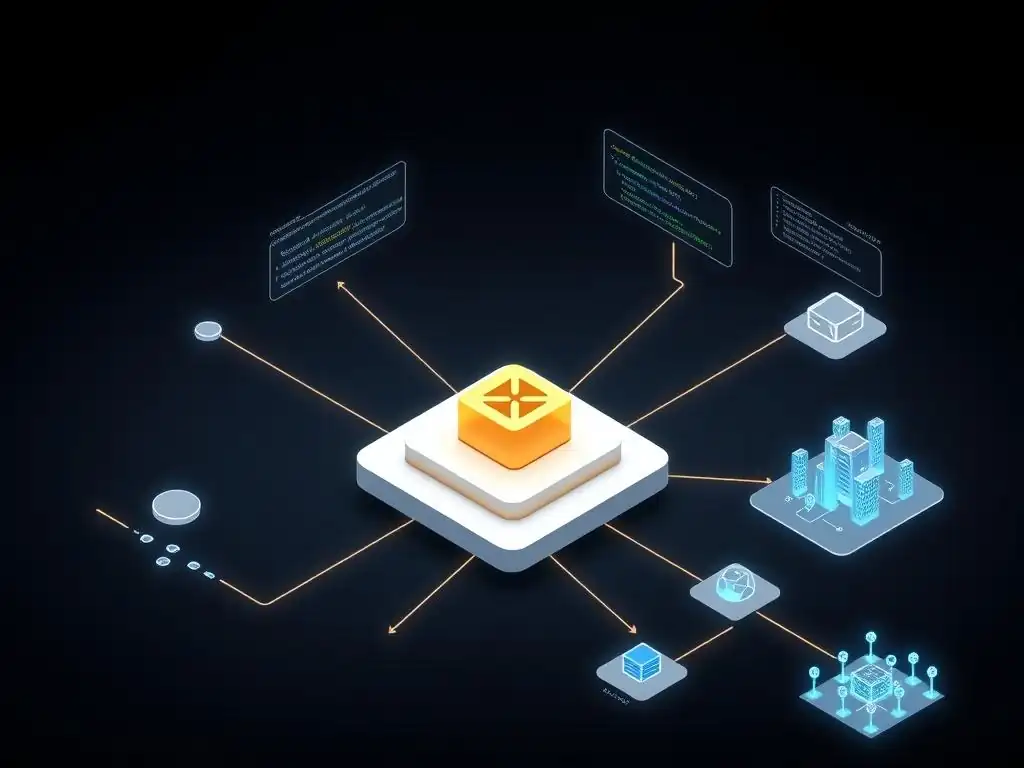
Working with Truffle Boxes: Pre-Built Development Environments
Truffle Boxes are pre-packaged components or full-stack dApp skeletons that accelerate smart contract development and Truffle Suite smart contract deployment. They provide ready-to-use project structures, contracts, libraries, and sometimes even frontend frameworks (like React or Vue) and configurations for various tools. Boxes are designed to give developers a head start by providing common setups or implementations of specific functionalities.
You can unbox a Truffle Box using the command truffle unbox <box_name>. For example, truffle unbox react provides a basic project integrating a React frontend with a Truffle backend. The truffle unbox metacoin box provides a classic example demonstrating a simple token contract and a basic web interface to interact with it. Using a relevant Truffle Box can save significant time setting up a project from scratch, allowing developers to jump directly into building their specific application logic while relying on a well-structured and pre-configured environment for compilation, testing, and Truffle Suite smart contract deployment.
Integrating Truffle with CI/CD Pipelines for Automated Deployment
For professional development teams, integrating Truffle Suite smart contract deployment into a Continuous Integration/Continuous Deployment (CI/CD) pipeline is a standard practice. This automation ensures that code changes are automatically tested and, upon successful verification, potentially deployed to staging or production environments. CI/CD pipelines (using tools like Jenkins, GitLab CI, GitHub Actions, or CircleCI) can be configured to:
- Fetch the latest code from a version control repository.
- Install project dependencies (
npm install). - Compile smart contracts (
truffle compile). - Run automated tests (
truffle test). - If tests pass, execute deployment scripts (
truffle migrate --network <environment>).
Automating the deployment process reduces manual steps, minimizes the risk of human error, and ensures that deployments are consistent and reproducible. It allows teams to deploy new contract versions or bug fixes quickly and reliably after they have passed automated tests. Secure handling of private keys and network credentials within the CI/CD environment is paramount, often involving encrypted secrets management features provided by the CI/CD platform.
Using Truffle Plugins to Enhance Development Workflow
Truffle's functionality can be extended through a system of plugins, allowing developers to add custom commands or modify existing behavior. Plugins are npm packages that can be installed and configured in truffle-config.js. This extensibility allows the community to build tools that integrate seamlessly with the Truffle environment, catering to specific needs or adding support for new features.
Examples of useful plugins include those for verifying contract source code on block explorers like Etherscan ( truffle-plugin-verify), generating documentation from NatSpec comments, or integrating with security analysis tools. For instance, after a successful Truffle Suite smart contract deployment to Mainnet, verifying the source code on Etherscan is crucial for transparency and user trust. A verification plugin automates this process, making it a simple command like truffle run verify MyContract --network mainnet. Plugins enhance the core Truffle experience, providing specialized tools that streamline various aspects of the smart contract development and deployment workflow.
Troubleshooting Common Truffle Deployment Issues
Addressing Gas Limit Errors During Deployment
One of the most frequent issues encountered during Truffle Suite smart contract deployment is running into gas limit errors. The error message often indicates that the transaction exceeded the block gas limit or the account's available gas. This typically happens when the deployed contract is very large or complex, requiring more computation and storage on the blockchain than the allocated gas can cover. The gas parameter in your network configuration ( truffle-config.js) sets the maximum gas your transaction is allowed to consume. If your contract deployment requires more gas than this limit, the transaction will fail.
To address this, you need to increase the gas limit in the network configuration for the network you are targeting. You can estimate the required gas by performing a dry run ( truffle migrate --network <network> --dry-run) or by deploying to a local network first, which often reports the gas usage. Be cautious when setting a very high gas limit on public networks, as it could result in higher transaction costs if the entire limit is consumed. It's a balance between ensuring the transaction goes through and managing costs. Sometimes, simplifying the contract or optimizing the Solidity code using the compiler optimizer ( optimizer: { enabled: true }) can reduce the gas footprint of the contract bytecode itself.
Resolving Migration Conflicts
Migration conflicts occur when Truffle's record of deployed migrations (stored in the Migrations contract on the network) doesn't match the migration files present in your project's migrations/ directory. This can happen if you've manually altered the Migrations contract state, deleted migration files, or if multiple developers are working on the same project and have run different sets of migrations. When you run truffle migrate, Truffle compares the numbers of the migration files it finds with the last_completed_migration recorded on-chain. If there's a mismatch or missing files, it might halt the deployment process, reporting a conflict.
To resolve this, you might need to force Truffle to rerun migrations from a specific point or reset the migration history. Running truffle migrate --reset will attempt to rerun all migrations from the beginning, ignoring the on-chain record. This is often useful on local or test networks but should be used with extreme caution on Mainnet as it will attempt to redeploy contracts that are already live, potentially leading to errors or unexpected state changes. On collaborative projects, ensure all developers are working with the same set of migration files and coordinate deployment efforts to avoid conflicts in the Truffle Suite smart contract deployment history.
Handling Network Connectivity Problems
Network connectivity issues are another common hurdle during Truffle Suite smart contract deployment. These can manifest as timeouts, failed transactions, or inability to connect to the blockchain node. Problems can arise from an incorrect provider URL in truffle-config.js, firewall restrictions, unstable internet connection, or issues with the node provider itself (e.g., Infura or Alchemy service disruption).
First, verify that your provider URL is correct and that you can access it outside of Truffle (e.g., using curl). Ensure your API key or project ID is valid and has the necessary permissions. Check the status of your node provider's service. If using an HD Wallet Provider, confirm that your mnemonic phrase is correct and that the account has sufficient funds for gas. Increasing the timeoutBlocks or adding confirmations in your network configuration can sometimes help by giving the network more time to process the transaction or waiting for more block confirmations before considering the deployment complete. If the issue persists, try using a different node provider or ensure any local firewalls are not blocking the connection to the node endpoint required for your Truffle Suite smart contract deployment.
Alternatives to Truffle Suite for Smart Contract Deployment
Hardhat vs. Truffle: A Comparison
While Truffle Suite is a widely adopted framework, Hardhat has emerged as a strong alternative for smart contract development and deployment, particularly within the Ethereum ecosystem. Both provide essential tools for compilation, testing, and deployment, but they have different philosophies and feature sets. Truffle has been around longer and has a large ecosystem of tools and boxes. Its migration system is a core feature for ordered deployment.
Hardhat, on the other hand, emphasizes flexibility and speed, especially in testing and debugging. It comes with a built-in Hardhat Network, a local Ethereum network designed specifically for development, which is generally faster than Ganache for running tests. Hardhat's testing environment allows for more control over the network state.
It uses a task runner architecture, allowing developers to define custom tasks for deployment and other workflows, offering a more programmatic approach compared to Truffle's migration files. Hardhat also has excellent support for debugging and includes features like console.log for smart contracts. When choosing between them for Truffle Suite smart contract deployment or a Hardhat-based approach, consider team familiarity, specific project needs, and the desired level of flexibility vs. convention.
Brownie: A Python-Based Alternative
For developers preferring Python, Brownie offers a robust framework for smart contract development, testing, and deployment, primarily targeting the EVM. Brownie leverages the Python ecosystem and testing frameworks like pytest, which can be more familiar and productive for Python developers. It provides a console for interacting with contracts, supports multiple networks, and includes features for managing project dependencies.
Brownie's approach to deployment is script-based, allowing developers to write Python scripts to handle complex deployment logic, similar to Truffle's migrations but within the Python environment. It integrates well with tools like Ganache and supports interacting with contracts using Python libraries. While perhaps less widely adopted than Truffle or Hardhat in the broader blockchain community, Brownie is an excellent choice for teams with strong Python expertise looking for an integrated environment for their smart contract development and Truffle Suite smart contract deployment alternatives.
Choosing the Right Tool for Your Smart Contract Project
Selecting the appropriate framework for your smart contract project depends on several factors, including your team's language preferences, the complexity of your project, performance requirements for testing, and the need for specific features or integrations. Truffle Suite is a mature, battle-tested framework with extensive documentation and a large community, making it a solid choice for many projects, especially those valuing its structured migration system for smart contract deployment.
Hardhat is often favored for its speed, flexibility, advanced debugging features, and integrated development network, appealing to developers who prioritize rapid iteration and fine-grained control over the testing environment. Brownie is the go-to option for Python-centric teams. Consider trying out the basic setup and testing workflow for each framework to see which one aligns best with your team's skills and project requirements. The choice of framework significantly impacts the efficiency and experience of developing, testing, and performing smart contract deployment.
Best Practices for Secure Smart Contract Deployment with Truffle
Auditing Smart Contracts Before Deployment
Before initiating a Truffle Suite smart contract deployment to a public network, especially Mainnet, a security audit is paramount. Smart contracts handle valuable assets, and vulnerabilities can lead to significant financial losses or compromise the integrity of your application. A professional security audit involves a thorough review of your contract code by experienced auditors who look for common pitfalls, logical errors, reentrancy issues, integer overflows/underflows, and other security weaknesses.
While automated tools can catch some issues, manual review by experts is critical for finding subtle vulnerabilities. Incorporate the findings from the audit into your development cycle, fixing identified issues and updating your tests to cover the scenarios highlighted by the auditors. Only proceed with the final Truffle Suite smart contract deployment after all critical and major findings have been addressed and verified. Investing in an audit is a crucial step in mitigating risk and building user trust.
Implementing Security Best Practices in Truffle Configurations
Security extends beyond the smart contract code itself to the deployment process and configuration. When using Truffle for smart contract deployment, ensure that sensitive information, particularly private keys or mnemonic phrases, is handled securely. As mentioned earlier, never hardcode these credentials directly in your truffle-config.js. Use environment variables loaded via a library like dotenv and access them through process.env. For production deployments, consider using dedicated secrets management systems provided by cloud providers or CI/CD platforms.
Configure appropriate gas limits and gas prices in your network settings to avoid transactions getting stuck or failing expensively. Be mindful of the network ID to ensure you are deploying to the intended network (e.g., network_id: 1 for Mainnet). For critical deployments, consider using a multi-signature wallet as the deployer account for added security, requiring multiple approvals before a transaction (like deployment) is broadcast. Reviewing and securing your Truffle configurations is a vital step in the overall security posture of your smart contract Truffle Suite smart contract deployment strategy.
Monitoring Smart Contracts After Deployment
Deploying a smart contract is not the final step; continuous monitoring is essential to ensure its ongoing health and security. After a successful Truffle Suite smart contract deployment, set up monitoring systems to track contract activity, observe key metrics, and detect unusual behavior. This can involve using block explorers (like Etherscan) to watch transactions and events, or utilizing specialized monitoring services that provide real-time alerts on predefined conditions.
Monitor for unexpected function calls, large transfers of tokens, or unusual gas consumption patterns. Set up event listeners in your application or backend services to react to important events emitted by your contracts. While smart contracts on public blockchains are immutable, monitoring helps you quickly identify if a vulnerability is being exploited or if the contract is experiencing issues.
Rapid detection allows you to take mitigating actions, such as pausing the contract (if a pause mechanism was built in) or alerting users, minimizing potential damage. Post-deployment monitoring is a non-negotiable best practice for maintaining the security and reliability of your deployed smart contracts.
Conclusion: The Future of Smart Contract Deployment with Truffle Suite
Truffle Suite: A Cornerstone of Blockchain Development
Truffle Suite has established itself as a fundamental tool in the smart contract development ecosystem, particularly for EVM-compatible blockchains. Its integrated approach to compilation, testing, and automated deployment via migrations has significantly lowered the barrier to entry for developers building on decentralized platforms. By providing a structured workflow and essential utilities, Truffle Suite empowers developers to focus on writing contract logic rather than wrestling with complex blockchain interactions.
The framework's maturity, extensive documentation, and active community support make it a reliable choice for projects ranging from simple proofs-of-concept to complex decentralized applications. The evolution of Truffle continues to support the growing needs of the blockchain development community, reinforcing its position as a cornerstone technology for smart contract development and Truffle Suite smart contract deployment.
Embracing Automation and Efficiency in Smart Contract Deployment
The importance of automation and efficiency in smart contract deployment cannot be overstated. The immutability of deployed contracts means that errors are costly and difficult to fix. Tools like Truffle Suite, with its migration system and testing framework, enable developers to automate repetitive tasks, reduce manual errors, and increase confidence in the deployed code.
Integrating Truffle into CI/CD pipelines further streamlines the process, allowing for faster iteration and more reliable releases. As the complexity of decentralized applications grows, efficient smart contract deployment practices become even more critical for project success and security. Embracing the automation capabilities offered by frameworks like Truffle is essential for staying competitive in the fast-paced world of blockchain development.
Future Trends: Modular Smart Contracts and Automated Security Audits
Looking ahead, the future of smart contract development and deployment is likely to see further advancements in modularity and automation, particularly in security. The trend towards more modular smart contracts, perhaps using patterns like proxies and upgradeable contracts (though these introduce their own complexities and risks), aims to improve flexibility and reduce the amount of code deployed at once. Frameworks like Truffle will need to continue adapting to support these evolving contract architectures seamlessly in their Truffle Suite smart contract deployment workflows.
Furthermore, we can expect increased integration of automated security analysis tools directly into development workflows and CI/CD pipelines. While human audits remain crucial, automated tools can provide a first line of defense and help developers catch common vulnerabilities early in the development cycle. The future will likely involve more sophisticated tools that can perform static and dynamic analysis of smart contracts, providing developers with faster feedback on potential security issues before deployment. Frameworks like Truffle are well-positioned to integrate with these tools, further enhancing the reliability and security of smart contract development and Truffle Suite smart contract deployment processes.
Frequently Asked Questions
What is the Truffle Suite and why is it beneficial for smart contract deployment?
The Truffle Suite is a development environment, testing framework, and asset pipeline for Ethereum, allowing for easier smart contract development and deployment. It streamlines the process with built-in tools and features.
How does Truffle Suite simplify the process of smart contract deployment?
Truffle Suite simplifies deployment by providing migration scripts to automate the process, handling dependencies, and offering network configuration to target different environments.
What are the main components of the Truffle Suite, and how do they contribute to smart contract development?
The main components include Truffle, Ganache, and Drizzle. Truffle handles compilation and deployment, Ganache provides a local blockchain environment, and Drizzle facilitates frontend interaction.
What are some common challenges faced during smart contract deployment using Truffle Suite, and how can they be overcome?
Challenges include gas optimization, network configuration issues, and potential bugs in the smart contracts. These can be overcome through thorough testing, careful gas limit setting, and rigorous code audits.
How does Truffle Suite contribute to the future of decentralized systems beyond cryptocurrencies?
By simplifying smart contract development, Truffle Suite facilitates the creation of decentralized applications (dApps) for various industries, promoting the adoption of blockchain technology beyond just cryptocurrencies.
Final Reflection: Embracing Efficiency in Blockchain Development
The journey of deploying smart contracts, once a complex and daunting task, has been significantly simplified by tools like Truffle Suite. This evolution underscores the growing accessibility of blockchain technology and its potential to revolutionize various industries. The ability to streamline the deployment process empowers developers to focus on innovation and building impactful decentralized applications, rather than getting bogged down in intricate technicalities.
The impact of Truffle Suite extends beyond mere efficiency; it fosters a collaborative and vibrant ecosystem. The ease with which developers can now deploy and test smart contracts has lowered the barrier to entry, encouraging more individuals to explore the possibilities of blockchain. This democratization of development is crucial for realizing the full potential of decentralized technologies. The best way to predict the future is to create it.
- Peter Drucker. Truffle Suite is, in essence, a tool for creating that future.
As we look ahead, let us not only embrace the tools that simplify our work, but also remember the underlying principles of decentralization, transparency, and security that drive the blockchain revolution. Consider how you can leverage these advancements to build solutions that address real-world challenges and contribute to a more equitable and innovative future. The power to shape the next generation of decentralized applications lies within your grasp.
Ignite Your Smart Contract Journey!
Thank you for exploring how Truffle Suite simplifies smart contract deployment. With this knowledge, you can now bring your blockchain ideas to life more easily and efficiently. Ready to take the next step?
Here are a few actions you can take right now:
- Try our hands-on tutorial: Deploy a simple contract to a test network by following our step-by-step guide!
- Explore advanced features: Learn how to use Truffle's debugging and testing tools to create secure, reliable smart contracts.
- Share your deployment experiences—successes or challenges—on blockchain forums to help others and grow the community.
What will be the first smart contract you deploy using Truffle Suite? Let us know in the comments below!
Leave a Reply