
Hardware Wallet Firmware Updates: Ensuring Ongoing Security

Welcome to Blockchain Trends, your go-to resource for understanding the real-world impact of blockchain technology. Beyond the buzzwords and price charts, we delve into the transformative potential shaping industries and redefining trust.
Ever wondered about the unseen guardians of your digital assets? This week, we're tackling a critical aspect of crypto security: secure hardware wallet updates. Discover why these updates are paramount, how they protect your funds, and what you need to know to ensure your hardware wallet remains a fortress against evolving threats. Are you truly secure? Let's find out...
- Hardware Wallet Firmware Updates: Ensuring Ongoing Security
- Preparing for a Secure Hardware Wallet Firmware Update
- Step-by-Step Guide: How to Securely Update Your Hardware Wallet Firmware
- Securely Updating Popular Hardware Wallets: Specific Guides
-
Frequently Asked Questions
- How often should I update the firmware on my hardware wallet?
- What are the potential risks of not updating my hardware wallet firmware?
- Where can I find legitimate firmware updates for my hardware wallet?
- What happens if a firmware update fails during the installation process?
- How do firmware updates contribute to the overall security of my hardware wallet?
- Final Reflection: The Enduring Vigilance of Digital Security
- Secure Your Crypto: Update Your Hardware Wallet Now!
Hardware Wallet Firmware Updates: Ensuring Ongoing Security
Protecting Your Digital Assets with Up-to-Date Firmware
Hardware wallets serve as a cornerstone of digital asset security, primarily by keeping private keys isolated from internet-connected devices. However, the security of these devices is not static; it relies heavily on the integrity and functionality of their firmware. Firmware is essentially the low-level software embedded within the hardware wallet that dictates how it operates, handles transactions, and interacts with companion software.
Performing secure hardware wallet updates is paramount because these updates often contain crucial patches for recently discovered vulnerabilities, enhancements to security protocols, and support for new cryptographic features or assets. Without these updates, a hardware wallet, while physically secure, could remain susceptible to exploits targeting outdated firmware.
Consider the evolving landscape of cybersecurity threats. Attackers are constantly probing for weaknesses, even in supposedly air-gapped devices. Firmware updates are the primary mechanism vendors use to counter these threats. For instance, vulnerabilities might be discovered that allow side-channel attacks, where information is leaked through physical characteristics like power consumption or electromagnetic emissions during operations.
A firmware update can implement countermeasures to mask these signals. Similarly, bugs in the implementation of cryptographic algorithms or transaction signing processes can be exploited. A timely and secure hardware wallet update addresses these specific issues, fortifying the device against known attack vectors and ensuring the ongoing integrity of private key management and transaction validation.
The Critical Risks of Skipping Hardware Wallet Updates
Neglecting secure hardware wallet updates exposes your valuable digital assets to significant risks. Outdated firmware can contain known vulnerabilities that have been publicly disclosed and potentially weaponized by malicious actors. While hardware wallets are designed to be resistant to remote attacks, certain exploits might require physical access or rely on compromised companion software to interact with the vulnerable firmware. A classic example involves potential vulnerabilities in the secure element's interaction with the main processor or subtle flaws in the transaction signing flow that could be manipulated under specific conditions. Skipping an update leaves these doors open.
The consequences of not performing secure hardware wallet updates can be severe, potentially leading to the compromise of your private keys and the irreversible loss of funds. Unlike software wallets, the security model of a hardware wallet heavily depends on the trust placed in its firmware and hardware design.
If a critical vulnerability exists in the firmware that allows an attacker (perhaps with temporary physical access or through a sophisticated supply chain attack) to extract the private key or alter transactions without detection, the entire security guarantee is nullified. Furthermore, outdated firmware might not support the latest blockchain protocol changes or security standards, potentially leading to compatibility issues or reduced security when interacting with updated network infrastructure or decentralized applications.
Understanding Firmware: The Foundation of Your Wallet's Security
Firmware is the persistent, low-level software that provides the basic control and functionality for your hardware wallet device. It's distinct from the operating system on your computer or smartphone; it's embedded directly onto the wallet's microcontrollers or secure elements.
Think of it as the brain of the hardware wallet, dictating how it initializes, manages the secure element, processes user input, displays information on the screen, and performs cryptographic operations like signing transactions. The security of your private keys, which are typically stored or generated within a secure element controlled by the firmware, is fundamentally dependent on the firmware's integrity and correct execution.
Every interaction you have with your hardware wallet, from generating a new address to confirming a transaction, is mediated by the firmware. It's responsible for ensuring that the transaction details displayed on the trusted screen are accurate and haven't been tampered with by a potentially compromised computer. It verifies that the signing process uses the correct private key and produces a valid signature according to the specific cryptocurrency's protocol.
Because of this critical role, any flaw in the firmware's logic or implementation can have direct security implications. This is why vendors invest heavily in auditing and updating firmware and why performing secure hardware wallet updates using official channels is non-negotiable for serious crypto users.
Preparing for a Secure Hardware Wallet Firmware Update
Backing Up Your Recovery Seed Phrase (Crucial Step)
Before initiating any hardware wallet firmware update, the single most critical step is ensuring you have a valid and accessible backup of your recovery seed phrase. This phrase, typically 12, 18, or 24 words, is the master key to your cryptocurrency assets.
While a firmware update is designed not to erase your private keys, unforeseen errors during the update process, power outages, or device malfunctions, however rare, could potentially reset the device to a factory state. In such scenarios, the recovery seed phrase is the only way to restore access to your funds on a new or reset hardware wallet.
Take the time to locate your written seed phrase backup and verify its accuracy. Ideally, you should have tested this backup previously using a 'check' or 'recovery check' feature on your hardware wallet or companion software if available. If you cannot find your backup or are unsure of its accuracy, do not proceed with the firmware update until you have safely backed up and verified your recovery phrase.
This step is not merely a precaution; it is a fundamental security practice for anyone holding cryptocurrency and is absolutely essential before attempting secure hardware wallet updates. Store this backup securely offline, away from your device and computer.
Verifying the Authenticity of Your Hardware Wallet Device
While less directly related to the firmware update process itself, ensuring the authenticity of your hardware wallet device is a prerequisite for trusting any firmware installed on it. Secure hardware wallet updates assume that the underlying hardware is genuine and hasn't been tampered with. Reputable hardware wallet manufacturers implement various measures to prevent tampering, such as holographic seals, secure element chips, and cryptographic attestation processes that the device performs when connecting to its companion software.
Before updating, especially if you haven't used the device in a while or are using it for the first time, connect it to the official companion application (like Ledger Live or Trezor Suite). These applications often perform checks to verify the device's authenticity. Look for indicators within the software that confirm the device is genuine.
While sophisticated attacks exist, these initial checks provide a baseline level of assurance that you are interacting with a legitimate device designed to receive secure hardware wallet updates from the official source. If the software reports any warnings about the device's authenticity, stop immediately and contact the manufacturer's support.
Using Only Official Software and Websites (e.g., Ledger Live, Trezor Suite)
The integrity of secure hardware wallet updates hinges entirely on obtaining the update files and performing the process through official, verified channels. Hardware wallet manufacturers provide dedicated desktop or mobile applications (like Ledger Live for Ledger devices or Trezor Suite for Trezor devices) specifically for managing the device, including performing firmware updates. These applications connect to the manufacturer's secure servers to download signed firmware files and guide you through the update process.
- [ ] Ensure you have downloaded and installed the official companion application directly from the manufacturer's legitimate website. Avoid links from emails, forums, or third-party sites.
- [ ] Bookmark the official website to avoid phishing attempts.
- [ ] Always double-check the website URL for spelling errors or subtle differences before downloading any software.
- [ ] Only connect your hardware wallet and perform secure hardware wallet updates when prompted by the official application.
Using unofficial or compromised software is one of the most significant risks during an update. Malicious software could potentially trick your device into installing malicious firmware designed to steal your private keys or compromise your transactions. Therefore, strict adherence to using only official software and websites is non-negotiable for secure hardware wallet updates.
Step-by-Step Guide: How to Securely Update Your Hardware Wallet Firmware
General Process for Most Hardware Wallet Brands
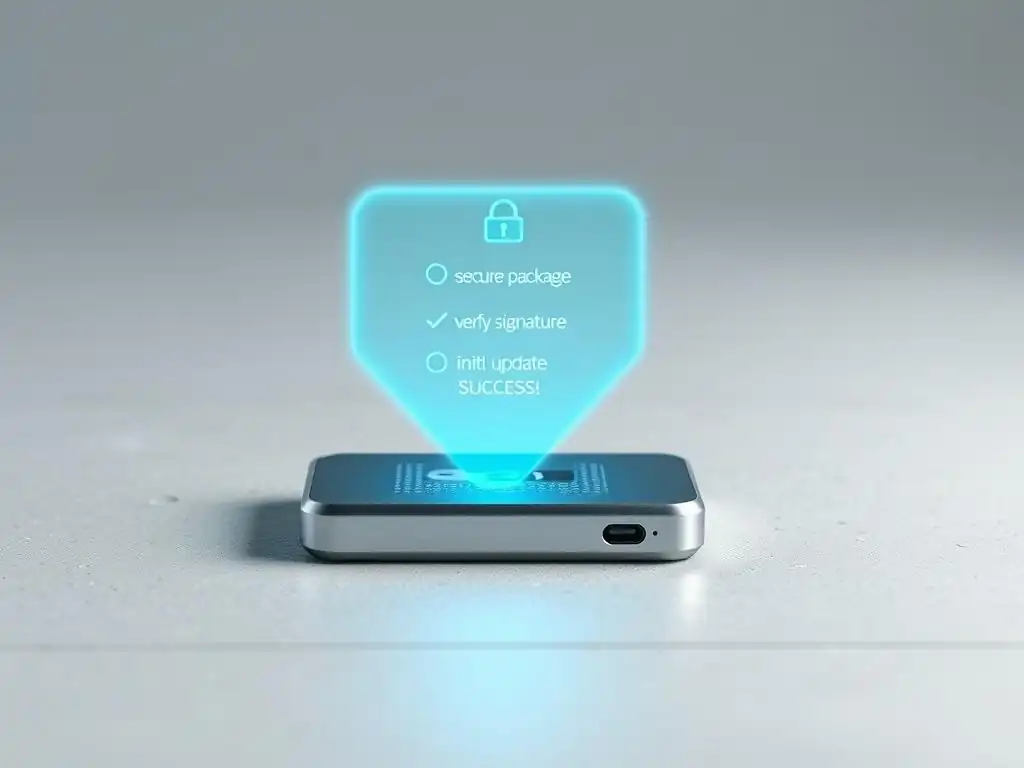
While specific steps may vary slightly between manufacturers, the general process for performing secure hardware wallet updates follows a common pattern designed to ensure the integrity of the update. Understanding this flow helps demystify the process and highlights the critical security checks involved. The process typically involves connecting the device, launching the official companion software, initiating the update, confirming details on the device screen, and waiting for the update to complete.
- Preparation: Ensure your recovery seed phrase is backed up and accessible. Close any other applications that might interfere with the connection.
- Connect: Connect your hardware wallet to your computer using the provided USB cable.
- Launch Software: Open the official companion application (e.g., Ledger Live, Trezor Suite).
- Navigate to Update: The software will usually detect that your device requires an update or you can navigate to a specific 'Manager' or 'Firmware' section within the application.
- Initiate Update: Follow the on-screen prompts within the application to start the firmware download and installation process.
- On-Device Confirmation: This is a critical security step. The application will send the firmware data to your device. Your hardware wallet's screen will then display details about the update, often including the new version number and a digital signature or hash. You must physically confirm on the device itself (usually by pressing buttons) that you approve the installation. This prevents a compromised computer from pushing malicious firmware without your explicit consent on the trusted device screen.
- Installation: The device will proceed to install the new firmware. Do not disconnect the device during this process.
- Completion: The software and device will indicate when the update is complete. The device may restart.
Performing secure hardware wallet updates requires patience and attention to detail, especially during the on-device confirmation steps. Rushing or skipping these confirmations can undermine the security benefits of the hardware wallet.
Connecting Your Device and Launching the Update Software
The first practical step in performing secure hardware wallet updates is establishing a reliable connection between your device and the computer running the official companion software. Use the original USB cable provided with your hardware wallet if possible, as some cables might be charge-only and not support data transfer required for the update. Connect the cable directly to a USB port on your computer, avoiding USB hubs if possible, to ensure a stable connection.
Once the device is connected, unlock it by entering your PIN on the device itself. Then, launch the official companion application on your computer. The application should detect your connected and unlocked device. If it doesn't, try reconnecting the device or restarting the application. The application serves as the interface between your computer's operating system and the hardware wallet, facilitating the secure transfer of the firmware update data and managing the update process according to the manufacturer's protocols. It's crucial that this software is the genuine article, downloaded from the official source, to guarantee secure hardware wallet updates.
Confirming the Update Details on Your Wallet Screen
This step is arguably the most vital security check during the secure hardware wallet update process. After the companion software downloads the new firmware and prepares to install it, it will send information about the update to your hardware wallet device. The device's small, trusted screen will then display key details about the firmware package it has received. This typically includes the version number of the new firmware and, crucially, a cryptographic identifier such as a hash or a signature verification message.
You must carefully review the information displayed on your hardware wallet's screen and compare it with what the official companion software or the manufacturer's website indicates is the correct version and identifier for the update. For example, the screen might show "Install firmware v1.9.18?". It might also show a hash like 0x1a2b3c4d.... You need to confirm on the device screen that this information matches the expected details. Only if the details match exactly should you physically press the buttons on your hardware wallet to approve the installation. This on-device confirmation mechanism is designed to prevent a scenario where a compromised computer application tries to install malicious firmware onto your device; the malicious firmware would likely have a different hash or version number, which you would spot on the trusted screen, allowing you to reject the update. Performing secure hardware wallet updates means never blindly approving prompts on the device screen.
Securely Updating Popular Hardware Wallets: Specific Guides
How to Perform a Secure Ledger Nano X/S Firmware Update
Ledger hardware wallets, such as the Nano S and Nano X, use the Ledger Live application for management, including firmware updates. Performing a secure Ledger hardware wallet update is a straightforward process within this application, but requires careful attention to the security prompts on the device itself. The Ledger Live application communicates with Ledger's secure servers to fetch the latest signed firmware tailored for your specific device model.
Using the Official Ledger Live Application
- Ensure Ledger Live is installed and up-to-date. Download it only from the official Ledger website.
- Connect your Ledger device to your computer via USB.
- Unlock your device by entering your PIN on the Ledger.
- Open Ledger Live. Navigate to the 'Manager' section.
- If a firmware update is available, Ledger Live will notify you and display the new version number (e.g., version 2.1.0).
- Click the 'Update firmware' button.
- Ledger Live will prepare the update. Read any warnings or instructions displayed in Ledger Live.
- Your Ledger device screen will then prompt you to confirm the update. It will show the new firmware version and ask for confirmation (e.g., "Update firmware 2.1.0? ").
- Press the required button(s) on your Ledger device to confirm.
- The device may then show "Processing" or similar messages as Ledger Live transfers the data.
- Crucially, your Ledger device screen will ask you to "Confirm update" again, often displaying a unique identifier or signature verification. You must press the button(s) to confirm this final step on the device.
- Do not disconnect the device until Ledger Live and the Ledger screen confirm the update is complete and successful. The device will typically restart.
Successfully performing a secure hardware wallet update on a Ledger device relies heavily on following the steps in Ledger Live and, most importantly, carefully confirming the details on the Ledger screen at each prompt.
Verifying the Firmware Version and Signature
A key security feature during a secure Ledger hardware wallet update is the device's verification of the firmware package's signature. Ledger signs all official firmware releases cryptographically. When Ledger Live sends the firmware to your device, the device itself verifies this signature using a public key embedded within its secure element. If the signature is invalid (meaning the firmware is not genuinely from Ledger or has been tampered with), the Ledger device will display a warning like "Invalid Signature" and refuse to install the firmware.
During the update process, specifically at step 11 above, the device prompts you to confirm the update after it has verified the signature. By confirming on the device, you are essentially acknowledging that the device has validated the firmware's authenticity. While Ledger Live displays the version number, the ultimate security check happens on the device itself via signature verification. Always ensure your Ledger screen explicitly asks you to confirm the update and doesn't show any signature errors. This verification process is fundamental to ensuring secure hardware wallet updates on Ledger devices.
Guide to Secure Trezor Model T/One Firmware Updates
Trezor hardware wallets, including the Model One and Model T, are managed using the Trezor Suite application (or the legacy Trezor Wallet web interface, though Suite is recommended). Secure Trezor hardware wallet updates are designed with similar on-device verification principles as other reputable brands, focusing on user confirmation on the trusted screen.
Updating via Trezor Suite: A Step-by-Step Process
- Download and install Trezor Suite only from the official Trezor website.
- Connect your Trezor device to your computer via USB.
- Unlock your device by entering your PIN on the Trezor (on the touchscreen for Model T, via the computer and device confirmation for Model One).
- Open Trezor Suite. It will detect your device.
- If a firmware update is available, Trezor Suite will notify you, often showing a banner or a message in the device settings.
- Click the update prompt. Trezor Suite will explain the update and its version (e.g., version 2.5.2).
- Confirm you have your recovery seed phrase backed up when prompted.
- Trezor Suite will download the firmware. Your Trezor device screen will then become the primary interface for the critical security steps.
- The Trezor screen will display information about the new firmware, including the version number and, most importantly, a fingerprint (a unique hash) of the firmware file.
- You must visually compare the fingerprint displayed on your Trezor screen with the fingerprint shown in Trezor Suite. These must match character for character.
- If the fingerprints match, physically confirm on your Trezor device (press button(s) on Model One, tap on Model T screen) to proceed with the installation.
- Do not disconnect the device until Trezor Suite and the Trezor screen confirm the update is complete. The device will restart.
Successfully performing a secure hardware wallet update on a Trezor device relies heavily on the visual comparison of the firmware fingerprint displayed on the device screen against the one shown in the official Trezor Suite software.
Checking the Firmware Hash for Authenticity
The firmware fingerprint displayed on the Trezor device screen during the update process is a cryptographic hash of the firmware file. This hash acts as a unique identifier for that specific version of the firmware. Any modification to the firmware file, even a single bit, would result in a completely different hash. By displaying this hash on the device's trusted screen, Trezor provides a robust mechanism for users to verify that the firmware being installed is exactly what the official Trezor Suite software claims it is, and that it hasn't been intercepted or altered by malware on the computer.
The process requires the user to visually compare the hash shown on the small, isolated Trezor screen with the hash shown within the Trezor Suite application on the computer. This manual verification step is crucial for secure hardware wallet updates on Trezor. If the hashes do not match, it is a strong indication that the firmware file is not authentic, and you should immediately cancel the update on the device and investigate. Never proceed with the update if the fingerprints do not match. This vigilant comparison is a cornerstone of the Trezor update security model.
Firmware Update Procedures
Firmware update procedures for hardware wallets are designed with a layered security approach, combining software checks, secure communication protocols, cryptographic verification, and essential user confirmation on the device itself. While the steps outlined for Ledger and Trezor provide specific examples, the core principles apply broadly across reputable hardware wallet brands. The procedure always begins with using the official companion software to connect to the device and detect available updates. The software downloads the signed firmware file from the manufacturer's secure servers.
The critical security step in any hardware wallet firmware update procedure is the on-device verification and confirmation. Whether it's verifying a digital signature (like Ledger) or comparing a cryptographic hash/fingerprint (like Trezor), the device screen serves as a trusted display that is isolated from the potentially compromised computer. The user must physically interact with the device to approve the update only after confirming the displayed information matches the expected details from the official source.
This ensures that even if the computer running the companion software is infected with malware, it cannot force the installation of malicious firmware without the user catching it on the device's screen. Completing secure hardware wallet updates involves carefully following these steps and never skipping the on-device verification prompts.
Frequently Asked Questions
How often should I update the firmware on my hardware wallet?
You should update your hardware wallet's firmware whenever a new update is released. These updates often contain critical security patches and performance improvements, ensuring your assets are protected.
What are the potential risks of not updating my hardware wallet firmware?
Failing to update your firmware can leave your hardware wallet vulnerable to known security exploits. This could potentially lead to the loss of your cryptocurrency if a malicious actor gains access.
Where can I find legitimate firmware updates for my hardware wallet?
Always download firmware updates directly from the official website of your hardware wallet manufacturer. Avoid downloading updates from untrusted sources to prevent installing malicious software.
What happens if a firmware update fails during the installation process?
A failed firmware update can sometimes render the wallet temporarily unusable. Consult the manufacturer's documentation or contact their support team for recovery instructions.
How do firmware updates contribute to the overall security of my hardware wallet?
Firmware updates are crucial for maintaining the security of your private keys. They often include bug fixes and security enhancements that protect against newly discovered threats and vulnerabilities.
Final Reflection: The Enduring Vigilance of Digital Security
The journey through the intricacies of hardware wallet firmware updates underscores a crucial truth: security is not a static state, but a continuous process. In a world where digital assets are increasingly vulnerable, understanding and prioritizing secure update mechanisms is paramount to safeguarding our financial sovereignty. The vigilance required to maintain the integrity of these updates is the very foundation upon which trust in hardware wallets is built.
This ongoing need for vigilance has profoundly shaped the digital landscape, demanding constant innovation and adaptation from both developers and users. The responsibility for security rests not solely on the manufacturers, but also on each individual who chooses to participate in the digital economy. We must remain informed, proactive, and critical in our approach to security measures. Security is always excessive until it's not enough.
This quote perfectly encapsulates the delicate balance we must strike, constantly evaluating and improving our defenses against ever-evolving threats.
As you navigate the digital world, remember the lessons learned here. Embrace the proactive approach to security, prioritize secure hardware wallet updates, and empower yourself with knowledge. The future of digital asset security depends on our collective commitment to vigilance. Let us all strive to be informed, responsible stewards of our digital wealth, ensuring a safer and more secure future for all.
Okay, I'm ready to craft a Call to Action based on that information. Here it is:
Secure Your Crypto: Update Your Hardware Wallet Now!
Thank you for exploring the importance of firmware updates for your hardware wallet with Blockchain Trends. You've armed yourself with the knowledge to keep your digital assets safe. Now it's time to take action and ensure your ongoing security.
Here's how you can safeguard your crypto today:
- Prioritize your digital safety: Immediately update your hardware wallet's firmware to the latest version. Check for updates directly through your wallet's software or manufacturer's website to avoid scams.
- Explore the "Blockchain Trends" archive! Dive deeper into similar articles and topics on crypto safety for continued support in this ever-changing digital landscape.
- Help others to better the entire ecosystem by sharing this article with a friend or family member that uses hardware wallets! Let's make crypto safe for everybody.
What steps will you take today to solidify the security of your digital assets and implement better security practices in the blockchain community?
Leave a Reply