
Ledger vs Trezor vs KeepKey: How to Protect Your Wallet from Physical Theft

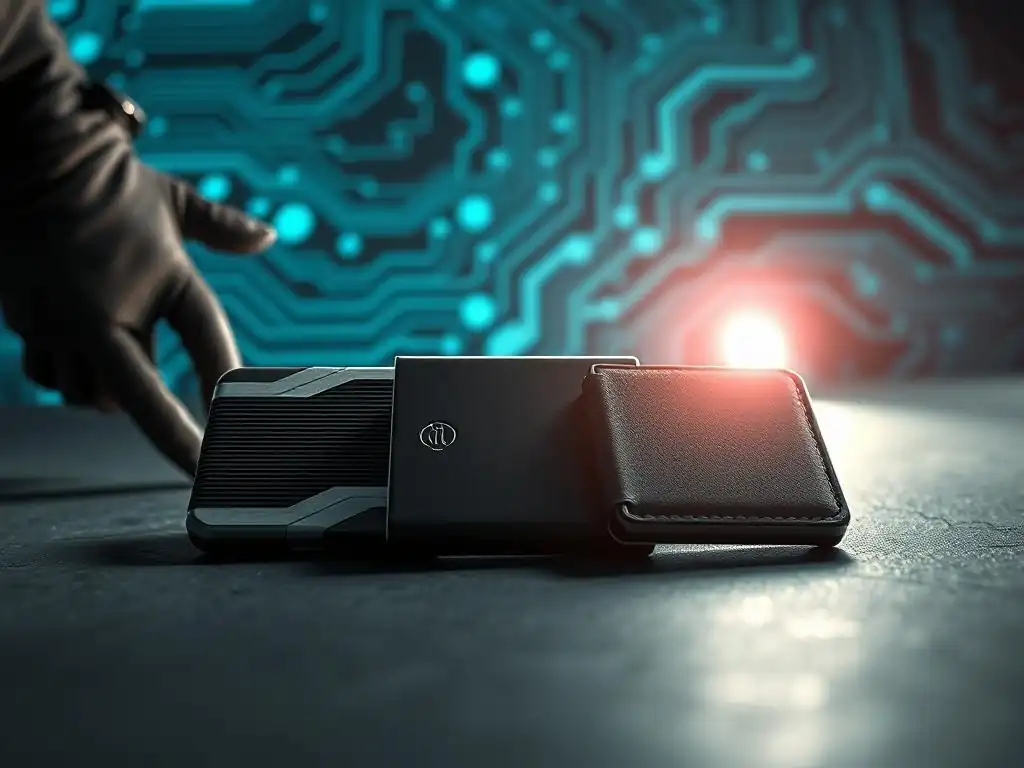
Welcome to Blockchain Trends, your guide to navigating the ever-evolving world of blockchain technology. Beyond the buzz of cryptocurrencies, blockchain is revolutionizing industries. Ready to safeguard your digital assets? This week, we delve into a critical aspect of crypto security: choosing the right hardware wallet. Our in-depth secure hardware wallet comparison, starting with Ledger vs Trezor vs KeepKey, will arm you with the knowledge to protect your valuable investments from physical theft. But which one truly reigns supreme? Read on to find out and unlock the secrets to securing your digital future!
Ledger vs Trezor vs KeepKey: How to Protect Your Wallet from Physical Theft
- Introduction to Secure Hardware Wallets
- Secure Hardware Wallet Comparison: Key Features
- Comparison of Security Measures Against Physical Theft
- Pros and Cons of Each Hardware Wallet
- Recommendations: Choosing the Right Wallet Based on Your Needs
- Conclusion: Final Thoughts on Secure Hardware Wallet Comparison
- Call to Action: Secure Your Crypto Assets Today
-
Frequently Asked Questions
- What are the key differences between Ledger, Trezor, and KeepKey hardware wallets?
- Which hardware wallet is best for beginners who are new to cryptocurrency?
- How effective are hardware wallets in protecting against physical theft of my cryptocurrency?
- What should I consider when doing a secure hardware wallet comparison before making a purchase?
- Are there any drawbacks to using a hardware wallet compared to other methods of cryptocurrency storage?
- Final Reflection: Empowering Self-Custody in a Digital Age
- Secure Your Crypto Future: Choose Your Vault Today!
Introduction to Secure Hardware Wallets
Understanding the Importance of Hardware Wallets in Crypto Security
In the evolving landscape of digital assets, safeguarding your private keys is paramount. While software wallets offer convenience for everyday transactions, they remain susceptible to online threats like malware, phishing, and hacking attempts that target your computer or mobile device. A secure hardware wallet provides a critical layer of defense by storing your private keys offline in a physically isolated environment. This 'cold storage' method ensures that even if your computer is compromised, your private keys are never exposed to the internet, significantly mitigating the risk of digital theft.
Moreover, a hardware wallet protects against physical threats to your computer or phone itself. If your device is stolen or damaged, your funds held in a software wallet tied directly to that device's storage could be lost or compromised. A hardware wallet, however, requires physical interaction and confirmation for transactions, making it inherently more resistant to remote attacks. Undertaking a secure hardware wallet comparison is essential for anyone serious about protecting their crypto holdings from both online vulnerabilities and physical risks.
Overview of Ledger, Trezor, and KeepKey as Leading Options
Ledger, Trezor, and KeepKey represent three of the most established and widely recognized brands in the secure hardware wallet market. Each offers a distinct approach to offline key storage, catering to different user preferences, security needs, and budgets. Trezor, launched in 2014 by SatoshiLabs, is often credited as the original hardware wallet, pioneering the concept of offline private key storage.
Ledger, founded in 2014 as well, quickly became a major competitor, known for its Secure Element chip technology and wide range of supported assets. KeepKey, acquired by ShapeShift in 2017 (and now part of the decentralized ShapeShift DAO ecosystem), positioned itself as a more affordable option with a sleek design and integrated exchange capabilities.
Comparing secure hardware wallets like these three involves evaluating their security architecture, ease of use, supported cryptocurrencies, build quality, and price point. While all three aim to protect your private keys from online threats, their specific implementations of security features and user interfaces differ. This secure hardware wallet comparison will delve into the specifics of Ledger, Trezor, and KeepKey to help you understand their strengths and weaknesses, particularly in the context of protecting your digital assets from physical theft or loss of the device itself.
Secure Hardware Wallet Comparison: Key Features
Ledger: Robust Security and User Interface
Ledger offers a range of devices, with the Nano S Plus and Nano X being popular models. The Nano S Plus is a refreshed classic, while the Nano X provides Bluetooth connectivity and increased storage. Both feature a small screen and two buttons for navigation and transaction confirmation. Setting up involves generating or restoring a 24-word recovery phrase. The user interface, managed through the Ledger Live software on desktop or mobile, is generally considered intuitive for managing assets, installing apps for different cryptocurrencies, and confirming transactions initiated from the software.
Hardware Specifications
Ledger devices typically feature a secure chip (like the certified CC EAL5+ Secure Element) designed to withstand sophisticated attacks. This chip stores the private keys and isolates them from the general-purpose microcontroller, making it extremely difficult to extract keys even with physical access to the device. Connectivity is usually via USB-C. The Nano X also includes Bluetooth Low Energy (BLE) for wireless connection to mobile devices, though transactions still require physical confirmation on the device itself. The screen size is small but adequate for verifying transaction details.
Security Features
A core security feature of Ledger is the Secure Element chip, which acts like a tamper-resistant vault for private keys. All cryptographic operations are performed within this chip, meaning the private key never leaves it. Ledger also implements a PIN code requirement for device access and physical confirmation for every transaction on the device screen. If the device is lost or stolen, multiple incorrect PIN attempts (usually three) will wipe the device, requiring restoration from the recovery phrase. Firmware updates are signed cryptographically by Ledger to prevent malicious modifications.
User Experience
The user experience revolves around the Ledger Live application, which serves as a central hub for managing multiple cryptocurrencies. Installing 'apps' for each coin on the device is required, and the storage capacity limits the number of apps that can be installed simultaneously (though the Nano X has more capacity than older models). Navigating menus and confirming transactions using the two physical buttons can feel somewhat cumbersome, especially for long addresses or transaction details, but it is a necessary security step. The integration with Ledger Live makes managing a diverse portfolio relatively straightforward once set up.
Trezor: User-Friendly Design with Strong Security
Trezor, with models like the Trezor Model One and Trezor Model T, is known for its focus on user-friendliness and strong open-source principles. The Model One features a simple design with two buttons and a small monochrome screen, while the Model T boasts a larger color touchscreen for easier interaction. Both devices require connection to a computer via USB and interaction through the Trezor Suite software or web interface. Setup is guided, involving the generation or restoration of a recovery seed (typically 12 or 24 words).
Hardware Specifications
Trezor devices use a general-purpose microcontroller rather than a separate Secure Element chip, which is a key architectural difference compared to Ledger. Security is achieved through software-level isolation and encryption, combined with the requirement for physical interaction. The Model One uses a standard microcontroller, while the Model T uses a more powerful one and includes a MicroSD card slot (primarily for encrypted storage features like Shamir Backup). The Model T's touchscreen is a significant usability upgrade over the Model One's buttons and small screen. Connectivity is via USB-A or USB-C depending on the model.
Security Features
Trezor's security model relies heavily on its firmware and the user's passphrase protection. While lacking a Secure Element, Trezor's open-source firmware is subject to public scrutiny, theoretically allowing vulnerabilities to be identified and patched quickly. The device requires a PIN for access.
A crucial security feature unique to Trezor is the passphrase capability, which adds a 13th or 25th word to the recovery seed, creating a hidden wallet. This makes even a compromised or physically seized device useless without the passphrase, offering an extra layer of protection against sophisticated physical attacks or coercion. Transaction confirmation is done via the device screen (buttons on Model One, touchscreen on Model T).
User Experience
Trezor is often praised for its straightforward setup process and user-friendly interface, particularly with the Trezor Suite software. The Model T's touchscreen significantly enhances usability compared to button-based navigation. The passphrase feature, while powerful, adds complexity and requires careful management by the user. Trezor generally supports a wide range of cryptocurrencies, though historically Ledger has supported a slightly larger number. Firmware updates are managed through the Trezor Suite. The user experience is designed to be accessible, making it a popular choice for those new to secure hardware wallet comparison.
KeepKey: Affordable Security with Unique Offerings
KeepKey stands out primarily for its competitive price point and large, clear display, making it an attractive option for users prioritizing affordability and ease of visual verification. Its design is sleek and minimalist, featuring a single button for interaction. Like the others, it connects via USB and uses a recovery seed for backup and restoration. KeepKey integrates closely with the ShapeShift platform, allowing for direct exchange functionality within the wallet interface.
Hardware Specifications
KeepKey utilizes a general-purpose microcontroller, similar in architecture to the Trezor Model One, rather than a Secure Element. Its defining hardware feature is its large, clear OLED display, significantly larger than those on Ledger or Trezor Model One devices, making transaction details easy to read and verify. Interaction is handled via a single button and prompts on the screen. Connectivity is via USB. The device's build is sturdy, often featuring an aluminum casing on some models.
Security Features
KeepKey's security relies on offline private key storage, PIN protection, and the requirement for physical confirmation on the device screen for transactions. While it lacks a Secure Element or Trezor's unique passphrase feature, it implements cryptographic measures within its firmware to protect keys. The recovery seed (12 words) is generated offline. The integration with ShapeShift adds a potential vector if the ShapeShift platform itself were compromised, though transactions are still confirmed on the device. Its security model is considered robust against typical malware and phishing attacks, focusing on keeping the private key isolated offline.
User Experience
The user experience with KeepKey is marked by its large display and simple single-button interface, which can be intuitive for basic operations like sending and receiving. The integration with ShapeShift is a major selling point for users who frequently exchange different cryptocurrencies. However, the range of directly supported cryptocurrencies is generally smaller compared to Ledger and Trezor. Managing the wallet is done through the KeepKey client software or integrated platforms. While the large screen is a plus, the single-button navigation can sometimes feel slower than multi-button or touchscreen interfaces during a secure hardware wallet comparison.
Comparison of Security Measures Against Physical Theft
Protecting against physical theft is a critical aspect of a secure hardware wallet comparison. While these devices primarily guard against online attacks, their design and features also determine how well they protect your assets if the device itself is stolen or seized.
Ledger's Anti-Theft Features
Ledger devices incorporate several features to deter and mitigate the impact of physical theft. The mandatory PIN code provides the first line of defense; after a small number of incorrect attempts (typically three), the device automatically wipes itself, making the private keys inaccessible to the thief. This self-destruct feature is crucial. Furthermore, the use of a Secure Element chip makes it extremely difficult, if not practically impossible for an attacker with physical possession to extract the private keys directly from the chip through sophisticated hardware attacks without destroying the chip or requiring immense resources.
Backup and Recovery Options
Ledger uses a standard 24-word BIP39 recovery phrase. This phrase is generated offline during the initial setup and is the only backup of your private keys. If the Ledger device is lost, stolen, or damaged, you can recover your funds on a new Ledger device or any other compatible wallet (hardware or software) by entering this recovery phrase. The security of your funds then relies entirely on the security of where you store this physical recovery phrase – it should be kept secret, offline, and away from the device itself.
Security Chip Technology
The Secure Element chip is Ledger's primary hardware-based defense against physical tampering and extraction. This specialized chip is designed to resist various forms of physical attacks, including side-channel analysis, fault injection, and probing. It performs all cryptographic operations internally, ensuring the private key never leaves the secure environment of the chip itself. This robust hardware security is a significant factor for users prioritizing maximum protection against advanced physical threats when doing a secure hardware wallet comparison.
Trezor's Unique Security Protocols
Trezor employs a different security architecture than Ledger, relying more on software-level security and user-controlled features, but still offering strong protection against physical theft. Like Ledger, it requires a PIN for device access and will wipe itself after multiple incorrect attempts. However, Trezor's standout feature against physical threats is the passphrase.
Passphrase Protection
Trezor's passphrase feature allows users to add an extra word (or sequence of words) to their standard 12 or 24-word recovery seed. This passphrase is never stored on the device or the recovery seed itself. It creates a 'hidden' wallet derived from the combination of the seed and the passphrase.
If a thief gains access to your device and even your standard PIN, they can only access the wallet associated with the seed without the passphrase (which you might intentionally keep empty or with minimal funds). The main bulk of your funds can be secured in a hidden wallet accessible only when the correct passphrase is entered after the PIN. This provides an extremely powerful defense against coercion or sophisticated physical attacks that might compromise the device's firmware.
Hardware Encryption
While Trezor doesn't use a Secure Element, its firmware is designed with security in mind. The sensitive data stored on the device is encrypted. Accessing this data requires the user's PIN. The microcontroller itself is protected against simple reading attempts. The security model assumes that an attacker with physical access might be able to read the contents of the microcontroller, but extracting the private key directly is prevented by the encryption and the PIN requirement, combined with the auto-wipe feature. The passphrase adds an extra layer, making the data useless even if read without the correct passphrase.
KeepKey's Security Innovations
KeepKey's approach to security against physical theft is similar to the basic model of Trezor Model One, relying on PIN protection and the standard recovery seed. It does not feature a Secure Element like Ledger or the advanced passphrase option like Trezor. Its primary defense against a stolen device is the PIN and the automatic device wipe after multiple failed attempts.
Recovery Seed and Backup
KeepKey uses a standard 12-word BIP39 recovery seed. This seed is displayed on the device screen during setup, and the user must write it down and store it securely offline. This seed is the backup mechanism for recovering funds if the physical device is lost, stolen, or broken. The security of this backup is entirely dependent on how well the user protects the physical copy of the seed phrase.
Integration with Shapeshift for Enhanced Security
While not a direct anti-theft feature in the sense of protecting the device itself, KeepKey's integration with ShapeShift allows users to exchange cryptocurrencies directly from their hardware wallet interface. This avoids the need to transfer funds to an online exchange, which is a common point of vulnerability where funds could be intercepted or stolen. By keeping assets on the hardware wallet throughout the exchange process, the risk exposure to online threats is minimized, indirectly contributing to overall asset security, even if the device's physical security features are less complex than competitors in this secure hardware wallet comparison.
Pros and Cons of Each Hardware Wallet
Evaluating the advantages and disadvantages of each device is crucial for making an informed secure hardware wallet comparison based on individual needs and priorities.
Pros of Using Ledger
Ledger devices are highly regarded for their robust security architecture, particularly the integration of a Secure Element chip. This dedicated security hardware provides a high level of protection against sophisticated physical attacks aimed at extracting private keys directly from the device, a key differentiator in the secure hardware wallet comparison. Additionally, Ledger boasts support for a very wide range of cryptocurrencies and tokens, making it suitable for users with diverse portfolios.
High Security Standards
The CC EAL5+ certified Secure Element chip is Ledger's cornerstone security feature. This chip is specifically designed to resist various forms of tampering and extraction attempts, offering a level of hardware security that is difficult for competitors to match without similar dedicated silicon. This makes Ledger a top choice for users for whom maximum resistance to physical probing and advanced attacks is a primary concern.
Multi-Currency Support
Ledger generally supports a larger number of cryptocurrencies and tokens than most other hardware wallets. Through the Ledger Live application and the installation of specific coin apps on the device, users can manage a wide variety of assets from a single hardware wallet. This breadth of support is a significant advantage for users holding numerous different digital assets.
Cons of Ledger
Despite its strong security, Ledger has some drawbacks. The price point for models like the Nano X can be higher than some competitors, especially entry-level options. Furthermore, while Ledger Live simplifies management, the process of installing individual coin apps on the device and navigating with only two buttons can present a slight learning curve for complete beginners compared to simpler interfaces.
Price Point Considerations
Ledger devices, particularly the higher-end models like the Nano X, tend to be priced slightly higher than entry-level options from competitors like Trezor Model One or KeepKey. While the price reflects the advanced hardware security features, it might be a barrier for users on a very tight budget looking for basic offline storage.
Complexity for Beginners
While Ledger Live is user-friendly, the concept of needing to install specific 'apps' on the device for each cryptocurrency, and the limited storage capacity on older models (though improved on Nano X), can sometimes be confusing for users brand new to hardware wallets. The two-button navigation on the Nano S Plus and Nano X, while secure, can feel less intuitive than a touchscreen interface for some tasks during a secure hardware wallet comparison.
Pros of Using Trezor
Trezor is often highlighted for its user-friendly design and strong emphasis on open-source principles. The Trezor Model T, with its touchscreen, offers a particularly smooth user experience. Trezor's unique passphrase feature provides an unparalleled layer of plausible deniability and protection against coercion or sophisticated physical attacks, a significant advantage in a secure hardware wallet comparison focused on anti-theft measures.
Ease of Use for New Users
Trezor, especially the Model One, is frequently recommended for beginners due to its straightforward setup process and clear interface via Trezor Suite. The software is intuitive for managing assets. The Model T enhances this with a full-color touchscreen, making interaction even simpler and more visually appealing than button-based devices.
Regular Firmware Updates
SatoshiLabs, the creators of Trezor, have a strong track record of providing regular firmware updates that improve security, add new features, and support additional cryptocurrencies. The open-source nature of the firmware also means that potential vulnerabilities can theoretically be identified and addressed by the wider community, contributing to the device's long-term security posture.
Cons of Trezor

One notable difference in a secure hardware wallet comparison is Trezor's reliance on a general-purpose microcontroller rather than a Secure Element chip, which some advanced users might view as a potential security trade-off against the most sophisticated physical attacks. While the passphrase feature is powerful, it adds a layer of complexity that requires careful handling to avoid losing access to funds.
Some Features Require Advanced Knowledge
While basic use is simple, features like the BIP39 passphrase require the user to understand the concept and manage the passphrase securely. Misplacing or forgetting the passphrase while only having the 12/24-word seed means losing access to the hidden wallet's funds. This powerful security feature requires the user to take on significant responsibility.
Limited Cryptocurrency Support Compared to Ledger
Historically, Trezor has supported a slightly smaller range of cryptocurrencies compared to Ledger. While support is constantly growing and includes all major coins, users with very niche altcoin holdings might find that Ledger offers broader compatibility. This is an important point for users with highly diversified portfolios conducting a secure hardware wallet comparison.
Pros of Using KeepKey
KeepKey's most compelling advantages are its affordability and its large, easy-to-read display. It offers a solid level of basic hardware wallet security at a lower price point than many competitors. The sleek design and the integration with ShapeShift for easy exchanges within the wallet interface are also attractive features.
Affordability and Value for Money
KeepKey is typically one of the most affordable secure hardware wallet options on the market. This makes it an excellent entry point for individuals who want to protect their crypto assets offline but have a limited budget. It provides essential hardware wallet security features at a competitive price, offering good value for money for basic use.
Sleek Design and User Interface
KeepKey features a minimalist design and a notably large OLED screen. This display makes verifying transaction details much easier visually compared to the smaller screens on many other hardware wallets. The single-button interface, while simple, contributes to the overall sleek aesthetic and can be intuitive for straightforward tasks.
Cons of KeepKey
KeepKey has limitations compared to Ledger and Trezor. It lacks advanced security features like a Secure Element or a passphrase option. The range of supported cryptocurrencies is generally smaller, and user reports sometimes indicate slower customer support response times compared to the larger players in the secure hardware wallet comparison space.
Limited Advanced Features
KeepKey does not include a Secure Element chip or a passphrase feature, which are key security differentiators for Ledger and Trezor, respectively. While its security model is sufficient against most common threats, it may not offer the same level of protection against highly sophisticated physical attacks or coercion scenarios as its competitors in this secure hardware wallet comparison.
Slower Support Response Time
Based on some user feedback and community discussions, customer support for KeepKey has occasionally been perceived as slower or less responsive compared to the support offered by Ledger and Trezor. This is a factor to consider if responsive support is important to you when dealing with a hardware device holding valuable assets.
Recommendations: Choosing the Right Wallet Based on Your Needs
Selecting the ideal secure hardware wallet depends heavily on your individual priorities, technical comfort level, and the value of the assets you intend to store. There isn't a single "best" wallet for everyone; the right choice emerges from a careful secure hardware wallet comparison against your specific requirements.
Best for Security-Conscious Users: Ledger
For users whose primary concern is the absolute highest level of protection against sophisticated physical attacks and tampering, Ledger devices, particularly those featuring a Secure Element chip, are often considered the top choice. The Secure Element provides a robust hardware barrier that is extremely difficult to breach, even for attackers with physical access and advanced equipment. This makes Ledger ideal for individuals storing very large amounts of value or those operating in environments where physical seizure of the device is a higher risk.
Beyond the Secure Element, Ledger's overall security architecture, including signed firmware updates and the mandatory physical confirmation on the device, contributes to its reputation for strong security. While no device is entirely immune to all theoretical attacks, Ledger's hardware-based approach to key isolation provides a significant layer of defense that appeals most strongly to the highly security-conscious user undertaking a detailed secure hardware wallet comparison.
Best for Beginners: Trezor
Trezor, particularly the Trezor Model One, is widely recommended for users who are new to hardware wallets and prioritize ease of setup and use. The Trezor Suite software provides a clear and intuitive interface for managing cryptocurrencies. The setup process is straightforward, and the device interaction, while simple (especially on the Model One), is easy to understand. The Model T's touchscreen further enhances the user experience for beginners willing to spend a bit more.
While Trezor offers advanced features like the passphrase, these are optional and the basic functionality is very accessible. The clear guidance provided through Trezor Suite helps new users understand the process of sending, receiving, and securing their assets. For someone performing their first secure hardware wallet comparison and feeling intimidated by technical complexity, Trezor often provides the smoothest entry point.
Best Budget Option: KeepKey
For users seeking the essential security benefits of a hardware wallet without a high price tag, KeepKey presents a compelling option. It offers offline private key storage, PIN protection, and physical transaction confirmation – the core features necessary to protect against online threats and basic physical theft scenarios – at a significantly lower cost than many competing devices. Its large screen also adds a user-friendly element for visually verifying transactions.
While KeepKey may lack some of the advanced security features or broad altcoin support of Ledger or Trezor, it provides robust protection against the most common vectors of crypto theft for a fraction of the price. For individuals starting with smaller amounts of crypto or those who simply need a reliable, affordable device for basic storage and transfers, KeepKey offers excellent value in a secure hardware wallet comparison.
Conclusion: Final Thoughts on Secure Hardware Wallet Comparison
Navigating the options available for offline crypto storage requires a thorough secure hardware wallet comparison. Ledger, Trezor, and KeepKey each offer legitimate solutions for protecting your private keys from online vulnerabilities and providing a layer of defense against physical theft or loss of the device itself. The key differences lie in their specific security architectures, user interfaces, supported assets, and price points.
Ultimately, the best choice depends on aligning a device's features with your personal security needs, technical proficiency, and budget. Whether you prioritize Ledger's hardware-based security chip, Trezor's open-source approach and unique passphrase feature, or KeepKey's affordability and large screen, any of these devices represents a significant security upgrade over storing substantial amounts of cryptocurrency in software wallets or online exchanges.
Recap of Wallet Features and Security
Ledger stands out for its Secure Element chip, offering high resistance to physical tampering, and its broad support for numerous cryptocurrencies. Trezor is known for its user-friendly interface, open-source philosophy, and the powerful, albeit complex, passphrase feature that adds a layer of deniability. KeepKey competes primarily on price and its large, clear display, providing core hardware wallet security at a lower cost. All three utilize a PIN and recovery seed as fundamental security measures against unauthorized access to a physically obtained device, wiping the device after multiple incorrect PIN attempts.
This secure hardware wallet comparison highlights that while the goal of offline key storage is the same, the implementation details matter. Ledger's hardware isolation, Trezor's software-based security with passphrase option, and KeepKey's focus on affordability and simplicity cater to different user segments. Understanding these distinctions is crucial for making an informed decision about protecting your valuable digital assets from physical theft and loss.
Importance of Selecting the Right Wallet to Protect Against Physical Theft
Choosing the right secure hardware wallet is not just about convenience or supporting your favorite altcoin; it's a critical decision for securing your financial future in the digital age. While online threats are prevalent, the risk of physical theft, loss, or damage to your device, or even coercion, must be considered. A hardware wallet provides essential protection by requiring physical access and interaction, but the specific features like PIN strength, auto-wipe functionality, Secure Elements, and passphrases offer varying levels of resilience against these physical threats.
A diligent secure hardware wallet comparison allows you to weigh these features against the potential risks you face. For high-value holdings or individuals in high-risk environments, the enhanced physical security of a device like Ledger might be paramount. For those concerned about sophisticated attackers or coercion, Trezor's passphrase offers a unique defense. For users seeking reliable basic protection on a budget, KeepKey provides a valuable service. Making the right choice ensures that your private keys remain secure, even if your physical device falls into the wrong hands.
Call to Action: Secure Your Crypto Assets Today
Protecting your digital assets from physical theft and online vulnerabilities is not optional; it's a fundamental responsibility for any cryptocurrency holder. By understanding the distinctions highlighted in this secure hardware wallet comparison, you are now better equipped to choose a device that aligns with your security needs and budget. Taking action today to move your assets from potentially vulnerable online exchanges or software wallets to a dedicated hardware wallet significantly reduces your risk exposure.
Don't wait for an incident to underscore the importance of robust security. A secure hardware wallet is one of the most effective investments you can make in the safety of your cryptocurrency holdings. Evaluate the options discussed – Ledger, Trezor, KeepKey – and select the one that provides the level of security and features you require. Implementing this crucial step is a vital part of responsible digital asset management.
Explore More on Blockchain Trends
To deepen your understanding of blockchain technology, decentralized finance (DeFi), enterprise applications, and the broader landscape of digital asset security, continue exploring the resources available on Blockchain Trends. Our platform provides in-depth articles, guides, and analysis covering the transformative potential of blockchain beyond just cryptocurrencies, including regulatory developments and the future of decentralized systems. Learning about these topics is essential for anyone navigating the complexities of the blockchain space.
Expanding your knowledge base on secure practices, emerging threats, and technological advancements is key to staying ahead in the rapidly evolving world of digital assets. Blockchain Trends offers valuable insights to help you make informed decisions about your investments and security strategies. We encourage you to browse our categories and delve into the wealth of information available to enhance your expertise.
Links to Purchase Ledger, Trezor, and KeepKey
Acquiring a secure hardware wallet is a direct step towards enhancing the safety of your cryptocurrency. Having completed a secure hardware wallet comparison, you are now ready to consider obtaining one of these devices. While we cannot provide direct links here, you can find the official websites for Ledger, Trezor, and KeepKey by searching online. It is highly recommended to purchase hardware wallets only from the official manufacturer's website or authorized resellers to avoid the risk of receiving a tampered device.
Investing in an official Ledger, Trezor, or KeepKey wallet directly from the source ensures you receive a genuine product with intact security features. Avoid purchasing from unofficial marketplaces or third-party vendors unless they are explicitly listed as authorized resellers on the manufacturer's website. Taking this careful approach is the final step in implementing the robust security measures discussed in this secure hardware wallet comparison and protecting your valuable digital assets.
Frequently Asked Questions
What are the key differences between Ledger, Trezor, and KeepKey hardware wallets?
The primary differences lie in their security features, supported cryptocurrencies, and user interface. Ledger uses a secure element, while Trezor and KeepKey rely on microcontrollers.
Which hardware wallet is best for beginners who are new to cryptocurrency?
Trezor is often recommended for beginners due to its simpler interface and easier setup process. However, Ledger also offers a relatively user-friendly experience.
How effective are hardware wallets in protecting against physical theft of my cryptocurrency?
Hardware wallets significantly improve security by storing your private keys offline, making it much harder for hackers to access them, even if they physically possess the device.
What should I consider when doing a secure hardware wallet comparison before making a purchase?
Consider your security needs, the cryptocurrencies you hold, your budget, and the ease of use offered by each device. Read reviews and compare features carefully.
Are there any drawbacks to using a hardware wallet compared to other methods of cryptocurrency storage?
While highly secure, hardware wallets can be more expensive than software wallets and require a physical device. There's also a risk of losing the device or forgetting the PIN.
Final Reflection: Empowering Self-Custody in a Digital Age
The digital landscape, while offering unprecedented opportunities, also presents significant security challenges. The rise of cryptocurrencies and digital assets has brought the concept of self-custody to the forefront, making the choice of a secure hardware wallet more critical than ever. Understanding the nuances of devices like Ledger, Trezor, and KeepKey is no longer a niche concern, but a fundamental requirement for anyone participating in this evolving financial ecosystem.
The ongoing debate surrounding hardware wallet security highlights a deeper shift in our relationship with ownership and responsibility. This journey towards self-sovereignty, while empowering, demands vigilance and informed decision-making. It's about taking control of our digital destiny and understanding the inherent risks and rewards. With great power comes great responsibility.
This quote, often attributed to Voltaire, perfectly encapsulates the ethos of self-custody; the freedom to control your assets comes with the obligation to protect them diligently.
As you navigate the world of cryptocurrencies and digital assets, remember that knowledge is your strongest defense. Take the time to research, compare, and understand the security features of different hardware wallets. Choose the device that best aligns with your individual needs and risk tolerance. Empower yourself with the tools and understanding necessary to safeguard your digital wealth and embrace the future of finance with confidence.
Secure Your Crypto Future: Choose Your Vault Today!
Thank you for exploring hardware wallets and taking steps to safeguard your digital assets. Now that you’re informed, it’s time to act and ensure your future in the decentralized world is protected.
- Order your hardware wallet today and take full control of your private keys. Don’t let your crypto become a target!
- Visit the official websites of leading hardware wallet brands to compare models and find the features that best meet your needs.
- Join the community forum to share your experiences or ask questions about setting up and securing your hardware wallet.
What security measures will you implement first to protect your digital assets from physical threats? Share your thoughts in the comments!
Leave a Reply