
Ledger vs Trezor vs KeepKey: Which Wallet is Best for Longterm Storage?

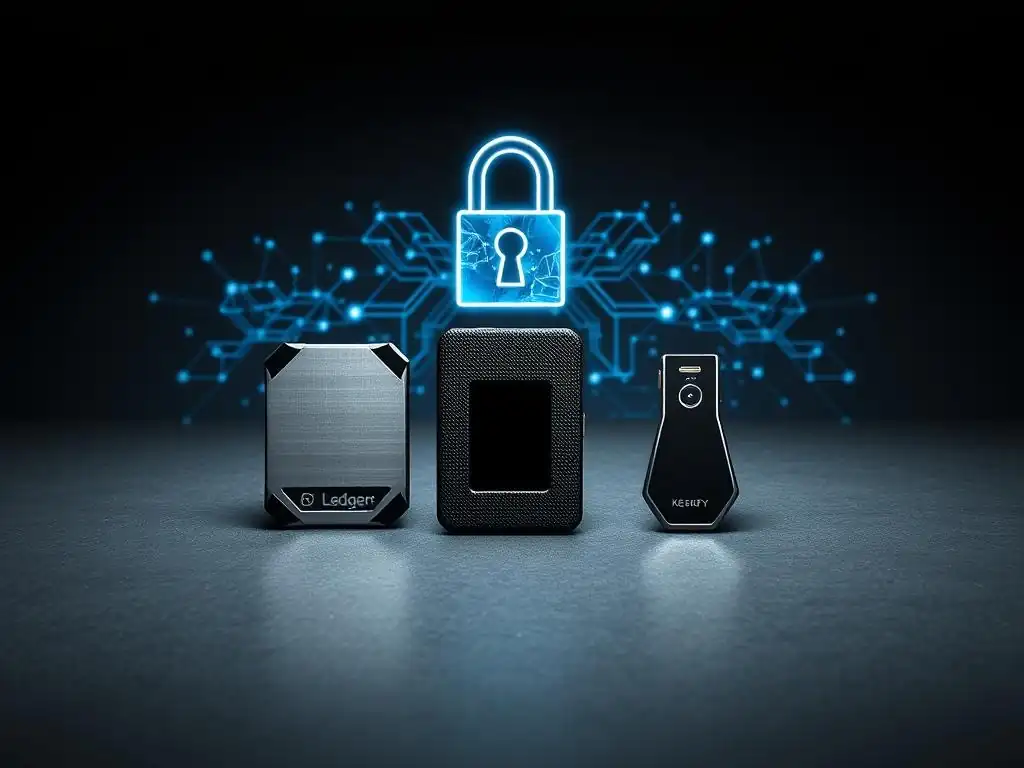
Welcome to Blockchain Trends, your guide to understanding the revolution beyond Bitcoin! In this article, we delve into the critical aspect of securing your digital assets. With increasing threats targeting cryptocurrency owners, choosing the right wallet is paramount. Unsure which offers the best crypto wallet security? This comprehensive comparison of Ledger, Trezor, and KeepKey will equip you with the knowledge to make an informed decision. Dive in and discover which hardware wallet reigns supreme for long-term storage, and unlock the peace of mind you deserve.
- Introduction to Best Crypto Wallet Security
- Ledger Wallet: Features and Security
- Trezor Wallet: Features and Security
- KeepKey Wallet: Features and Security
- Comparative Analysis: Ledger vs Trezor vs KeepKey
- Recommendations for Long-term Storage
- Conclusion: The Future of Best Crypto Wallet Security
-
Frequently Asked Questions
- How does Ledger's security model compare to Trezor's when considering long-term crypto storage?
- What are the key differences in software and user interface between Ledger, Trezor, and KeepKey, and how do they affect security?
- Considering regulatory compliance and long-term storage, which wallet (Ledger, Trezor, or KeepKey) offers the most robust solutions?
- What happens to my crypto assets if my Ledger, Trezor, or KeepKey device is lost or damaged, and how does the seed phrase play a role?
- Are Ledger, Trezor, and KeepKey vulnerable to software exploits or phishing attacks, and what steps can users take to mitigate these risks?
- Final Reflection: Fortifying Your Digital Vault
- Secure Your Future: Choose the Right Wallet Today!
Introduction to Best Crypto Wallet Security
Storing cryptocurrency securely, especially for the long term, is paramount for any investor. Unlike holding assets in a centralized exchange, which exposes you to platform risks, taking custody of your private keys gives you full control. However, this also places the responsibility of security squarely on your shoulders. The goal is to find a storage solution that effectively isolates your private keys from online threats, thereby achieving the best crypto wallet security possible for significant holdings.
Understanding the Importance of Long-term Storage
Long-term crypto storage, often referred to as "hodling," involves keeping digital assets off exchanges for extended periods, sometimes years. This strategy requires a robust security solution that minimizes the risk of theft, loss, or damage over time. While software wallets offer convenience for active trading or smaller amounts, they remain connected to the internet, increasing their vulnerability to malware and phishing attacks.
For substantial investments intended for long-term growth, the security provided by offline storage is indispensable. The primary objective is to protect the private keys that control access to the funds. Losing these keys means losing access to the cryptocurrency, and if they fall into the wrong hands, the funds can be stolen instantly. Therefore, selecting a storage method that provides the highest level of isolation and resilience against various threats is critical for achieving optimal long-term crypto security.
Overview of Hardware Wallets: Ledger, Trezor, and KeepKey
Hardware wallets represent the gold standard for secure cryptocurrency storage. These physical devices store private keys offline, making them immune to online threats like viruses and hackers. Transactions are signed directly on the device, and only the signed transaction (not the private key) is broadcast to the network via a connected computer or smartphone. This process ensures that the private key never leaves the secure environment of the hardware wallet.
Among the most popular and trusted hardware wallets are Ledger, Trezor, and KeepKey. Each offers a unique blend of features, security measures, user experience, and price points. While all three aim to provide best crypto wallet security through offline key storage, they differ in their underlying technology, supported assets, and ecosystem. This comparison will delve into the specifics of each to help determine which might be the best fit for your long-term storage needs.
Ledger Wallet: Features and Security
Ledger is one of the most widely used hardware wallet brands globally, known for its range of devices like the Nano S Plus and Nano X. These devices are compact, resembling USB drives, and connect to a computer or smartphone via USB or Bluetooth (on the Nano X). Ledger wallets require the user to set up a PIN code for access and a 24-word recovery phrase to back up the private keys.
The Ledger Live software serves as the primary interface for managing assets, sending/receiving transactions, and installing applications for different cryptocurrencies on the device. The ecosystem supports a vast number of cryptocurrencies and tokens, and integrates with various third-party software wallets, expanding its utility beyond just storing keys. The focus on a user-friendly interface combined with strong security features has made Ledger a popular choice for many seeking reliable crypto wallet security.
Key Features of Ledger Wallet
Ledger wallets boast several key features designed to enhance both security and usability. A central feature is the Secure Element chip, a tamper-resistant component similar to those found in passports and credit cards. This chip is specifically designed to protect cryptographic secrets from sophisticated physical attacks. Each device requires a PIN code entered directly on the device buttons, preventing keyloggers from capturing it.
Another significant feature is the support for a broad spectrum of cryptocurrencies, currently exceeding 5,500 coins and tokens. This wide compatibility is managed through installing specific "apps" for each blockchain on the device via Ledger Live, although the device has limited storage for these apps. The Nano X model also includes Bluetooth connectivity, allowing users to manage their crypto securely on mobile devices without a cable, which is a convenience feature while maintaining core security principles.
Security Measures: How Ledger Ensures Best Crypto Wallet Security
Ledger's security architecture is built around the certified Secure Element (SE) chip (e.g., CC EAL5+ certified). This chip acts as a vault for the private keys, isolating them from the device's main processor and any connected computer or smartphone. When you initiate a transaction, the details are sent to the Ledger device, you verify them on the small screen, and then the signing occurs within the Secure Element. Only the signed transaction leaves the device.
Furthermore, Ledger employs a proprietary operating system called BOLOS (Blockchain Open Ledger Operating System). This OS is designed specifically for the Secure Element and enforces strict isolation between different cryptocurrency applications, preventing a vulnerability in one app from affecting others or the core private keys.
While the closed-source nature of BOLOS and the SE has been a point of discussion in the security community compared to fully open-source alternatives, Ledger emphasizes that the certification process and internal security reviews provide a high level of assurance for best crypto wallet security. Recovery is handled via a 24-word seed phrase generated offline by the device.
Pros and Cons of Using Ledger Wallet
Pros:
- Uses a certified Secure Element chip for enhanced protection against physical attacks.
- Supports a very large number of cryptocurrencies (over 5,500).
- User-friendly Ledger Live software ecosystem.
- Compact and portable design.
- Nano X offers Bluetooth connectivity for mobile use.
Cons:
- Firmware and operating system (BOLOS) are closed source, making independent security audits more challenging for the public.
- Limited storage space for installing many cryptocurrency apps simultaneously on some models (like the Nano S Plus).
- Bluetooth on Nano X, while convenient, adds a potential (albeit low-risk, as keys aren't transmitted) attack vector compared to wired-only.
Pricing and Availability of Ledger Wallet
Ledger wallets are widely available for purchase directly from the official Ledger website and authorized resellers globally. Pricing varies depending on the model and any ongoing promotions. The Ledger Nano S Plus typically retails for around $59 USD, making it an entry-level option for secure storage.
The more advanced Ledger Nano X, with its larger screen, more memory, and Bluetooth capability, is priced higher, usually around $149 USD. These prices position Ledger competitively within the hardware wallet market, offering different tiers to suit varying budgets and needs while aiming to provide robust crypto wallet security across its product line.
Trezor Wallet: Features and Security
Trezor is credited with creating the first-ever hardware wallet back in 2012. Developed by SatoshiLabs, Trezor wallets, such as the Model One and Model T, are known for their robust security features and emphasis on open-source principles. Like Ledger, they are small, portable devices that connect to a computer via USB. Trezor wallets also rely on a PIN for access and a recovery seed phrase for backup.
The Trezor Suite software is the primary interface for managing assets and interacting with the device. Trezor supports a substantial number of cryptocurrencies, though generally fewer than Ledger. A key differentiator for Trezor is its commitment to open-source hardware and software, allowing the community to review and audit its code for vulnerabilities, contributing to its reputation for providing strong crypto wallet security.
Key Features of Trezor Wallet
Trezor wallets are distinguished by their open-source nature. Both the hardware design and the firmware are publicly available for review, fostering transparency and allowing security experts worldwide to scrutinize the system for potential weaknesses. This contrasts with the closed-source components used by some competitors and is a core part of Trezor's approach to building trust in its crypto wallet security.
The Model T, the more advanced Trezor model, features a color touchscreen display. This allows users to enter their PIN and recovery phrase directly on the device itself, mitigating the risk of keyloggers even further compared to models that require input on a connected computer. Trezor supports a wide range of cryptocurrencies and integrates seamlessly with many popular third-party software wallets, providing flexibility in how users manage their diverse digital assets.
Security Measures: How Trezor Provides Best Crypto Wallet Security
Trezor's security model is heavily reliant on its open-source design and robust offline transaction signing. Private keys are generated and stored securely within the device's isolated environment and never exposed to the internet. When a transaction is initiated, the details are sent to the Trezor device, where they are displayed for verification on the screen. The user confirms the details using the physical buttons (Model One) or touchscreen (Model T).
The signing process occurs entirely within the device, and only the signed transaction is sent back to the connected computer or phone for broadcasting. Trezor devices utilize a robust chip (though not a certified Secure Element in the same way Ledger does) combined with cryptographic best practices and the strength of community review. While not using an SE has been debated, SatoshiLabs argues that their open-source approach, coupled with secure bootloaders and firmware verification, offers a transparent and auditable path to achieving high levels of crypto wallet security. Recovery is handled via a 12-word or 24-word seed phrase.
Pros and Cons of Using Trezor Wallet
Pros:
- Fully open-source hardware and software allow for community audits and verification.
- Strong reputation and history as the original hardware wallet creator.
- Trezor Model T features a touchscreen for PIN/passphrase entry directly on the device.
- Supports a significant number of cryptocurrencies.
Cons:
- Does not use a certified Secure Element chip, which some users prefer for physical tamper resistance (though Trezor argues their design compensates).
- Generally supports fewer cryptocurrencies than Ledger.
- User interface on Model One is simpler due to button-only navigation.
Pricing and Availability of Trezor Wallet
Trezor wallets are available for purchase directly from the official Trezor website and through authorized distributors worldwide. Pricing reflects the model's features and capabilities. The Trezor Model One, the original and more basic model, is typically priced around $69 USD, positioning it as an accessible option for secure storage.
The Trezor Model T, with its color touchscreen and advanced features, represents a higher-end option and usually sells for approximately $219 USD. These price points are competitive, offering different levels of features and design philosophies (particularly the open-source focus) to users prioritizing robust crypto wallet security.
KeepKey Wallet: Features and Security
KeepKey, now part of the ShapeShift ecosystem, offers a hardware wallet solution distinguished by its large, clear display screen. This screen is a central feature, designed to make transaction verification straightforward and reduce the risk of errors or manipulation. KeepKey also requires a PIN code for device access and utilizes a standard recovery seed phrase for backup.
While perhaps less widely known than Ledger or Trezor, KeepKey provides essential hardware wallet functionality: offline storage of private keys and secure transaction signing. Its integration within the ShapeShift platform allows for easy exchange of assets directly from the wallet interface, adding a layer of convenience for users within that ecosystem while maintaining underlying crypto wallet security.
Key Features of KeepKey Wallet
The most prominent feature of the KeepKey wallet is its large, high-resolution OLED display. This screen is significantly bigger than those found on most Ledger or Trezor models, making it easier for users to read and verify transaction details, addresses, and other critical information before signing. This visual verification process is a key security feature, helping prevent users from accidentally approving malicious transactions.
KeepKey supports a range of major cryptocurrencies, though its compatibility list is generally smaller than Ledger and Trezor. It integrates closely with the ShapeShift platform, allowing users to swap supported cryptocurrencies directly within the connected interface without moving them to an exchange, which can be convenient. Like other hardware wallets, it generates and stores private keys offline using a cryptographically secure random number generator.
Security Measures: Achieving Best Crypto Wallet Security with KeepKey
KeepKey achieves best crypto wallet security by adhering to the core principle of hardware wallets: isolating private keys from online environments. Private keys are generated on the device and never leave it. When a transaction is initiated via the connected software (like ShapeShift or compatible third-party interfaces), the transaction details are sent to the KeepKey device.
The user must then manually verify these details on the large screen and approve the transaction using the device's physical button. The transaction signing happens internally, and only the signed output is sent back. KeepKey utilizes a microcontroller with robust cryptographic capabilities to perform these operations securely. While it doesn't use a certified Secure Element chip like Ledger, its security relies on the isolation provided by the hardware, the integrity of its firmware, and the critical user verification step facilitated by the large screen. Recovery is typically handled via a 12-word seed phrase.
Pros and Cons of Using KeepKey Wallet
Pros:
- Large, clear display for easy transaction verification.
- Integration with the ShapeShift platform for convenient swaps.
- Simple and intuitive user interface.
- Generally competitive pricing.
Cons:
- Supports a smaller number of cryptocurrencies compared to Ledger and Trezor.
- Does not utilize a certified Secure Element chip.
- Less widely adopted and potentially less community scrutiny compared to Ledger/Trezor.
Pricing and Availability of KeepKey Wallet
KeepKey wallets are available for purchase primarily through the ShapeShift website and potentially other online retailers. KeepKey is often positioned as a more budget-friendly option in the hardware wallet market.
The standard KeepKey device is typically priced around $49 USD. This lower price point makes it an attractive option for users seeking a basic, yet secure, hardware wallet solution, particularly if their portfolio consists mainly of major cryptocurrencies and they value the large screen for transaction verification, contributing to their overall crypto wallet security strategy.
Comparative Analysis: Ledger vs Trezor vs KeepKey
Comparing Ledger, Trezor, and KeepKey reveals distinct strengths and weaknesses for each device, particularly when evaluating them for long-term crypto storage and best crypto wallet security. While all three provide the fundamental benefit of offline private key storage, their implementation details, features, and ecosystems differ significantly, influencing which might be the optimal choice for a given user's needs and priorities.
Understanding these differences across key areas like security architecture, user experience, compatibility, and price is essential for making an informed decision. The choice isn't simply about which is 'best' universally, but which aligns most closely with your specific requirements for managing and securing your digital assets over the long haul.
Security: An In-depth Comparison of Features
When evaluating the security features of Ledger, Trezor, and KeepKey, the primary difference lies in their approach to hardware security and transparency. Ledger utilizes a certified Secure Element (SE), a chip designed to resist physical tampering and sophisticated attacks, providing a high level of assurance verified by external certifications (like CC EAL5+). This component is closed-source.
Trezor, on the other hand, relies on a standard microcontroller but compensates with a fully open-source hardware and software design. This transparency allows anyone to inspect the code and circuitry for vulnerabilities, fostering trust through audibility rather than certification of a black-box component. KeepKey uses a microcontroller and emphasizes the large screen for user verification as a key security layer, though it lacks both the SE certification of Ledger and the full open-source nature of Trezor. All three employ standard cryptographic algorithms and rely on secure PIN entry and offline seed phrase generation/recovery.
User Experience: Ease of Use and Interface
User experience is a significant factor, especially for those new to hardware wallets. Ledger, with its Ledger Live software, offers a polished and integrated ecosystem for managing a vast number of assets, staking, and even basic trading within the app. The devices themselves are compact, though navigating many apps on smaller screens (like the Nano S Plus) can be cumbersome.
Trezor's Trezor Suite software is also user-friendly, providing a clean interface for managing assets. The Trezor Model T's touchscreen is a major advantage for ease of PIN entry and transaction verification directly on the device. The Model One is simpler, relying on physical buttons. KeepKey's standout feature is its large screen, which simplifies transaction verification visually, although its supporting software ecosystem (tied to ShapeShift) might be less universal than Ledger Live or Trezor Suite for users not primarily using ShapeShift.
Compatibility: Supported Cryptocurrencies and Platforms
Compatibility with different cryptocurrencies and integration with various software platforms is crucial for users holding diverse portfolios. Ledger supports the widest array of assets, currently listing over 5,500 coins and tokens, primarily through its app system on the device. This makes it highly versatile for users with extensive altcoin holdings.
Trezor supports a substantial number of cryptocurrencies, including all major ones and many altcoins, typically listed in the hundreds to low thousands depending on the model and firmware version. KeepKey supports a smaller, but still significant, list of major cryptocurrencies like Bitcoin, Ethereum, Litecoin, and some ERC-20 tokens. All three can generally connect to popular third-party software wallets (like Exodus, Electrum, MetaMask, etc.) via standard protocols, enhancing their flexibility beyond their native interfaces and bolstering overall crypto wallet security by pairing online convenience with offline key protection.
Price Comparison: Which Wallet Offers the Best Value?
Price is often a consideration, particularly for those just starting or managing smaller portfolios, though security should always be the priority for long-term storage. KeepKey is typically the most affordable option, often priced around $49 USD, offering basic hardware wallet security with a large screen.
The Ledger Nano S Plus is an entry-level device from a leading brand, priced around $59 USD, offering a good balance of price and feature set (Secure Element, broad coin support). The Trezor Model One is similarly priced, around $69 USD, appealing to those who prioritize open-source principles.
The higher-end models, Ledger Nano X ($149 USD) and Trezor Model T ($219 USD), offer more features like Bluetooth, larger screens, or touch interfaces but come at a significantly higher cost. The "best value" depends on whether you prioritize the lowest cost, specific security features (SE vs. open source), or advanced usability features.
Recommendations for Long-term Storage
Choosing the best crypto wallet security solution for long-term storage requires careful consideration of your specific needs, risk tolerance, and portfolio composition. While Ledger, Trezor, and KeepKey all provide a significant security upgrade over software or exchange wallets, the nuances of their features and security architectures mean one might be better suited for you than others. The goal is to find a device that not only secures your keys effectively but also fits comfortably into your workflow for occasional access or management.
Beyond selecting a device, implementing sound security practices is equally vital. A hardware wallet is a powerful tool, but its effectiveness is maximized when combined with user vigilance and adherence to established security protocols. Long-term crypto security is a multi-faceted endeavor, requiring both the right technology and responsible user behavior.
Choosing the Right Wallet for Your Needs
Consider these factors when choosing among Ledger, Trezor, and KeepKey for optimal long-term crypto storage:
- Portfolio Diversity: If you hold a vast number of different altcoins, Ledger's extensive compatibility list (5,500+ assets) might be the most practical choice. If you primarily hold major coins like BTC, ETH, LTC, etc., all three are viable, but Trezor or KeepKey might suffice.
- Security Philosophy: If you prioritize certified hardware security components, Ledger's Secure Element is a strong point. If you value transparency and the ability for community code review, Trezor's open-source approach is preferable.
- User Interface Preference: If a large, clear screen for verification is paramount, KeepKey excels. If you prefer an integrated software experience for diverse activities, Ledger Live is robust. If you want a touchscreen for direct device interaction, the Trezor Model T is the option.
- Budget: KeepKey and Ledger Nano S Plus offer lower entry points, while Ledger Nano X and Trezor Model T represent higher investments for more features.
Ultimately, any of these hardware wallets provides a substantial improvement in crypto wallet security compared to leaving funds on an exchange or in a hot wallet.
Best Practices for Long-term Crypto Storage Security
Owning a hardware wallet is just the first step towards achieving best crypto wallet security for long-term holdings. Several critical best practices must be followed:
- Secure Your Recovery Phrase: This is the absolute most important step. Your 12 or 24-word seed phrase is the master key to your crypto. Store it offline, in a safe location, away from your device. Do not photograph it, store it digitally, or share it with anyone. Consider using metal plates or other durable methods for storage.
- Set a Strong PIN: Choose a PIN that is difficult to guess and always enter it directly on the device, not on a connected computer if the device supports it (like Trezor Model T).
- Verify Addresses Carefully: Always double-check the recipient address on the hardware wallet's screen before confirming a transaction. Malware can potentially alter addresses shown on your computer screen.
- Buy Directly from Manufacturer: Purchase your hardware wallet only from the official company website or their authorized resellers to avoid receiving tampered devices.
- Keep Firmware Updated: Regularly check for and install official firmware updates on your device. These updates often include security patches and support for new features or assets.
- Use a Passphrase (Optional but Recommended): For an extra layer of security, consider using a passphrase (a 13th or 25th word) in addition to your seed phrase. This creates a hidden wallet that requires both the seed and the passphrase to access, making the standard seed alone useless to an attacker.
Final Thoughts: Which Wallet is Best for You?
There is no single "best" hardware wallet for everyone; the ideal choice depends on individual priorities regarding features, cost, and security philosophy. For maximum compatibility with a vast range of altcoins and a certified Secure Element, Ledger is a strong contender. For those prioritizing open-source transparency and robust physical design, Trezor is an excellent choice, especially the Model T with its touchscreen. For users who value a large, easy-to-read screen and integration with ShapeShift at a competitive price point, KeepKey is a solid option. All three fundamentally enhance crypto wallet security for long-term storage by keeping private keys offline.
Conclusion: The Future of Best Crypto Wallet Security
The evolution of hardware wallets represents a significant advancement in empowering individuals to take secure custody of their digital assets. As the cryptocurrency market matures and attracts more participants, the importance of robust, user-friendly security solutions like Ledger, Trezor, and KeepKey will only grow. These devices have set a high standard for offline key storage, mitigating many of the risks associated with online wallets and exchanges.
The ongoing development in this space focuses on improving user experience, expanding asset support, and refining security measures against increasingly sophisticated threats. Future iterations may incorporate advanced biometric features, enhanced tamper-proof designs, and even more seamless integration with decentralized applications, further solidifying hardware wallets as the cornerstone of best crypto wallet security for anyone serious about protecting their long-term crypto investments.
Summary of Key Takeaways
- Hardware wallets (Ledger, Trezor, KeepKey) are essential for achieving best crypto wallet security for long-term storage by keeping private keys offline.
- Ledger is known for its Secure Element chip and broad altcoin support (5,500+).
- Trezor emphasizes open-source hardware and software for community auditability.
- KeepKey features a large screen for easy transaction verification at a competitive price point.
- Choosing the right wallet depends on your portfolio, desired features, and security preferences (certified hardware vs. open source).
- Using a hardware wallet must be combined with best practices like securing your recovery phrase offline and verifying transaction details on the device screen.
Encouragement to Invest in Secure Storage Solutions
If you hold cryptocurrency, especially for the long term, investing in a quality hardware wallet from a reputable brand like Ledger, Trezor, or KeepKey is not just an option, but a necessity for safeguarding your assets. The relatively small cost of a hardware wallet is a negligible expense compared to the potential loss of your entire portfolio due to hacks, scams, or exchange failures.
Taking control of your private keys with a secure offline device is the most fundamental step towards achieving peace of mind and ensuring the best crypto wallet security for your digital wealth. Do your research, choose the wallet that fits your needs, and commit to following best security practices.
Frequently Asked Questions
How does Ledger's security model compare to Trezor's when considering long-term crypto storage?
Ledger utilizes a secure element chip, providing a higher level of physical security. Trezor, while open-source, relies on a less robust microcontroller, making it potentially more vulnerable to hardware-based attacks. This difference impacts long-term security considerations.
What are the key differences in software and user interface between Ledger, Trezor, and KeepKey, and how do they affect security?
Ledger's software is proprietary and requires Ledger Live, while Trezor's is open-source and works with various wallets. KeepKey's is also software based. Open-source software allows for community audits, potentially improving security, but proprietary software offers centralized control and updates.
Considering regulatory compliance and long-term storage, which wallet (Ledger, Trezor, or KeepKey) offers the most robust solutions?
None of these wallets offer inherent regulatory compliance. Compliance depends on the user's jurisdiction and how they manage their crypto. However, some services integrated with these wallets might have different levels of compliance.
What happens to my crypto assets if my Ledger, Trezor, or KeepKey device is lost or damaged, and how does the seed phrase play a role?
These wallets use a seed phrase (recovery phrase) to restore your assets. If lost, you can recover your funds using the seed phrase on a new device. Securely backing up and storing your seed phrase is critical.
Are Ledger, Trezor, and KeepKey vulnerable to software exploits or phishing attacks, and what steps can users take to mitigate these risks?
All hardware wallets are potentially vulnerable to software exploits and phishing scams. Users should always verify addresses on the device screen, keep their firmware updated, and be cautious of suspicious links or software. Never share your seed phrase!
Final Reflection: Fortifying Your Digital Vault
The exploration of Ledger, Trezor, and KeepKey underscores a crucial truth in the digital age: the security of our assets hinges on the choices we make. As cryptocurrency adoption continues its relentless climb, the need for robust, reliable, and user-friendly hardware wallets becomes paramount. Choosing the "best crypto wallet security" isn't just about technical specifications; it's about safeguarding our financial future against ever-evolving threats.
The ongoing influence of hardware wallets on the crypto space is undeniable. They represent a tangible bridge between the abstract world of digital currencies and the concrete need for personal control and security. The peace of mind they offer is invaluable, especially in a landscape rife with scams and vulnerabilities. Security is not a product, but a process.
This quote perfectly encapsulates the continuous effort required to maintain the integrity of our digital holdings, a process in which hardware wallets play a vital role.
As you navigate the complex world of cryptocurrency, remember that the "best crypto wallet security" is a deeply personal decision. Consider your individual needs, technical expertise, and risk tolerance. Reflect on the information presented here, and choose the wallet that empowers you to take control of your digital destiny. Your financial future is in your hands; secure it wisely.
Secure Your Future: Choose the Right Wallet Today!
Thank you for exploring the world of hardware wallets and learning about securing your crypto assets. Now that you’re equipped with the knowledge to select the best long-term storage solution, it’s time to take action and safeguard your digital assets.
Ready to make your crypto holdings truly secure? Here’s what you can do next:
- Decide which hardware wallet best fits your needs and budget, and order it today. Don’t wait for the next security incident to prompt action.
- Dive deeper: Explore the official websites of leading hardware wallet providers to access their user manuals, security audits, and community forums. Understanding every aspect of your chosen wallet is essential.
- Share your insights: Help others on their crypto security journey! Share this article with friends and family interested in safe long-term storage solutions.
Which security feature—multi-signature support, open-source firmware, or passphrase protection—is most important to you when choosing a hardware wallet, and why? Let us know in the comments below!
Leave a Reply