
The MetaMask Masterclass: A Deep Dive into the Most Popular Browser Extension Wallet


Welcome to Blockchain Trends, your guide to navigating the evolving landscape of decentralized technology.
Are you ready to unlock the power of Web3? This week, we're diving deep into a crucial tool for every blockchain enthusiast: the MetaMask wallet. Our MetaMask wallet setup tutorial for beginners will take you step-by-step through the process, ensuring you're ready to safely and confidently explore the world of DeFi and beyond. But what exactly is MetaMask, and how can it revolutionize your interaction with the blockchain? Keep reading to find out!
-
The MetaMask Masterclass: A Deep Dive into the Most Popular Browser Extension Wallet
- Understanding the MetaMask Wallet: An Overview
- Setting Up Your MetaMask Wallet: A Step-by-Step Guide
- Navigating the MetaMask Interface: Features Explained
- Best Practices for Using MetaMask Safely and Securely
- Comparing MetaMask with Other Crypto Wallets
- Conclusion: The Future of Crypto Wallets with MetaMask
- Additional Resources for MetaMask Users
-
Frequently Asked Questions
- What is MetaMask and why is it considered the most popular browser extension wallet?
- What are the key steps involved in a basic MetaMask wallet setup for beginners?
- Beyond cryptocurrencies, what else can MetaMask be used for in the context of blockchain technology?
- How does MetaMask contribute to the future of decentralized systems discussed on "Blockchain Trends"?
- What are the key security considerations when using MetaMask, especially for beginners, and what should users do to protect their funds?
- Final Reflection: Embracing Decentralized Access
The MetaMask Masterclass: A Deep Dive into the Most Popular Browser Extension Wallet
Understanding the MetaMask Wallet: An Overview
MetaMask stands as arguably the most widely recognized and utilized browser extension wallet in the decentralized web ecosystem. Launched in 2016 by ConsenSys, it quickly became the de facto standard for interacting with the Ethereum blockchain and its vast landscape of decentralized applications (dApps).
Its primary function is to allow users to manage their Ethereum accounts and keys securely, providing a bridge between standard web browsers like Chrome, Firefox, Brave, and Edge, and the decentralized world of Web3. Beyond just Ethereum, MetaMask has expanded its capabilities, allowing users to connect to various Ethereum Virtual Machine (EVM) compatible networks, such as Polygon, Binance Smart Chain (BSC), Avalanche, and others, significantly broadening its utility.
This browser extension wallet simplifies the process of signing blockchain transactions and managing digital assets like Ether (ETH) and ERC-20 tokens. Before MetaMask, interacting with dApps often required running a full Ethereum node or using complex command-line tools, posing a significant barrier to entry for most users. MetaMask abstracts away much of this complexity, offering a user-friendly interface that makes exploring DeFi protocols, NFT marketplaces, and blockchain-based games accessible to a broader audience.
Its dominance is reflected in its user base, which reportedly surpassed 30 million monthly active users by early 2022, highlighting its critical role in enabling mass adoption of decentralized technologies. The ease with which one can perform a basic MetaMask wallet setup tutorial for beginners has been a key factor in its widespread popularity.
Setting Up Your MetaMask Wallet: A Step-by-Step Guide
Getting started with a MetaMask wallet is a straightforward process designed to be accessible even for those new to the crypto space. The initial setup involves installing the browser extension and then either creating a new wallet or importing an existing one using a seed phrase. Creating a new wallet is the typical path for newcomers and involves generating a unique 12-word secret recovery phrase, which is the master key to your wallet and all its associated accounts.
This phrase is paramount; losing it means losing access to your funds, and sharing it exposes your assets to theft. The setup flow includes setting a strong password to encrypt the wallet locally on your device, providing an extra layer of security for daily use.
Once the extension is installed and a wallet is created or imported, users are ready to connect to decentralized applications. MetaMask automatically detects dApp interaction requests, prompting the user for permission to connect their wallet or sign transactions.
This seamless integration is one of the core strengths of MetaMask, enabling users to navigate Web3 sites without manually entering private keys or complex configurations. The entire process, from installation to connecting to a dApp, can often be completed in just a few minutes, making the MetaMask wallet setup tutorial for beginners a relatively quick introduction to managing crypto assets and interacting with the decentralized web.
MetaMask Wallet Setup Tutorial for Beginners
For those embarking on their first journey into the world of crypto and Web3, a step-by-step guide to setting up MetaMask is invaluable. The process begins by visiting the official MetaMask website or your browser's extension store (e.g., Chrome Web Store, Firefox Add-ons). Search for "MetaMask" and ensure you are installing the official extension, verifying the publisher. Click "Add to [Browser Name]" and confirm the installation request. Once installed, the MetaMask fox icon will appear in your browser's toolbar. Clicking this icon will initiate the setup process, which typically involves agreeing to the terms of service and privacy policy.
The next crucial step for a beginner is creating a new wallet. Select the "Create a new wallet" option. You will be prompted to create a strong password. Choose a password that is unique and robust, ideally a combination of upper and lowercase letters, numbers, and symbols.
Remember this password, as you will need it to unlock your wallet each time you use your browser. After setting the password, you will be presented with your 12-word secret recovery phrase. This is the most critical part of the MetaMask wallet setup tutorial for beginners. Write this phrase down physically on paper and store it in a secure location, preferably in multiple secure locations.
Do not store it digitally (e.g., in notes apps, cloud storage, or emails) as this makes it vulnerable to hacking. You will then be asked to confirm the phrase by selecting the words in the correct order. Completing this verification finalizes your wallet creation, and you are now ready to use your MetaMask wallet.
Importing and Managing Assets in MetaMask
Once your MetaMask wallet is set up, you will see your main account address, typically starting with 0x. By default, MetaMask displays your ETH balance on the Ethereum mainnet. To manage other ERC-20 tokens or assets on different EVM-compatible networks, you may need to manually add them. For ERC-20 tokens on the current network, you can click "Import tokens" at the bottom of the assets list. Here, you can search for common tokens by name or symbol. If the token is not listed, you can switch to the "Custom token" tab and enter the token's contract address, which can be found on blockchain explorers like Etherscan. MetaMask will usually auto-fill the token symbol and decimals once a valid address is entered. Clicking "Add Custom Token" and then "Import Tokens" will add the token to your asset list, displaying its balance if you hold any.
Managing assets across different networks is another key function. While MetaMask defaults to the Ethereum mainnet, you can add and switch between other EVM networks like Polygon, BSC, or Avalanche. This is done by clicking the network dropdown at the top of the wallet interface. Common networks can be added via integrated lists, or you can manually add a network by providing its Network Name, New RPC URL, Chain ID, Currency Symbol, and Block Explorer URL.
These details are usually available in the documentation of the respective network. Once added, switching networks is as simple as selecting from the dropdown. Each network will display the assets (native currency and tokens) associated with your wallet address on that specific chain, allowing you to seamlessly interact with dApps across multiple ecosystems from a single MetaMask interface.
The MetaMask interface is designed to be intuitive, providing users with a clear overview of their assets, transaction history, and current network connection. The main screen, often referred to as the dashboard, prominently displays the selected account address, allowing for easy copying to the clipboard. Below the address, the current network is indicated, with a dropdown menu facilitating switching between added networks.
The primary focus of the dashboard is the display of asset balances, typically starting with the native currency of the selected network (e.g., ETH on Ethereum, MATIC on Polygon) followed by any imported tokens. This layout provides an immediate snapshot of the user's holdings on the active chain, which is helpful after completing the initial MetaMask wallet setup tutorial for beginners.
Beyond asset display, the interface offers core functionalities through prominent buttons like "Buy," "Send," and "Swap." The "Buy" button typically redirects users to integrated third-party services for purchasing crypto directly with fiat currency or transferring crypto from an exchange. The "Send" function allows users to initiate transactions to transfer assets to another wallet address, requiring the recipient's address and the amount to be sent. The "Swap" feature, introduced later, enables direct token-to-token exchanges within the wallet interface by aggregating prices from various decentralized exchanges (DEXs), offering a convenient way to trade assets without leaving the wallet environment.
Understanding the MetaMask Dashboard
The main MetaMask dashboard provides a comprehensive view of your active wallet state. At the very top, the account name is displayed, which can be customized. Directly below is the account address, represented as a string of hexadecimal characters starting with 0x. Clicking on this address copies it, making it easy to share for receiving funds. The network indicator is located near the top, showing the current blockchain network you are connected to (e.g., "Ethereum Mainnet"). Clicking this allows you to switch networks or add new custom ones. The central area is dominated by the asset list, showing the balance of the native token and any imported tokens on the currently selected network. Each asset listed typically shows the token symbol and the quantity held.
Below the asset list are the action buttons: "Buy," "Send," and "Swap." The "Buy" button might connect you to services like Wyre or Transak, enabling fiat-to-crypto purchases directly into your wallet. The "Send" button opens a new screen where you input the recipient's address, asset type, and amount for a transfer.
The "Swap" button initiates the in-wallet token exchange service, comparing prices from various DEX liquidity pools. At the bottom of the main dashboard, you'll find options like "Import tokens" (discussed earlier) and "Activity." The "Activity" tab displays a history of transactions associated with your selected account on the current network, including incoming and outgoing transfers and dApp interactions, providing a valuable record of your wallet's operations.
Exploring Advanced Features of MetaMask
While the basic functions cover sending, receiving, and swapping, MetaMask offers several advanced features beneficial for more experienced users or those exploring specific Web3 functionalities. One such feature is the ability to create multiple accounts within a single MetaMask wallet instance. Users can generate additional accounts under the same secret recovery phrase, allowing for better organization or separation of activities without managing multiple seed phrases.
These accounts are derived deterministically from the initial seed phrase. Another advanced option is connecting a hardware wallet (like Ledger or Trezor) to MetaMask. This allows users to use the familiar MetaMask interface for interacting with dApps while keeping their private keys securely stored on the hardware device, significantly enhancing security.
MetaMask also provides control over transaction details, which is crucial for interacting efficiently with blockchain networks. Users can customize gas fees (the cost paid to network validators to process transactions) for each transaction. While MetaMask offers suggested "slow," "average," and "fast" gas price options based on current network conditions, advanced users can manually edit the gas limit and gas price (or use EIP-1559 parameters like Max priority fee and Max fee) to optimize transaction speed and cost.
This level of control is vital during periods of high network congestion when default settings might result in slow or failed transactions. Furthermore, MetaMask supports connecting to local development networks (like Ganache) and testnets, enabling developers to test dApps before deploying to the main network, showcasing its utility beyond just end-user asset management.
Best Practices for Using MetaMask Safely and Securely
Security is paramount when using any crypto wallet, and MetaMask is no exception. As a browser extension, it operates within the browser environment, which can be susceptible to various online threats. Therefore, adopting robust security practices is essential to protect your digital assets. The single most critical element of MetaMask security is the secret recovery phrase.
This 12-word phrase is the ultimate key to your wallet; anyone who obtains it can gain full control over your accounts and funds. Never share this phrase with anyone, under any circumstances. MetaMask itself will never ask you for your secret recovery phrase. Be extremely wary of phishing attempts disguised as official communications asking for this information.
Beyond protecting your secret recovery phrase, maintaining the security of the device and browser where MetaMask is installed is vital. Ensure your operating system and browser are always updated to the latest versions, as updates often include critical security patches. Use strong, unique passwords for your computer and online accounts.
Be cautious about installing other browser extensions, as malicious extensions could potentially interfere with MetaMask or attempt to steal information. Furthermore, practice safe browsing habits: avoid clicking on suspicious links, especially those received via email or social media, and only download software from trusted sources. Regularly review your MetaMask activity to spot any unauthorized transactions quickly.
Common Security Risks with Browser Extension Wallets
Browser extension wallets like MetaMask face specific security challenges due to their operational environment. One of the most prevalent risks is phishing attacks. Scammers create fake websites that mimic legitimate dApps or the MetaMask interface, attempting to trick users into revealing their secret recovery phrase or private keys.
These phishing sites often use URLs that are slightly different from the official ones, relying on users not noticing the discrepancy. Another significant risk is malicious websites or dApps. While MetaMask requires user confirmation for transactions, a compromised or malicious dApp could potentially request permissions that, if granted without careful review, could lead to loss of funds or unauthorized actions.
Malware on the user's computer also poses a substantial threat. Keyloggers can capture your password when you unlock MetaMask, while clipboard hijackers can swap a legitimate recipient's address with a hacker's address when you copy and paste. Browser vulnerabilities or compromised extensions running alongside MetaMask can potentially access sensitive data or interfere with its operations.
Furthermore, using public Wi-Fi networks without a VPN can expose your internet traffic to interception, although this is less of a direct threat to the encrypted wallet data itself and more of a general security risk. Understanding these potential vectors is the first step in mitigating them and ensuring safe usage after performing your MetaMask wallet setup tutorial for beginners.
Tips for Enhancing Your Security while Using MetaMask
To significantly enhance the security of your MetaMask wallet, implement several layers of protection. Firstly, use a strong, unique password for your MetaMask wallet and enable any available two-factor authentication (2FA) for accounts linked to your crypto activities (like email or exchange accounts). Store your secret recovery phrase offline and in multiple secure physical locations, treating it with the same care you would cash or precious jewelry. Consider using a password manager to generate and store complex passwords securely.
Secondly, be vigilant about the websites you connect your MetaMask wallet to. Always double-check the URL of dApps and websites before connecting or signing transactions. Be cautious of unsolicited requests to connect your wallet or sign transactions. Read the details of every transaction request in MetaMask carefully; understand what you are signing and what permissions you are granting, especially for approvals that allow smart contracts to spend your tokens.
For significant amounts of crypto, consider investing in a hardware wallet and connecting it to MetaMask. This ensures your private keys never leave the secure hardware device, even when interacting with dApps through the browser extension, offering the highest level of security for your assets. Regularly reviewing and revoking token allowances granted to smart contracts via tools like Etherscan's Token Approvals checker is also a good practice.
Comparing MetaMask with Other Crypto Wallets
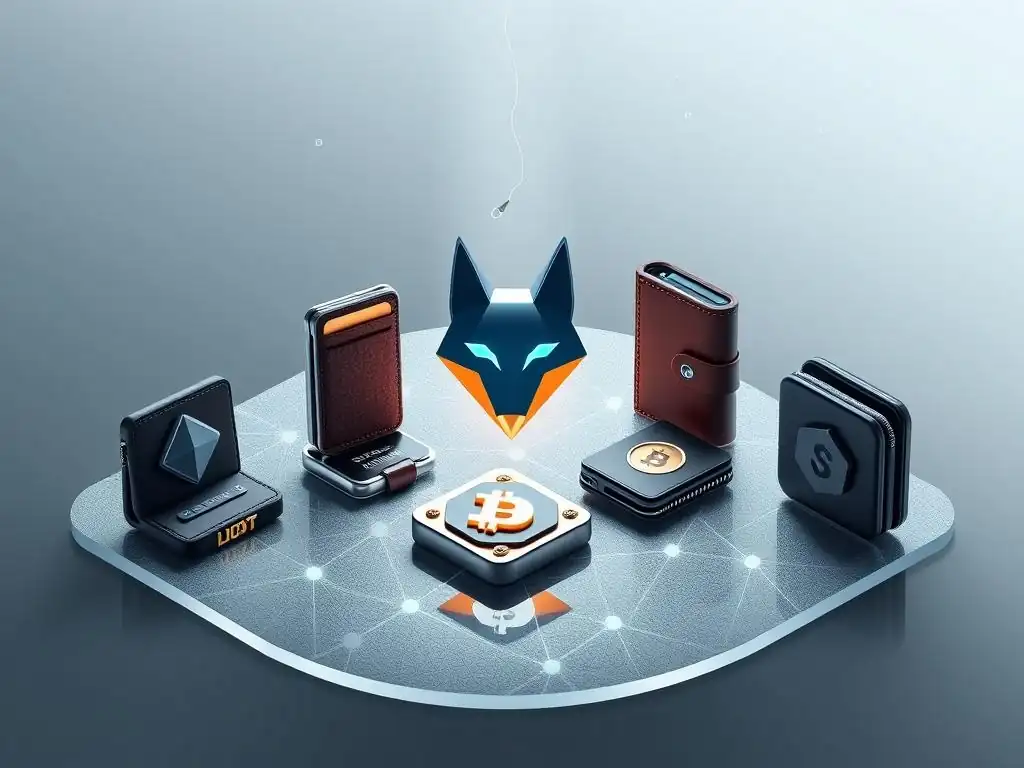
The cryptocurrency wallet landscape is diverse, offering various types of wallets including desktop, mobile, hardware, and other browser extensions. MetaMask, while dominant in the browser extension category, exists alongside several competitors, each with its own strengths and target users. Comparing MetaMask to these alternatives helps users understand why it has achieved such widespread adoption and where other wallets might offer different advantages. Key comparison points often include supported networks, user interface, security features, integration with dApps, and ease of use.
MetaMask's primary focus on the Ethereum ecosystem and EVM-compatible chains has historically been its core strength and limitation. While it excels in this domain, other wallets might specialize in different blockchain ecosystems (e.g., Solana, Cosmos) or offer distinct features like enhanced privacy or built-in exchange functionalities. The user experience can also vary significantly; while MetaMask is generally considered user-friendly, especially after following a simple MetaMask wallet setup tutorial for beginners, some newer wallets boast more modern interfaces or streamlined processes. Security features also differ, with some wallets offering advanced multi-signature options or unique recovery mechanisms.
MetaMask vs. Other Popular Browser Extension Wallets
Several other browser extension wallets compete with MetaMask, each catering to slightly different needs or blockchain networks. Phantom Wallet, for example, is the leading browser extension wallet for the Solana ecosystem, offering seamless interaction with Solana dApps, NFTs, and DeFi. While MetaMask primarily focuses on EVM chains, Phantom is built specifically for Solana's architecture. Keplr Wallet is another prominent extension wallet, but its focus is on the Cosmos ecosystem and inter-blockchain communication (IBC), supporting various chains like Cosmos Hub, Osmosis, and Secret Network. These wallets are essential for users operating outside the EVM world.
Compared to these specialized wallets, MetaMask's strength lies in its ubiquity across the vast EVM landscape. It supports not only Ethereum but also popular chains like Polygon, BSC, Avalanche C-Chain, Arbitrum, Optimism, and many others, making it a versatile tool for users who interact with multiple EVM networks.
While wallets like Coinbase Wallet or Brave Wallet also offer browser extension capabilities and EVM support, MetaMask generally boasts broader dApp compatibility and a more established presence within the developer community, leading to wider support across decentralized applications. The ease of performing a MetaMask wallet setup tutorial for beginners further contributes to its accessibility compared to wallets tied to specific exchanges or browsers.
Why Choose MetaMask Over Other Wallets?
There are several compelling reasons why users, especially beginners, might choose MetaMask as their primary crypto wallet. Foremost is its widespread adoption and integration. As the most popular browser extension wallet, MetaMask is supported by the vast majority of dApps across the Ethereum and EVM-compatible network spectrum. If a dApp works with a browser extension wallet, chances are it works with MetaMask, providing unparalleled access to the decentralized web. This extensive compatibility means users don't need different wallets for different EVM dApps, simplifying their Web3 experience significantly.
Another key advantage is the wealth of available resources and community support. Because of its popularity, finding guides, tutorials (including detailed MetaMask wallet setup tutorial for beginners), and troubleshooting help for MetaMask is exceptionally easy. The large user base means common issues are well-documented, and community forums or support channels are readily available.
While other wallets are catching up, MetaMask's established position and continuous development by ConsenSys contribute to its reliability and ongoing feature improvements, such as the built-in swap functionality and enhanced security measures. For most users interacting within the EVM space, MetaMask offers the most balanced combination of usability, compatibility, and community support.
Conclusion: The Future of Crypto Wallets with MetaMask
MetaMask has undeniably played a pivotal role in lowering the barrier to entry for interacting with the decentralized web, particularly within the Ethereum and EVM ecosystems. Its user-friendly interface, widespread dApp support, and straightforward setup process – exemplified by the accessible MetaMask wallet setup tutorial for beginners – have made it the gateway for millions into DeFi, NFTs, and other Web3 applications. While the crypto wallet landscape continues to evolve with new competitors and technologies, MetaMask's established position and continuous development indicate its likely continued relevance in the future.
Looking ahead, the future of crypto wallets like MetaMask will likely involve enhanced security features, improved cross-chain interoperability beyond EVM chains, and more seamless integration with emerging Web3 technologies. As the decentralized web matures and potentially expands to billions of users, the need for intuitive, secure, and highly compatible wallets will only grow.
MetaMask is well-positioned to adapt to these changes, potentially incorporating support for layer 2 scaling solutions more natively, exploring account abstraction for improved user experience and security, and potentially bridging to non-EVM chains. Its evolution will likely mirror the broader advancements in the blockchain space, solidifying its role as a foundational tool for navigating the decentralized future.
Additional Resources for MetaMask Users
For users looking to deepen their understanding of MetaMask or troubleshoot specific issues after completing their initial setup, numerous resources are available. The official MetaMask support documentation is an excellent starting point, offering detailed guides on everything from basic functions like sending and receiving crypto to more advanced topics like connecting to custom RPC networks or using hardware wallets. This documentation is regularly updated and covers frequently asked questions and common error messages.
Beyond the official documentation, the broader Web3 community provides a wealth of knowledge. Many dApps and blockchain projects offer their own tutorials specifically on how to connect and use their platforms with MetaMask. Online forums, community chat groups (like Discord or Telegram), and video-sharing platforms host countless user-created guides and video walkthroughs covering various aspects of using the wallet, including specific nuances of the MetaMask wallet setup tutorial for beginners or tips for navigating particular dApps. Engaging with these communities can be helpful for finding solutions to unique problems or learning about new features and best practices.
Frequently Asked Questions
What is MetaMask and why is it considered the most popular browser extension wallet?
MetaMask is a browser extension wallet that allows users to interact with the Ethereum blockchain. It is popular because it provides a user-friendly interface for managing cryptocurrencies and NFTs directly within web browsers, making it accessible to a wide audience.
What are the key steps involved in a basic MetaMask wallet setup for beginners?
The basic steps include installing the MetaMask extension, creating a new wallet or importing an existing one, securing your recovery phrase, and funding your wallet with Ether (ETH) or other tokens.
Beyond cryptocurrencies, what else can MetaMask be used for in the context of blockchain technology?
MetaMask can be used to interact with decentralized applications (dApps) in areas like DeFi (Decentralized Finance), NFTs, and other blockchain-based systems, enabling participation in various blockchain ecosystems.
How does MetaMask contribute to the future of decentralized systems discussed on "Blockchain Trends"?
MetaMask plays a vital role by simplifying user interaction with decentralized networks, fostering broader adoption and contributing to the growth of decentralized applications and platforms as discussed on "Blockchain Trends".
What are the key security considerations when using MetaMask, especially for beginners, and what should users do to protect their funds?
The most important security measure is protecting your secret recovery phrase (seed phrase). Never share it with anyone and store it offline in a secure location to prevent unauthorized access to your wallet.
Okay, here's a final reflection designed to close your "MetaMask Masterclass" article, connecting it to its current impact, stimulating personal reflection, and looking toward the future, while also subtly reinforcing the article's core purpose:
Final Reflection: Embracing Decentralized Access
The journey into the world of Web3 often begins with a single step, and for many, that step is the Metamask wallet setup. What was once a niche tool for crypto enthusiasts is now a gateway to a decentralized future, empowering individuals to control their digital assets and participate in a new era of online interaction. This tutorial, hopefully, has demystified that initial step, making the power of Web3 accessible to everyone.
The influence of tools like MetaMask extends far beyond simple cryptocurrency transactions. It's reshaping how we think about ownership, identity, and online communities. The ability to seamlessly interact with decentralized applications, manage NFTs, and participate in DAOs is not just a technological advancement, but a cultural shift. The future is already here – it's just not evenly distributed.
- William Gibson. This quote resonates deeply as we witness the growing adoption of Web3 technologies and the increasing importance of understanding tools like MetaMask.
Now, armed with this knowledge, I encourage you to explore the possibilities that await. Don't just be a passive observer; become an active participant in shaping the future of the internet. Experiment with different dApps, explore the world of NFTs, and contribute to the decentralized communities that are being built. The power is in your hands to build a more open, transparent, and equitable digital world.
The MetaMask Masterclass: A Deep Dive into the Most Popular Browser Extension Wallet
MetaMask has become one of the most widely used cryptocurrency wallets, seamlessly integrating with web browsers to provide users with secure access to decentralized applications and blockchain networks. This masterclass will explore the features, security measures, and practical uses of MetaMask, equipping you with the knowledge to maximize its potential. Whether you're a beginner or an experienced user, understanding MetaMask's functionalities can enhance your digital asset management and participation in decentralized finance. Join us to unlock the full potential of this powerful tool and take your blockchain experience to the next level.
Leave a Reply